
Record a business-paid expense
Record a purchase already paid from business cash, a bank account or a credit card.
- Who can do this
- Owners, or staff with expense viewing and the permission for this action
- Where
- Expenses & bills, then Expenses
- You'll need
- Accounting enabled and expense access; recording also needs posting permission or an approval workflow
On this page
Record the purchase
- Open Expenses & bills, then Expenses.
- Select New expense.
- Enter Merchant, or choose a saved vendor.
- Select Paid from, then enter Payment date and Payment method.
- Choose Category and enter Amount before tax. Add more category lines to split the purchase.
- Review Purchase total and supporting receipts.
- Select Record expense, or Submit for approval when review is required.
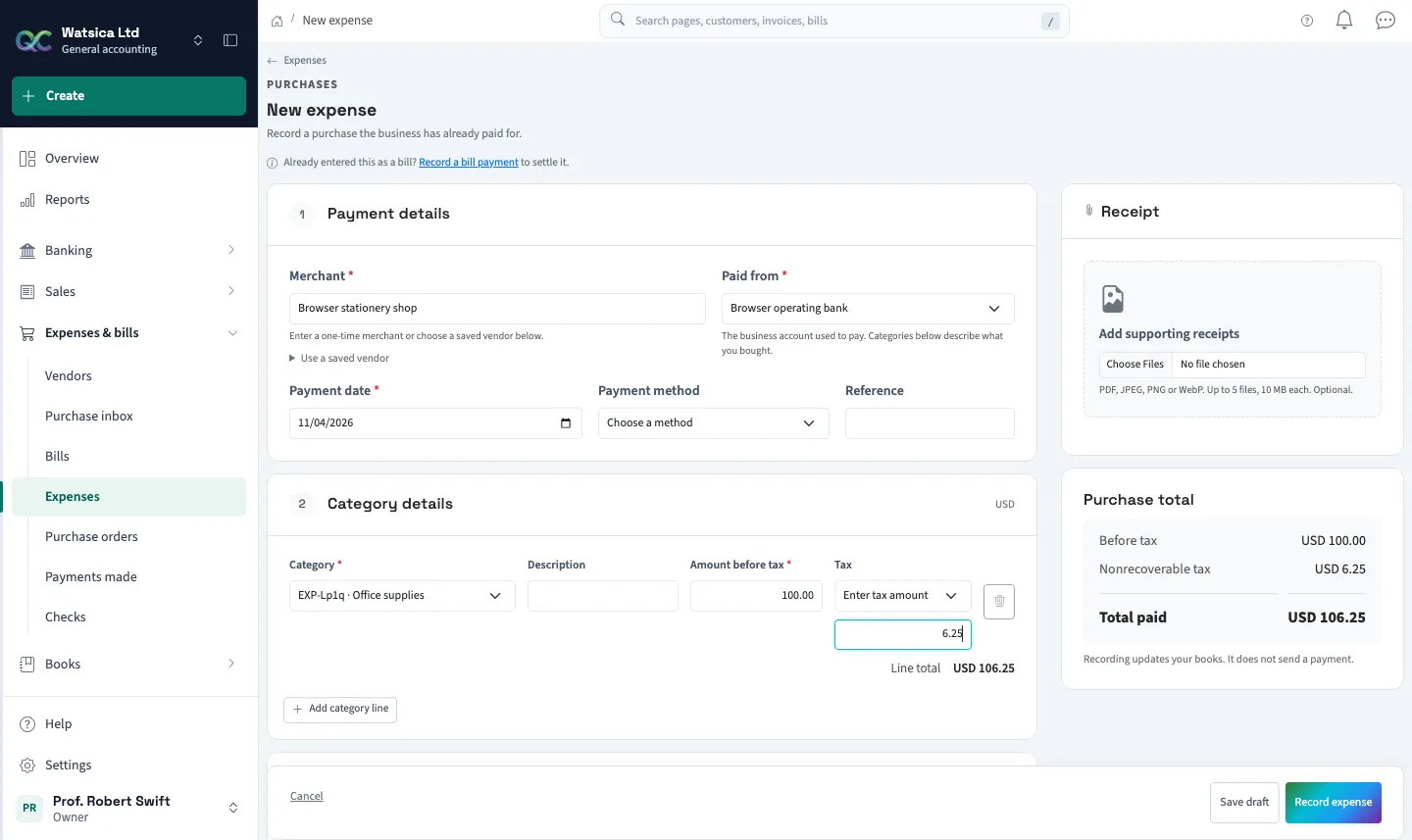
Use this workflow for purchases the business has already paid. If a bill already records the purchase, record a bill payment instead; entering another expense would count it twice. Recording an expense updates your books. It does not send money.
The funding account describes how you paid. Category lines describe what you bought. Eligible purchases can include an asset category; that amount increases the asset rather than operating expenses. Purchase tax is included in each category's cost. Recoverable purchase tax is not supported here.
Choose Save draft to finish later. A draft does not change account balances. A future payment date can be saved as a draft but cannot be recorded as an already-paid purchase.
Tax previews use the same currently effective rates as recording. If a saved draft shows Unavailable tax group, its saved tax stays visible. Choose an active group or Enter tax amount and verify the receipt before recording; the unavailable group cannot be recorded.
Your business base currency must use two decimal places. With project tracking required, select an active project. Nonprofit purchases also use the business's fund and function coding rules.