
Write a check
Record a direct check payment, choose its accounts, and send it to the print queue if needed.
- Who can do this
- Owners, or people with Write checks and View checks
- Where
- Purchases, then Checks
- You'll need
- An active bank account linked to an account in the books
On this page
Use Write Check to record a direct payment against expense, asset, or liability accounts.
Enter the check
- Open Purchases, then Checks.
- Select Write Check.
- Choose Bank Account.
- Enter Check Date.
- Select Payee or turn on Enter payee manually and enter a name.
- Review Check # for a manually issued check, or turn on Print Later.
- Enter Memo if needed.
- Select an Account for each line.
- Enter each line's Amount.
- Select Add Line for more lines.
- Review Total Amount.
- Select Save Check.
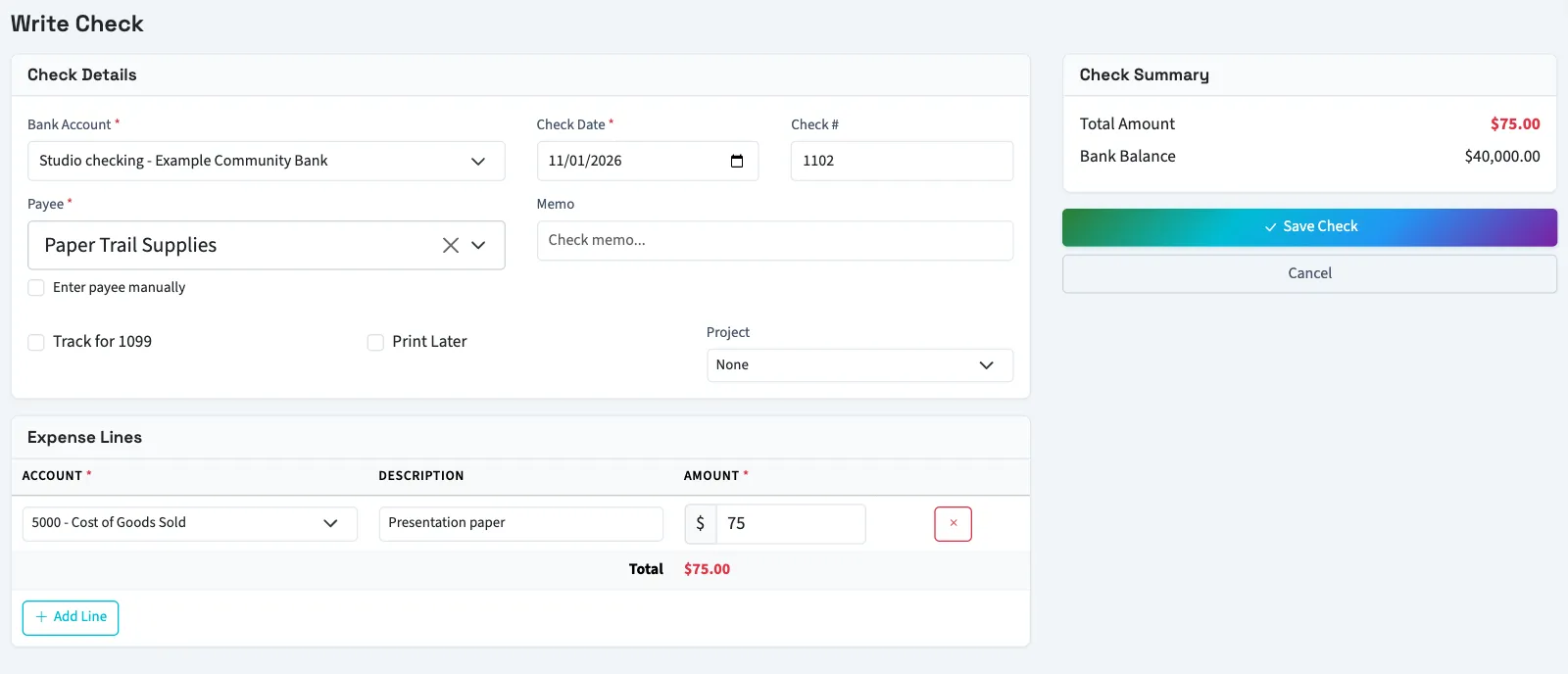
Each line must have an account and an amount of at least $0.01. Nonprofit also shows financial coding on each line. Selecting a saved vendor copies its mailing address into the check record.
Print Later leaves numbering for the print queue. Without it, a blank check number is assigned from that bank account's sequence, starting at 1001 if no numbered checks exist.
What happens next
A saved check posts immediately, including when Print Later is selected. Posting reduces the bank account and charges the line accounts. Approval also posts a check that was waiting for review.
This records the check; it does not deliver money or print paper automatically. A closed or locked period, or backdating restriction, can block posting.
Next, print checks or review the check register.
Good to know
A check counts in the automatic 1099 amount only when Track for 1099 is selected, a vendor is chosen, and its posted journal has not been voided or reversed. This guide explains how QixCount works. It isn't tax, legal or accounting advice.
It does not apply a payment to an existing bill. To settle a recorded bill, record a bill payment instead.
Owners can create checks. Other people need Write checks. Access to the check register and automatic check number lookup also requires View checks. The bank account must be active and linked to an account in the books.