
Turn an inbox item into a bill
Review extracted vendor document details and save one linked draft bill.
- Who can do this
- Owners, or people with Create bills and View bills and View vendors
- Where
- Purchases, then Bill inbox
- You'll need
- A completed, unlinked extraction and an active, approved vendor
A completed extraction can fill in a new bill. You still choose the vendor and accounts, check the amounts, and save it. Owners have access.
Review and save the bill
- Open Purchases, then Bill inbox, and select the filename.
- Select Review bill.
- Check Vendor against the original document.
- Check Vendor Invoice #, Bill Date, and Due Date.
- Review every Description, Qty, Price, and Account.
- Compare Tax, Discount, and Total with the source.
- Select Create Bill.
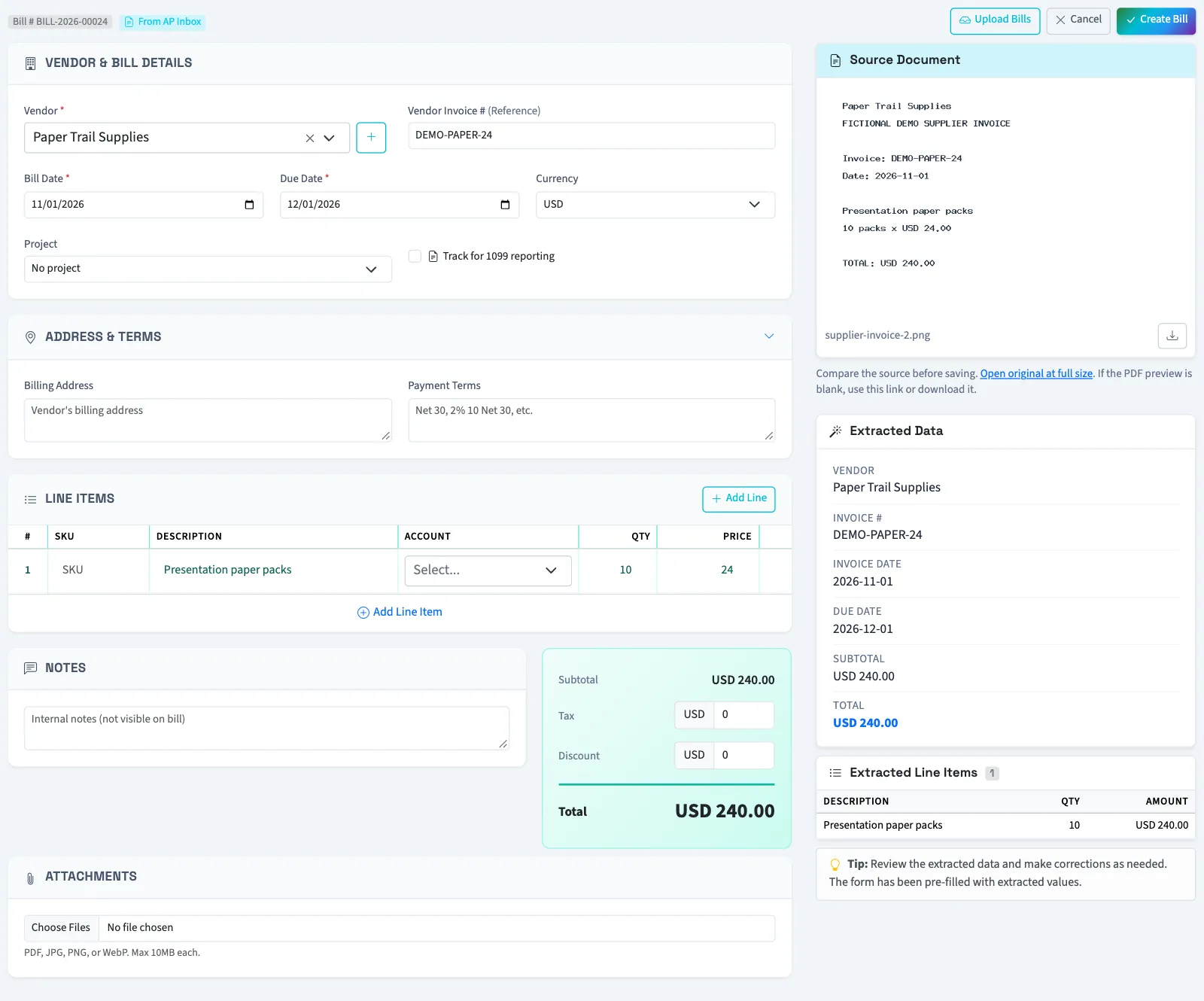
A missing due date defaults to 30 days from today. A missing quantity defaults to one. When a line has an amount but no unit price, the form derives a price from the amount and quantity. Verify these defaults before saving.
For Nonprofit, review each line's financial coding. An uploaded document does not supply your accounting choices.
What happens next
QixCount saves a draft bill and marks the inbox item linked. It does not post the bill or record a payment. If the item was already used, QixCount opens the existing bill rather than creating another.
The vendor's invoice reference cannot be reused for the same vendor when creating a bill, including references on deleted bills. If a duplicate reference is reported, open the existing record or contact support.
The upload drawer on a bill form opens its review in another tab so the current form stays available.
Next, approve the draft bill.
Good to know
Staff need Create bills to save the bill, View bills to open the inbox document, and View vendors to search vendors.