
Enter a bill
Create a draft vendor bill with dates, expense lines, tax, discount, and supporting files.
- Who can do this
- Owners, or people with View bills and Create bills and View vendors
- Where
- Purchases, then Bills
- You'll need
- An active, approved vendor and bill lines; a project if project assignment is required
On this page
Enter a bill when you want to record an amount owed to a vendor. Saving creates a draft. Approval is a separate step before the bill posts to the general ledger, the record used for your accounts.
Create the draft
- Open Purchases, then Bills.
- Select New Bill.
- Select Vendor.
- Enter the vendor's reference in Vendor Invoice # if available.
- Enter Bill Date.
- Enter Due Date, on or after the bill date.
- Enter each line's Description, Qty, and Price.
- Select the line's Account.
- Select Add Line for additional lines.
- Enter Tax and Discount amounts from the vendor document when applicable.
- Review Total.
- Select Create Bill.
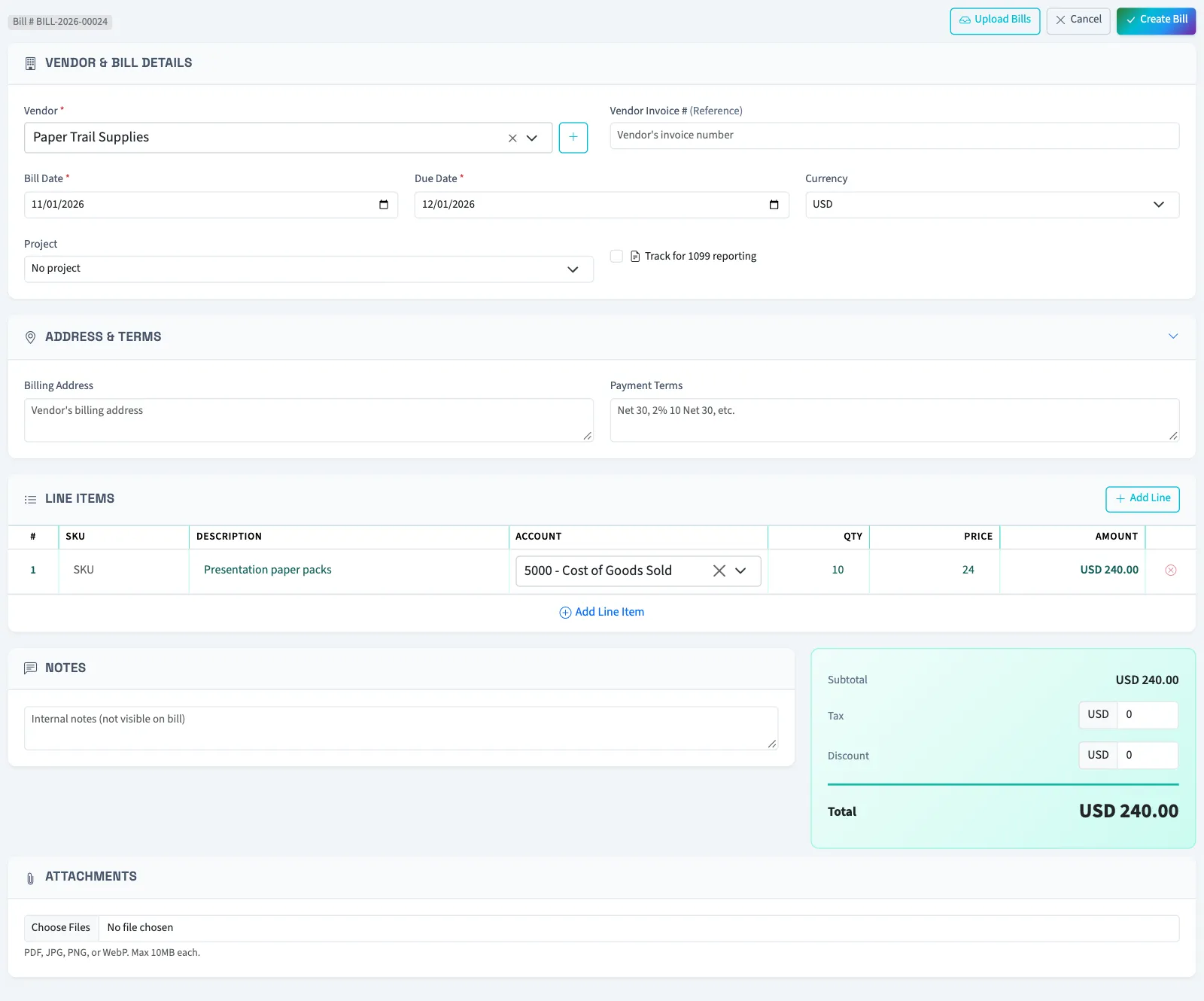
Quantity must be at least 0.01. Price, tax, and discount cannot be negative. The total equals the line subtotal, plus tax, minus discount. Approval requires a total greater than zero.
Check the due date yourself. The initial date is 30 days from today; changing the vendor does not calculate a new date from saved payment terms.
If project tracking is enabled, Project appears. Your settings may require one. Nonprofit also shows line-level financial coding; review it before approval.
Add supporting information
Use Billing Address, Payment Terms, and Notes for additional details. Under Attachments, you can add PDFs, JPGs, JPEGs, PNGs, or WebP files up to 10 MB each. Attachments added here are saved files; they do not run extraction.
What happens next
You return to the bill list with a draft. A duplicate vendor invoice reference for the same vendor is blocked when you create the bill.
Next, approve the bill. For a scanned document, upload and review a bill.
Who can do this and what you need
Owners can create bills. Staff need View bills to open the list and saved bills, Create bills to create the draft, and View vendors for the vendor search. The vendor must be active and approved. Add the vendor first if needed.