
Add or edit a vendor
Save vendor contact details, payment preferences, and 1099 tracking information.
- Who can do this
- Owners, or people with View vendors; adding needs Create vendors; changes need Edit vendors
- Where
- Purchases, then Vendors
Create a vendor before entering their bills. Owners can do this. Staff need View vendors to open the list and profile, Create vendors to create a vendor, and Edit vendors to change one.
Add a vendor
- Open Purchases, then Vendors.
- Select New Vendor.
- Enter Display Name.
- Add the optional Legal Company Name, contact information, and Billing Address.
- Review Payment Terms and Default Expense Account if you want to store those preferences.
- Select Create Vendor.
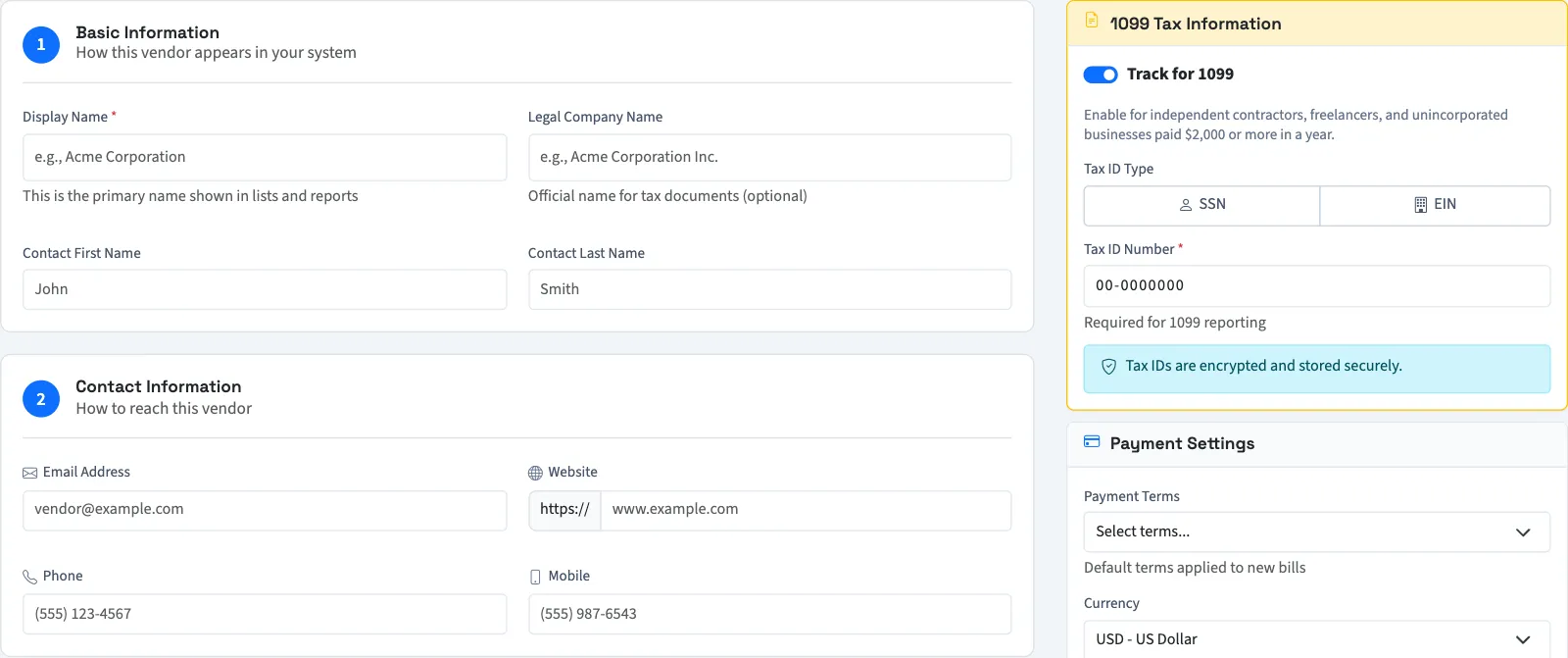
You return to the vendor list. Select Save & Create Another instead to save and open a blank vendor form. If a vendor approval workflow applies, the record waits for approval before it is available in bill and payment searches.
The form also stores Opening Balance and its date. This does not create a bill or post a ledger entry. Review opening amounts with your accountant before relying on payable totals. Check due dates and line accounts on each bill; saved vendor preferences do not replace that review.
Set 1099 tracking fields
- Turn on Track for 1099.
- Choose SSN or EIN under Tax ID Type.
- Enter Tax ID Number.
- Save the vendor.
The vendor form uses the current year’s tracking threshold in its guidance and year-to-date notice. QixCount requires a tax ID when tracking is on. These fields store tracking information; they do not determine your filing obligations.
Edit a vendor
- Open Purchases, then Vendors, and select the vendor's name.
- Select Edit.
- Change the details.
- Select Save Changes.
To deactivate a vendor while keeping their history, clear Active Vendor and select Save Changes. Select the switch again and save to reactivate them. Bill and payment searches require an active, approved vendor.
The bill form also has Quick Add Vendor. It requires Create vendors and saves a smaller set of contact fields. Use the full vendor form for tax information. If the new vendor needs approval, wait for approval before using it.
Next, enter a bill. To remove an unused record, see remove a vendor.
This guide explains how QixCount works. It isn't tax, legal or accounting advice.
To add a vendor list from CSV, import vendors.