
Record a bill payment
Record money paid to a vendor and apply it to one or more open bills.
- Who can do this
- Owners, or people with Create payments to vendors and View vendors and View payments to vendors
- Where
- Purchases, then Payments made
- You'll need
- An active, approved vendor, an eligible bill with a balance, and an active payment account
Record a payment after paying a vendor outside QixCount. Saving this form records the payment in your books; it does not move money through a bank.
Owners can record payments.
Record and apply the payment
- Open Purchases, then Payments made.
- Select Record Payment.
- Select Vendor.
- Enter Payment Date.
- Enter Amount.
- Choose Payment Method.
- Select Pay From.
- Enter Check # / Reference if needed.
- Enter Apply Amount for the bills you paid.
- Review Payment Summary.
- Select Record Payment.
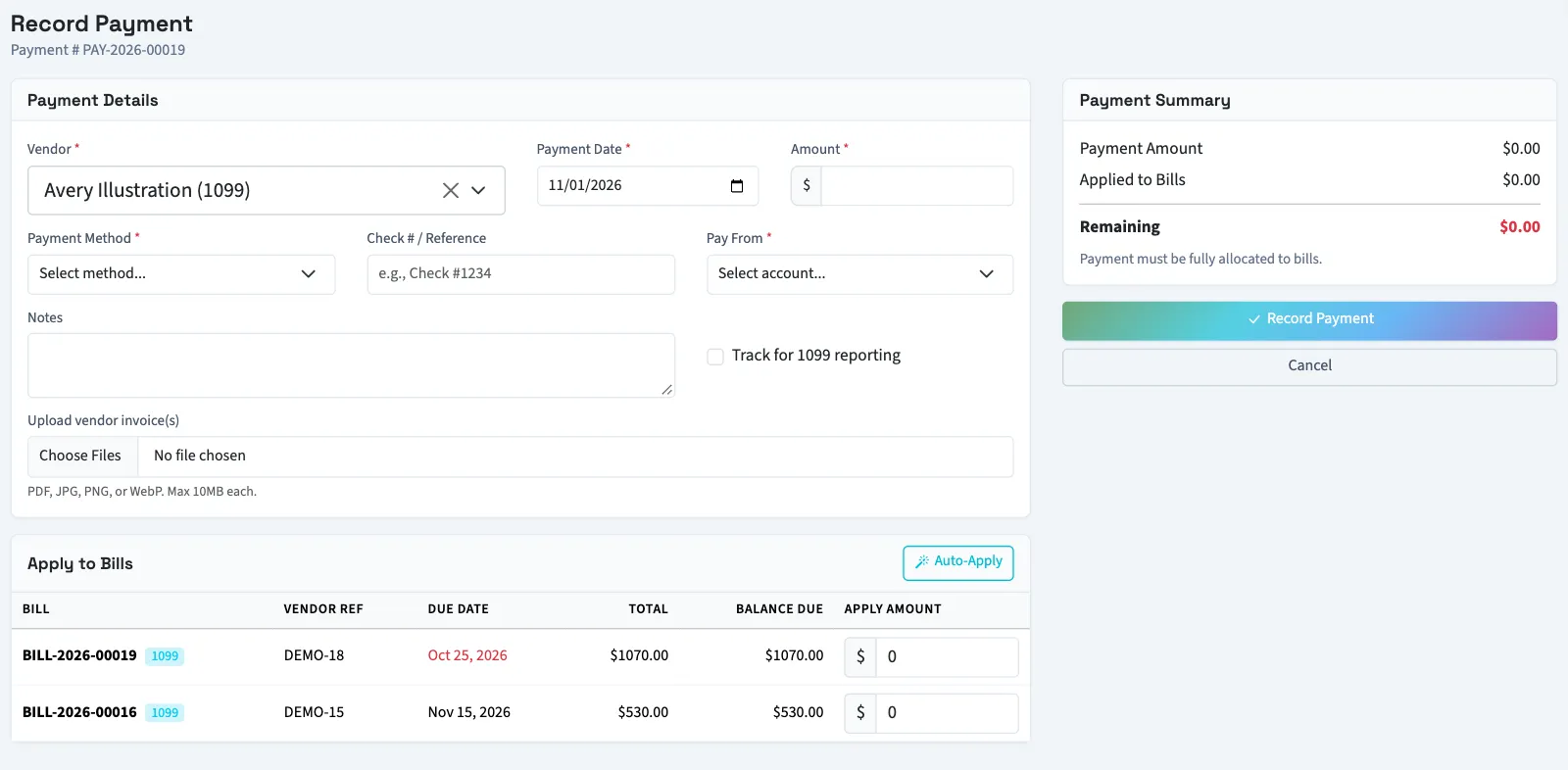
The amount must be at least $0.01. You cannot apply more than a bill's balance or more than the payment's remaining amount. To record a partial payment, apply less than the bill's balance. Auto-Apply fills bills in their displayed due-date order, using the payment amount available.
In General, the payment must be fully applied to bills. In Nonprofit, an unapplied remainder is allowed and uses the selected financial coding. Applied Nonprofit amounts inherit the source bill's coding.
Use Upload vendor invoice(s) for supporting PDFs, JPGs, JPEGs, PNGs, or WebP files up to 10 MB each. These files do not run extraction.
What happens next
Without a required workflow, the payment posts immediately, reducing accounts payable and the selected cash or bank account. If approval is required, QixCount opens the approval request and posts after approval. The bill's balance doesn't change until then. While the payment waits, it holds that amount, and the bill can't be selected for another payment.
A closed or locked period, or backdating limit, can block posting. If no payment methods appear, ask someone with settings access to configure them.
Next, review payments made or correct a payment.
Good to know
Other people need Create payments to vendors, View vendors for vendor search, and View payments to vendors to load the vendor's open bills.