
Review AP aging before paying vendors
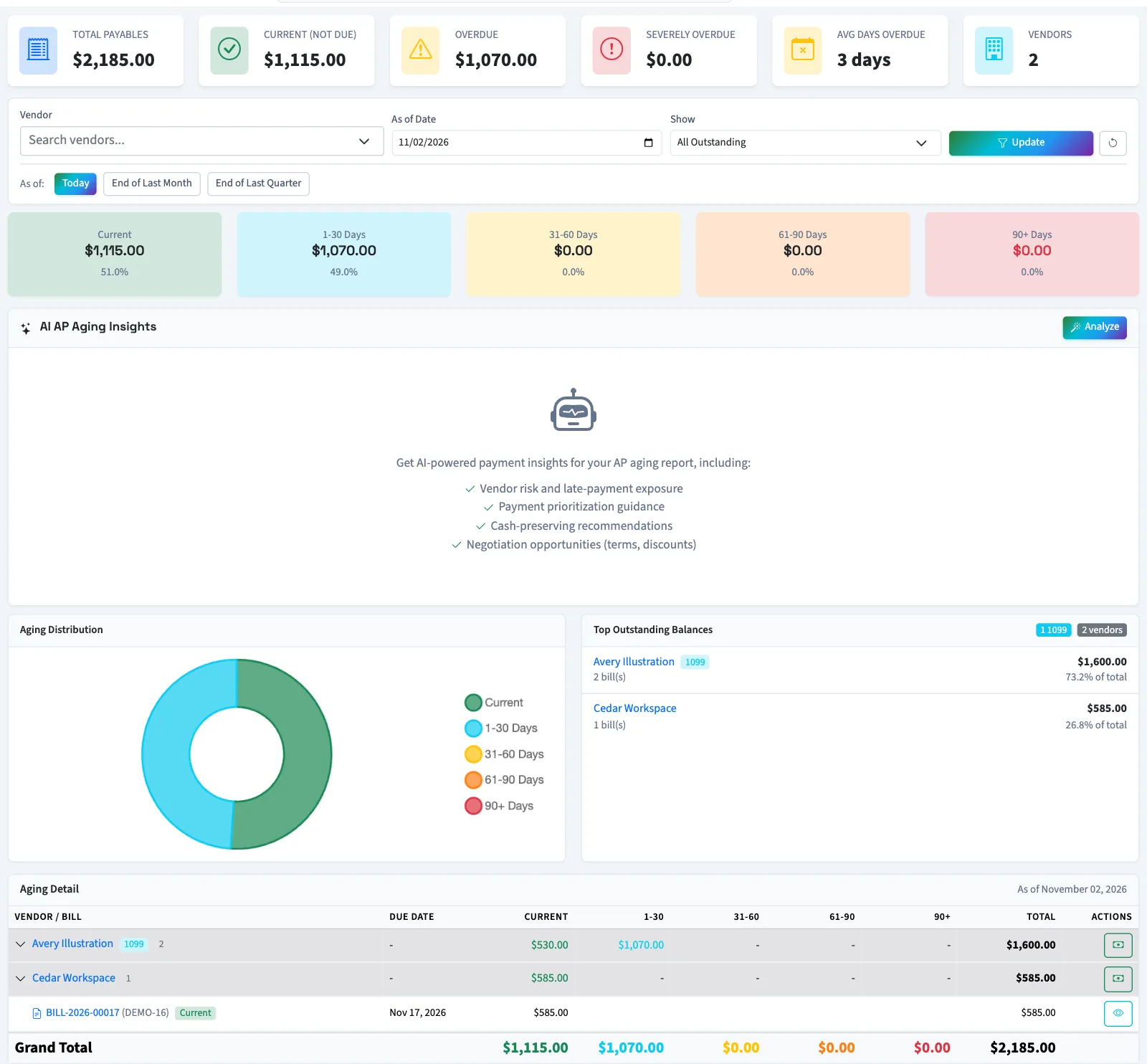
Review outstanding vendor bills by due-date age and open the bills behind each total.
- Who can do this
- Owners, or people with View financial reports
- Where
- Reports, then AP aging
Accounts payable (AP) aging groups vendor balances by how far their due dates have passed. Use it to inspect open bills before recording payments.
Owners and people with View financial reports can open the report.
Review the report
- Open Reports, then AP aging.
- Choose Vendor if you want one vendor.
- Enter As of Date.
- Select Update.
- Expand a vendor row to inspect its bills.
- Select a bill number to review the source record.
| Bucket | Due-date age compared with the selected date |
|---|---|
| Current | Due on or after the selected date. |
| 1-30 Days | 1 to 30 days past due. |
| 31-60 Days | 31 to 60 days past due. |
| 61-90 Days | 61 to 90 days past due. |
| 90+ Days | More than 90 days past due. |
The report includes bills currently saved as Pending, Partial, or Overdue with a positive balance. Draft, Paid, and Void bills are excluded.
Understand the date limitation
As of Date changes how today's stored open balances are aged. It does not reconstruct historical balances or exclude bills created after that date. A bill paid today will be absent even if it was unpaid on a past selected date. Use this report for reviewing current open items; contact your accountant when you need historical payable balances.
The days-overdue label appears only after the due date. Future-due bills contribute zero days to the weighted overdue-day average.
The Show options and Export links currently do not change the report results or produce a separate export. Use the verified vendor and date controls above. If there are no outstanding results, clear the vendor filter and check whether the bills are drafts, paid, or void.
Before paying, open the individual bill and check its balance and payment history. Select Make Payment from the report to start a vendor payment, or continue to record a bill payment.
Good to know
If reports are hidden, ask someone with settings access to review Settings, Features, and Reports. Viewing a linked bill or recording a payment requires the corresponding bill or payment permission.