
Approve a draft bill
Submit a draft bill for approval and post it when the required approvals are complete.
- Who can do this
- Owners, or people with Approve bills and View bills
- Where
- Purchases, then Bills
- You'll need
- A draft with lines and a positive total; if it posts immediately, an open bill date; Nonprofit also needs approved account mappings
On this page
Approve a bill after checking the vendor document, expense accounts, and amounts. Owners can submit the bill. Other people need Approve bills, plus View bills to open the bill.
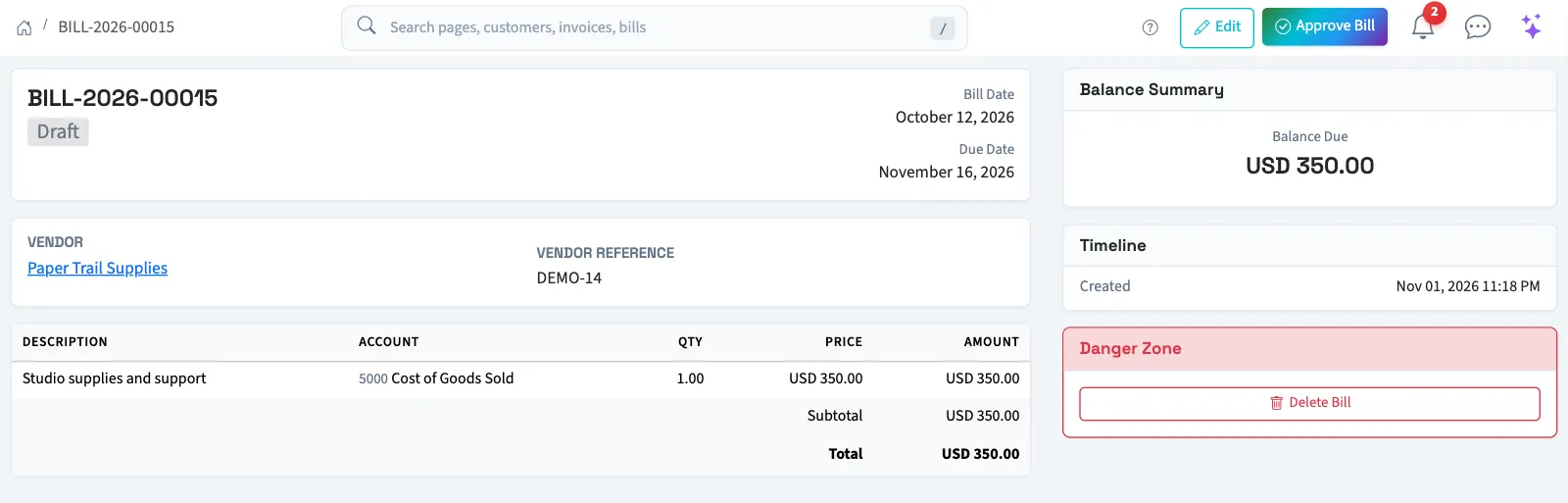
Approve or submit the bill
- Open Purchases, then Bills.
- Select the bill number.
- Review its dates, vendor, lines, and total.
- Select Approve Bill.
What happens next
If an applicable approval workflow exists, QixCount opens the approval request. The bill stays a draft while the request is pending. The assigned approvers must finish the workflow before it posts. A rejected bill stays a draft and can be corrected.
Without a required workflow, approval posts the bill immediately and changes its status to Pending. The posting records the expense lines and the amount owed in accounts payable. A General Ledger card links to the journal entry after posting.
Approval does not pay the vendor or email the vendor. Once approved, the bill cannot be edited or deleted from the bill screens.
Next, record a bill payment. For an approved bill entered in error, see void a bill.
If approval is blocked
A closed or locked period can block posting on the bill date. Backdating settings can also block an older date. Ask the person responsible for the books to review the date and period before trying again.
Good to know
The bill must be a draft with at least one line and a total greater than zero. Edit the draft first if it needs corrections.