
Edit, void, or delete a bill
Learn which bill changes are allowed and what voiding or deleting changes in the books.
- Who can do this
- Owners; staff need View bills plus Edit bills, Void bills or Delete bills for the action
- Where
- Purchases, then Bills
- You'll need
- A draft to edit or delete; voiding needs Pending, Partial or Overdue status with no payment applied and an open posting date
The action available depends on the bill's status. Owners can perform these actions.
Edit a draft
- Open Purchases, then Bills, and select the bill number.
- Select Edit.
- Change the details or line items.
- Select Update Bill.
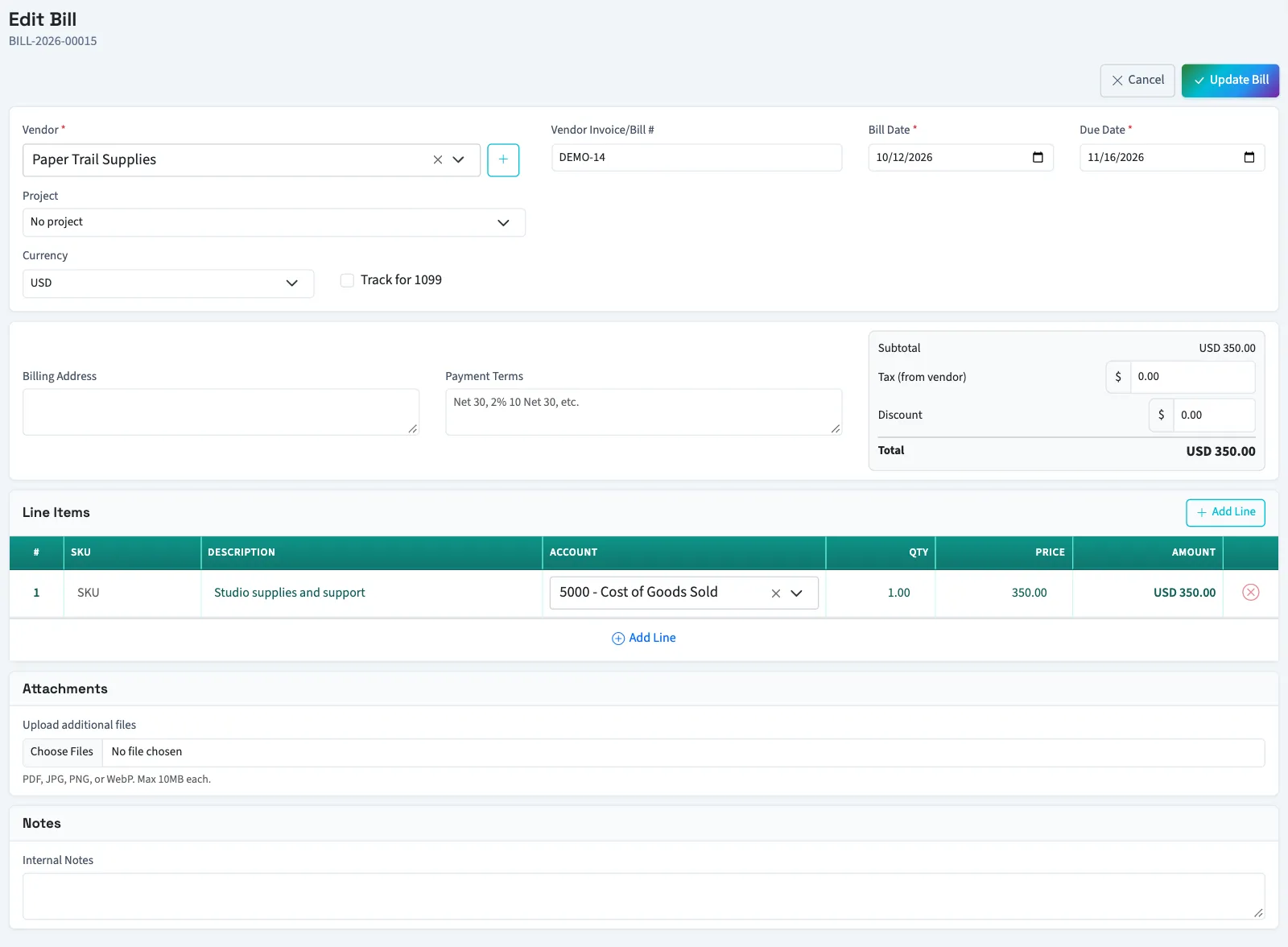
Opening edit for a bill that is no longer a draft, including a paid bill, returns you to its details with “This bill cannot be edited.”
You can add more attachments while editing. The due date must remain on or after the bill date. There is no attachment removal action on this form.
Void an approved bill
WarningVoiding affects your accounts and has no undo action on the bill screen. Check the bill number before confirming.
- Open Purchases, then Bills, and select the bill number.
- Find Danger Zone.
- Select Void Bill.
- Confirm the action.
A bill with payment allocations cannot be voided until the payments are corrected. In Nonprofit, void the payment first to release its active allocations. Nonprofit retains the bill's financial history and sets its balance due to zero. General excludes void bills from open payables even if the detail page still displays the original balance.
Reversals use today's date. A closed or locked period on that date can block the reversal.
Delete a draft
- Open Purchases, then Bills, and select the draft's bill number.
- Find Danger Zone.
- Select Delete Bill.
- Confirm the deletion.
You return to the bill list. A deleted vendor invoice reference still cannot be reused when creating another bill for that vendor.
Next, enter the corrected bill or review bill statuses.
Voiding or deleting the document releases any bank match on it. Check the bank record afterward. An automatically matched record returns for review; reconciled records stay reconciled.
Good to know
Other people need Edit bills, Void bills, or Delete bills for the matching action, plus View bills to open the bill.
| Action | When it is available | Result |
|---|---|---|
| Edit | Draft bills only. | Changes the saved draft and recalculates its total. |
| Delete | Draft bills only. | Removes the draft from the bill list. |
| Void | Approved open bills with no amount paid. | Retains the bill and reverses its posted journal entry. |