
Print checks and confirm the print batch
Use the print queue, confirm paper results, requeue failed checks, or print a copy.
- Who can do this
- Owners, or people with View checks and Write checks
- Where
- Purchases, then Checks
- You'll need
- Checks with To Print status
The print queue contains checks with To Print status. Owners can use it. Other people need View checks; previewing a batch and confirming results require Write checks.
Print a batch
- Open Purchases, then Checks.
- Select Print Queue.
- Choose one Bank Account for this print batch.
- Review Starting Check # or leave it blank for automatic numbering.
- Select Check Format.
- Select the checks to print.
- Select Preview & Print.
- Print the PDF that opens in another tab.
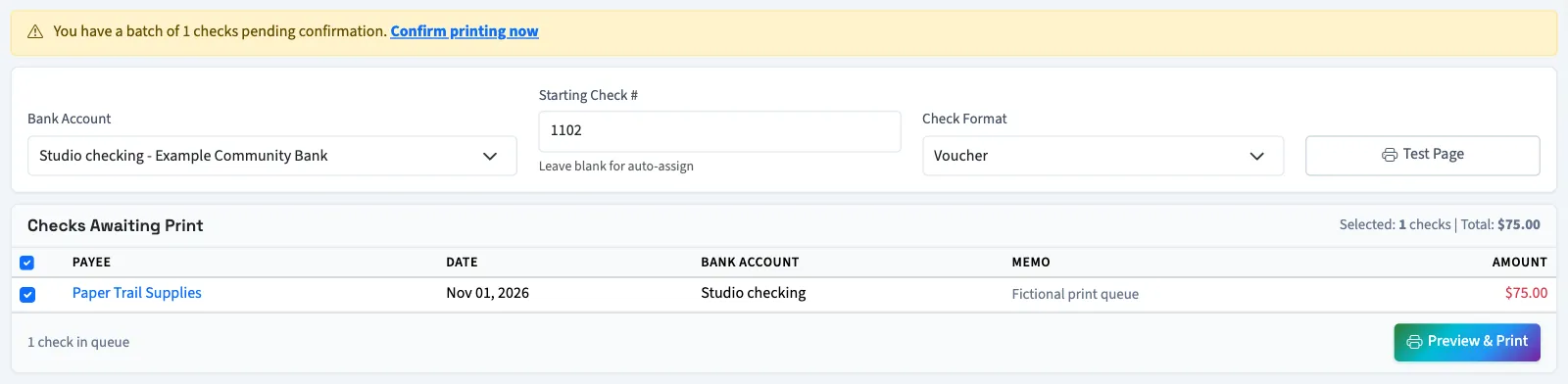
Voucher prints one check per page with payee and company stubs. Standard prints up to three checks per page. A check already carrying a number keeps it; the starting number applies to unnumbered checks for the selected bank. If you leave All Bank Accounts selected, that number applies only to the bank of the first selected check by check date; other banks use their own sequences.
Generating the preview assigns numbers, changes the selected checks to Printed, and creates a batch awaiting confirmation. It does not prove that the paper printed correctly. If the PDF does not open, review the pending batch before trying another preview.
Confirm the result
- Return to Print Queue.
- Select Confirm printing now.
- Review the listed checks.
- Select Yes, All Printed Correctly if every check printed correctly.
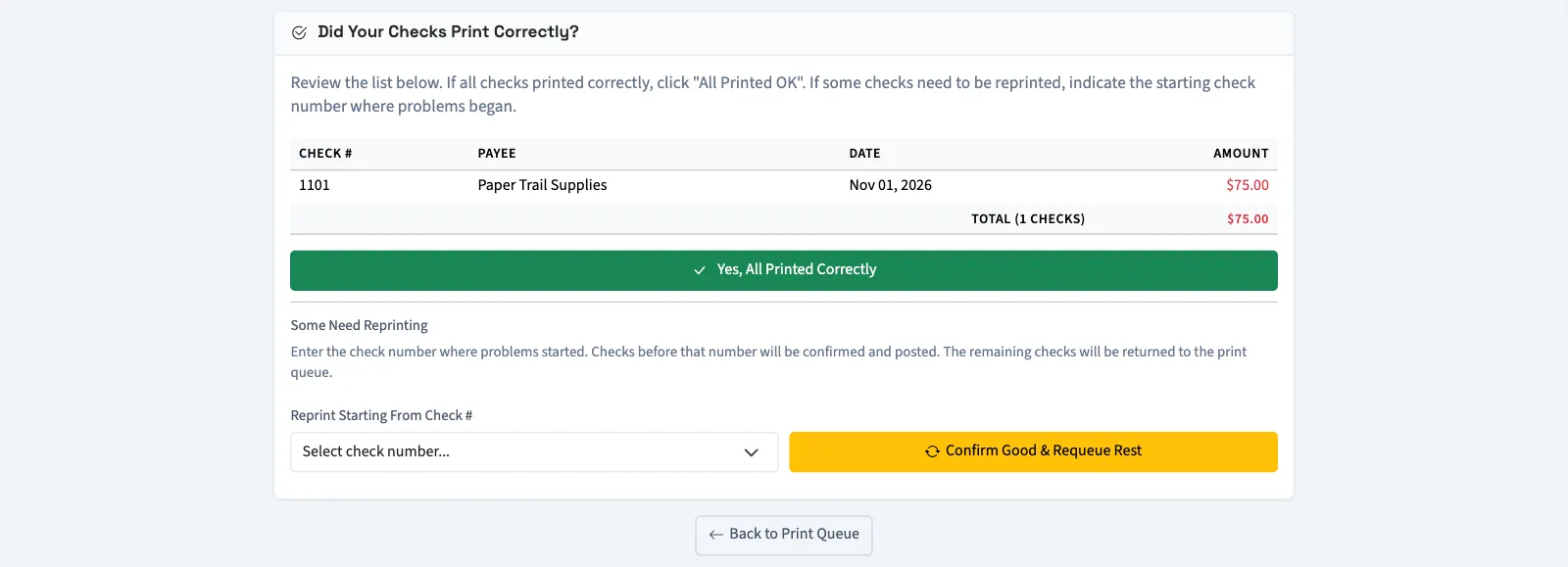
For a printing problem, choose Reprint Starting From Check #, then select Confirm Good & Requeue Rest. Checks before that point are confirmed. That check and the remaining checks return to the queue with their numbers cleared.
Checks normally post when saved or approved, including checks saved for later printing. Confirmation posts only missing journal entries. Requeueing does not reverse a journal entry already posted. A missing posting can be blocked by closed periods or backdating restrictions.
Test alignment or print a copy
Test Page opens a zero-amount alignment test without creating a payment. It uses the saved format and offsets from check printing settings, not an unsaved format selection in the queue.
On a Printed check, Reprint Check opens a copy without changing the number or status. Print Check also leaves status unchanged; it does not complete queue confirmation.
Next, review the check register.