
Review a vendor page and history
Use a vendor profile to review bills, payments, activity, and accounts payable analytics.
- Who can do this
- Owners, or people with View vendors
- Where
- Purchases, then Vendors
On this page
A vendor profile brings together the contact record, bills, and payments. Owners and people with View vendors can open it. Following a bill or payment link also requires permission to view that record.
Open the profile
- Open Purchases, then Vendors.
- Select a vendor's name.
- Select the tab for the information you need.
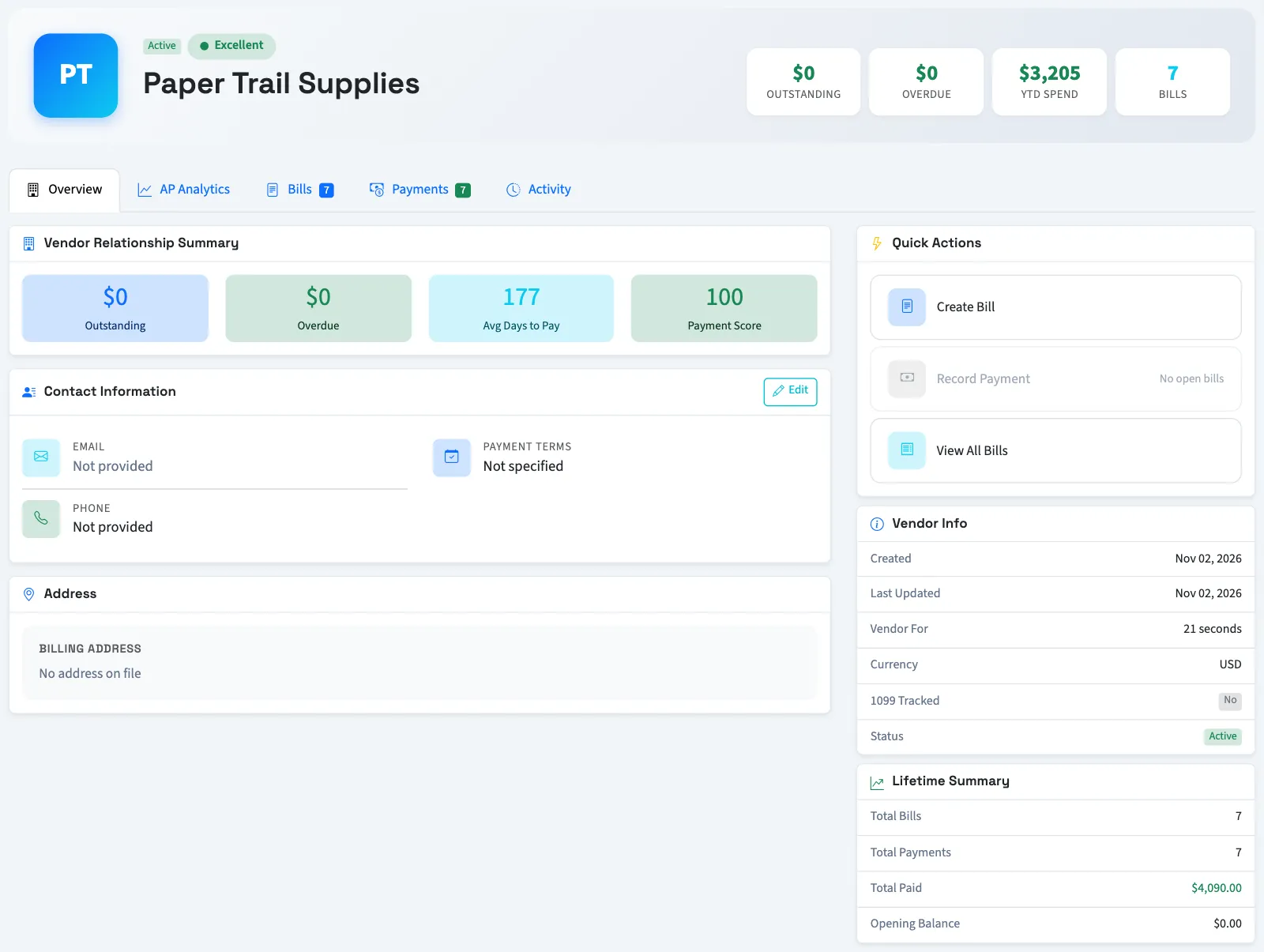
| Tab | What you can review |
|---|---|
| Overview | Contact details, address, notes, and summary amounts. |
| AP Analytics | Accounts payable aging, spending, and payment behavior. |
| Bills | Bill counts and the ten most recent bills. |
| Payments | The twenty most recent payments and their bill allocations. |
| Activity | Recent recorded changes associated with the vendor, bills, and payments. |
Use the links beneath the recent bill and payment lists to open the full lists for this vendor. The profile is a summary, not the complete transaction list.
Accounts payable means money owed to vendors. Its aging groups unpaid balances by how far their due dates have passed. Profile analytics can take up to 15 minutes to refresh.
Continue from the profile
Select Create Bill to start a bill for this vendor. Record Payment is available when the profile has open bills. Each task needs its own permission. Send Email opens your email application; it does not send a message automatically.
Next, enter a bill, record a bill payment, or review AP aging.