
Run the statement of activities
Review opening net assets, period activity, releases, and closing balances by donor restriction class.
- Who can do this
- Owners, or people with View Nonprofit reports
- Where
- Nonprofit, then Nonprofit reports
- You'll need
- Approved mappings, an active Operating fund and an accessible active or trial Nonprofit subscription
On this page
Run the statement
- Under Nonprofit, open Reports.
- Select Statement of activities.
- Set From and Through.
- Select optional Funds, Programs, and Grants.
The report updates when a date, period preset, or filter changes.
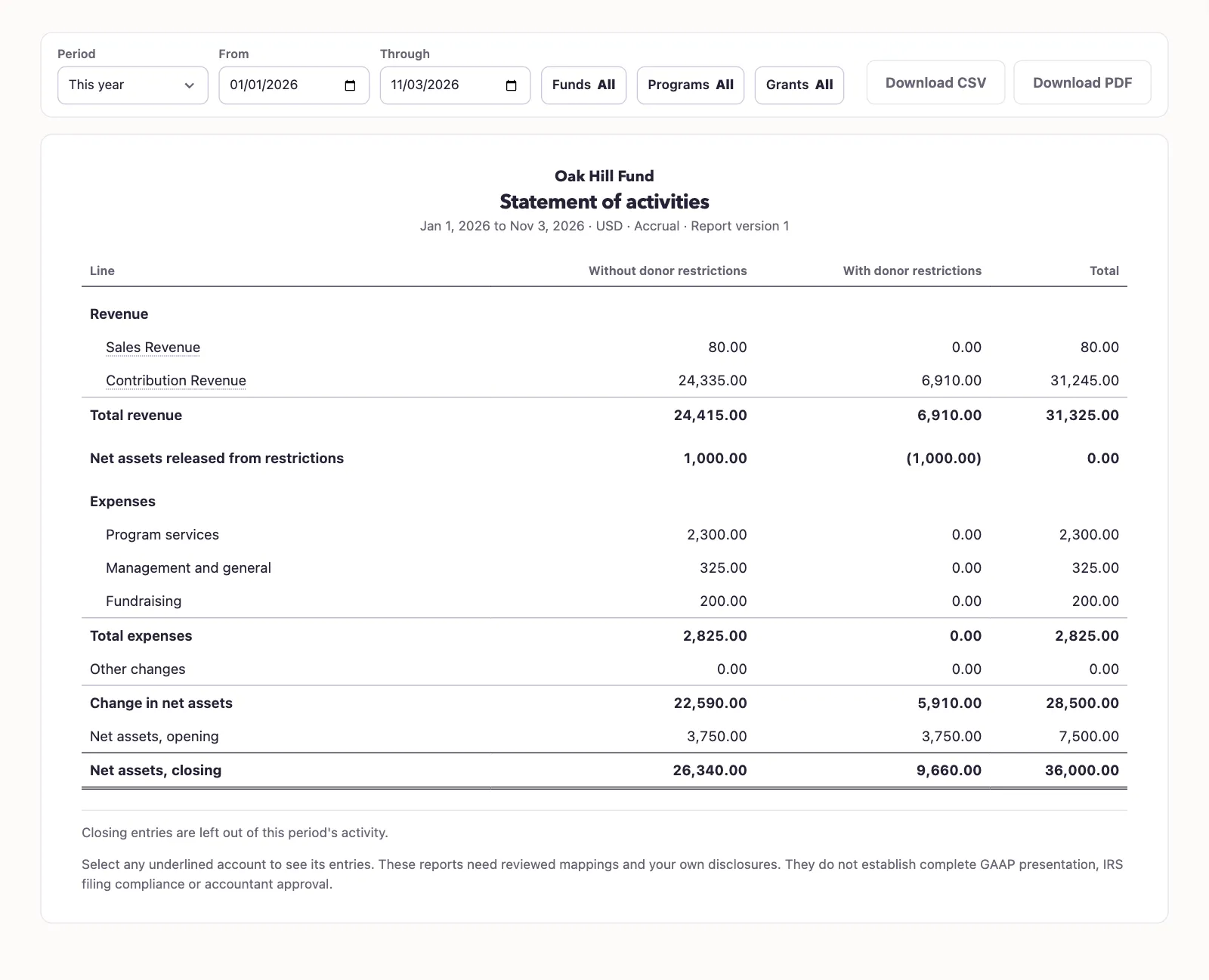
Read the rows
The summary has columns for With donor restrictions, Without donor restrictions, and Total. It shows opening balances, revenue, expenses, releases, other changes, change, and closing balances. Revenue is grouped by account and expenses by function. On a phone, choose Without, With, or Total to switch columns.
Opening balances are taken through the day before From. Period activity excludes year-end closing entries and their reversals. Actual ordinary correction entries remain included with their signs; reversing a record does not remove its earlier history.
QixCount checks that opening balance plus change equals closing balance for each net asset class. If it reports that history does not reconcile, review the retained ledger and mappings before sharing the result.
Select Download PDF or Download CSV for the selected result.
Next, review expenses by nature and function.
Good to know
The Statement of activities connects opening and closing net assets using the selected period's recorded activity. You need View Nonprofit reports permission, approved account mappings, an active Operating fund, and an accessible active or trial Nonprofit subscription.