
Record donor restriction terms
Save purpose or time terms and select the restriction when coding a contribution.
- Who can do this
- Owners, or people with Manage donor restrictions and View donor restrictions
- Where
- Nonprofit, then Donor restrictions
- You'll need
- An accessible active or trial Nonprofit subscription; approved mappings and an active Operating fund
On this page
Add terms
- Under Nonprofit, select Restrictions.
- Select Add restriction to open the side panel.
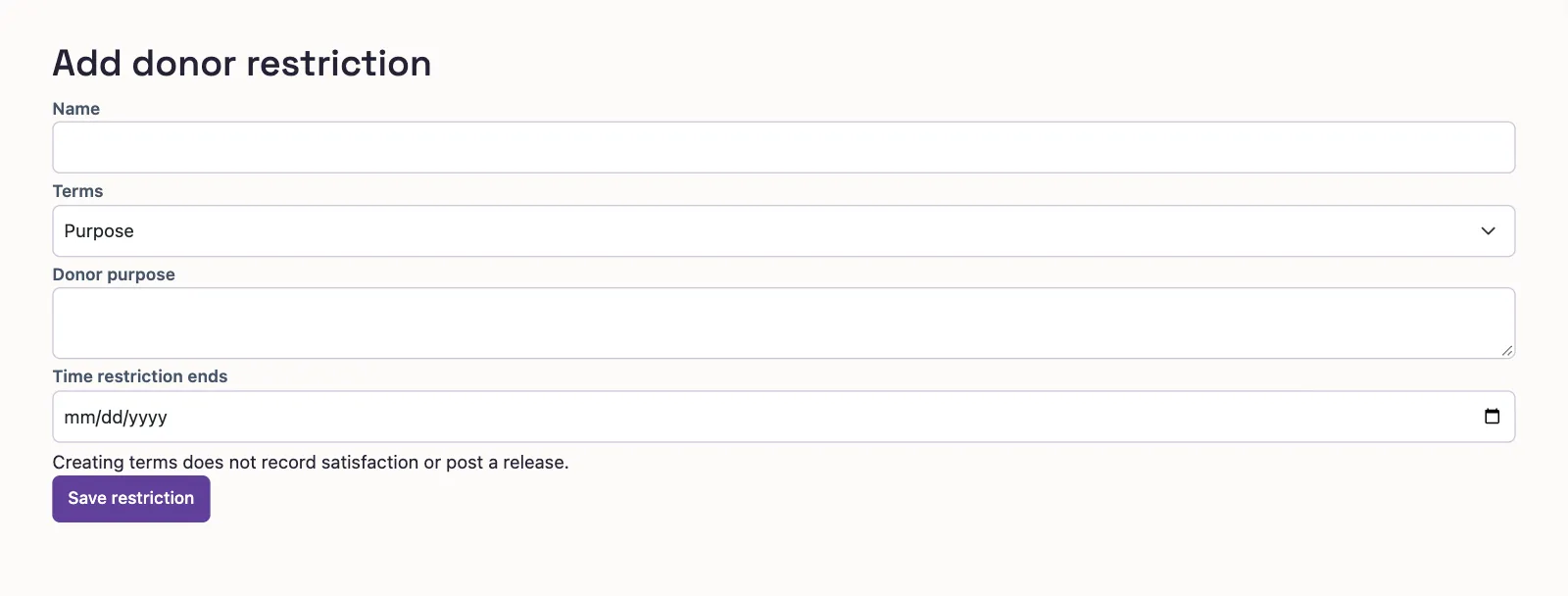
- Enter Name, up to 255 characters.
- Select Terms: Purpose, Time, or Purpose and time.
- Enter Donor's purpose for either option containing purpose, up to 5,000 characters.
- Enter Ends if time-limited for either option containing time.
- Select Save restriction to open the record.
Who can do this and what you need
Save donor terms as a restriction record, then select it when coding a contribution. Creating terms posts no money and releases no balance. A restriction is separate from a fund; see the coding glossary.
You need Manage donor restrictions to add terms and View donor restrictions to follow the list and record workflow. The creation form allows setup access, but the list and saved record require approved mappings and an active Operating fund.
The standalone form has the same terms fields:
Use the restriction
On cash-gift entry, select the restriction on the relevant contribution line. This sets and locks Net asset class to With donor restrictions. Without a restriction, the class remains selectable.
With manage permission, Add a restriction on the gift form opens a panel without losing your gift entries. Select Add restriction after entering the terms. It selects the new restriction on the last contribution line; the gift still needs posting.
What happens next
The restriction record shows received, released, and remaining amounts, balances By fund, terms, and release history. Gift history appears with cash-gift viewing permission.
Search the list by name or purpose. Filter by Status or Terms; on a phone, select Filters first. The default list shows active restrictions.
Today's remaining total is not an allowance for every fund or release date. Posting a release checks the chosen fund, date, and later activity separately.
Next, post a reviewed release.