
Close or reopen a Nonprofit fiscal year
Complete the year-end checklist, close by fund and net asset class, and understand Nonprofit reopening.
- Who can do this
- Owners, or people with Manage business settings, roles & permissions and Close and reopen Nonprofit fiscal years
- Where
- Books, then Year-end close
- You'll need
- Period close turned on in Features; approved mappings and an active Operating fund
On this page
Start the closing record
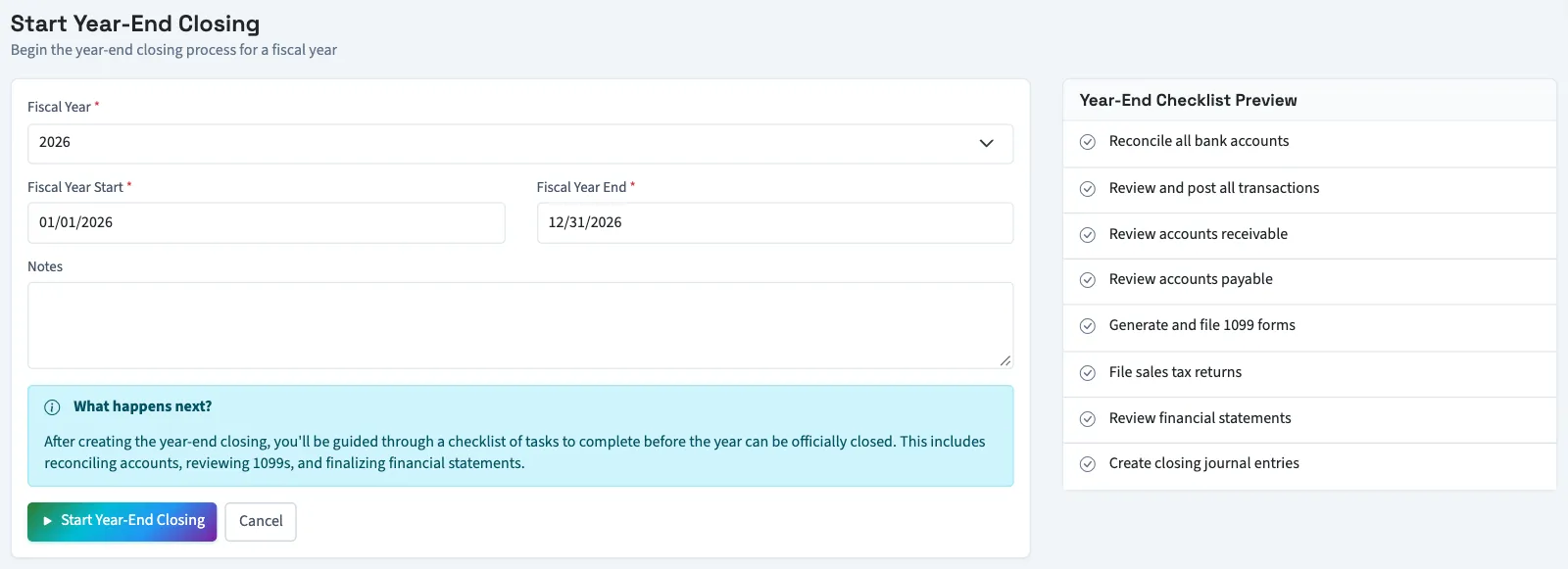
- Under Books, open Year-end close.
- Select Start Year-End Closing.
- Select Fiscal Year from the available years.
- Review Fiscal Year Start and Fiscal Year End.
- Enter optional Notes.
- Select Start Year-End Closing.
QixCount calculates the saved period from your fiscal settings and earlier closed years. Check the dates on the resulting record, especially after a fiscal-calendar change. Each fiscal year can have only one closing record. If Start Year-End Closing is unavailable because a current-year record already exists, contact support to start an earlier available year.
Complete and close
- Review each item in Closing Checklist.
- Select Complete only after completing that item. Select Undo to clear an item if needed.
- Select Financial Summary to review the shared year-end summary.
- Select Review fund trial balance to inspect balances at year-end.
- Once progress reaches 100%, select Close Fiscal Year.
- Confirm the browser prompt.
The first completed item changes the closing from Open to In Progress. All items must be complete before closing. Checklist completion records your selection; it does not perform the listed work for you.
Closing posts the Nonprofit closing entries and closes overlapping open fiscal periods. It retains the detailed fund and net asset coding. Locked overlapping periods block close. The closed record offers Download Package for the shared year-end PDF package. Its account detail and Financial Summary omit archived accounts; use the dedicated statements under Reports to review their retained history.
Reopen the year
WarningNonprofit reopening posts reversals of posted closing entries on their original fiscal year-end date and reopens overlapping closed periods. This changes the ledger. Further posting still needs the required permissions and an allowed posting date.
- Open the closed year's record.
- Select Reopen Year.
- Confirm the browser prompt.
- Review the retained closing entries and the fund trial balance again.
Reopening changes the closing record to In Progress and retains the original closing entries. An already posted reversal is reused. Locked periods block Nonprofit reopening. Contact support if an overlapping period is locked or any retained closing cannot be reversed.
Next, run a fund trial balance and review the statement of activities.
Good to know
Nonprofit year-end closing transfers recorded revenue and expenses to approved net asset accounts by fund and donor restriction class. You need Manage business settings, roles & permissions and Close and reopen Nonprofit fiscal years permissions, approved mappings, an active Operating fund, and an accessible active or trial Nonprofit subscription. To show the sidebar link, enable Period close under Settings, Features.