
Run expenses by nature and function
Review expense-account totals across program services, management general, and fundraising coding.
- Who can do this
- Owners, or people with View Nonprofit reports
- Where
- Nonprofit, then Nonprofit reports
- You'll need
- Approved mappings, an active Operating fund and an accessible active or trial Nonprofit subscription
On this page
Run the report
- Under Nonprofit, open Reports.
- Select Expenses by nature and function.
- Enter From and Through.
- Select optional Funds, Programs, or Grants.
The report updates when a date, period preset, or filter changes.
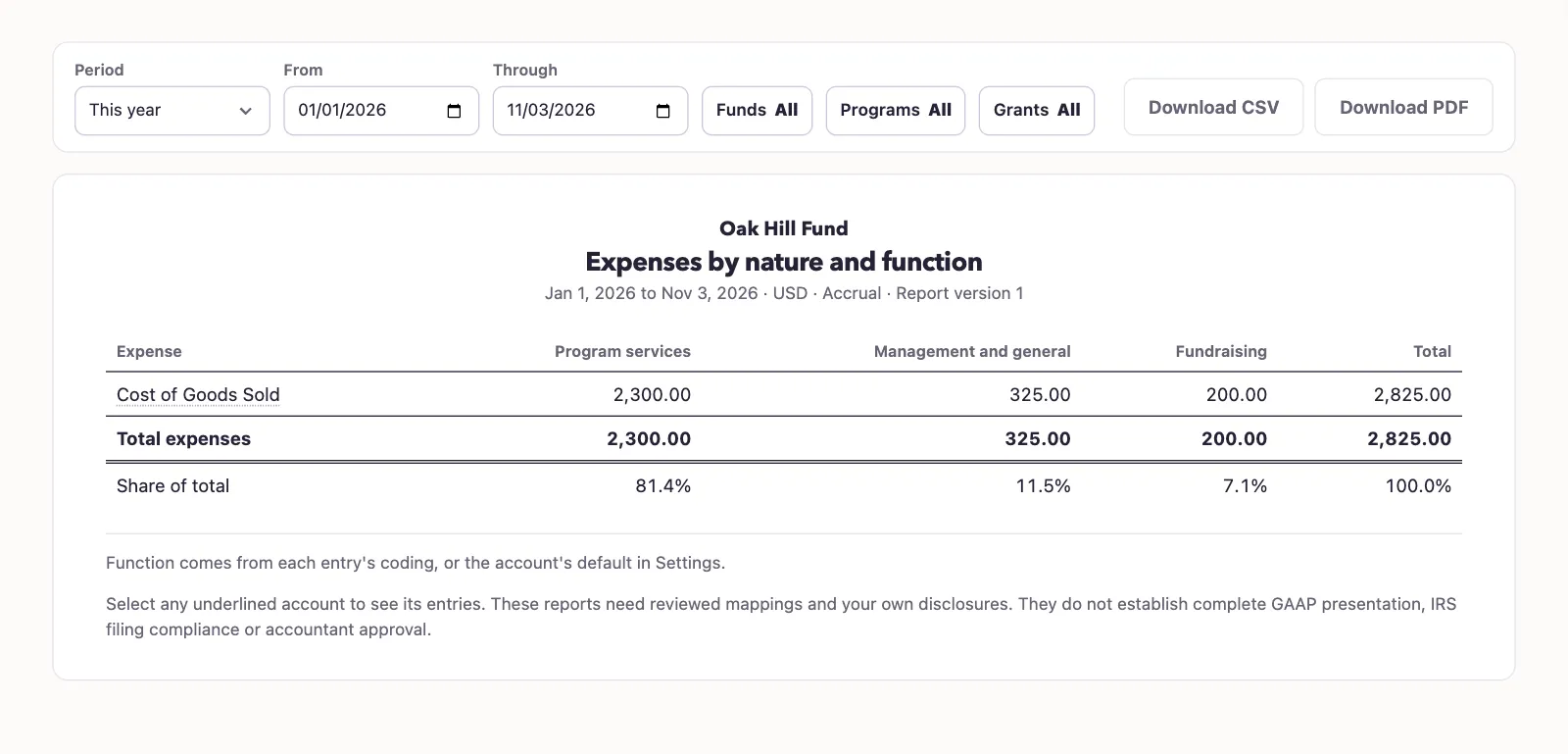
Each detail row represents an expense account. The columns show program services, management general, fundraising, and total. QixCount adds signed debits less credits, so an expense correction can reduce the result.
The report uses posted ordinary activity within the dates. It excludes year-end closing entries and their reversals. It does not assign a new function to historical lines when you run it.
Expense function defaults are reviewed in Nonprofit mapping. An explicitly selected transaction function can supply the coding instead. Review those inputs if the report groups an amount differently from what you expected.
Select Download PDF or Download CSV to retain the result. The CSV includes structured fields rather than the table's visual layout.
Next, review financial coding or approve mapping defaults.
Good to know
Use Expenses by nature and function to see how QixCount groups posted expense accounts by their saved function coding. You need View Nonprofit reports permission, approved account mappings, an active Operating fund, and an accessible active or trial Nonprofit subscription.