
Run the restriction movement report
Trace opening balances, contributions, releases, and closing restricted amounts by fund.
- Who can do this
- Owners, or people with View Nonprofit reports
- Where
- Nonprofit, then Nonprofit reports
- You'll need
- Approved mappings, an active Operating fund and an accessible active or trial Nonprofit subscription
On this page
Run the report
- Under Nonprofit, open Reports.
- Select Restriction movement.
- Enter From and Through.
- Select optional Funds, Programs, or Grants.
The report updates when a date, period preset, or filter changes.
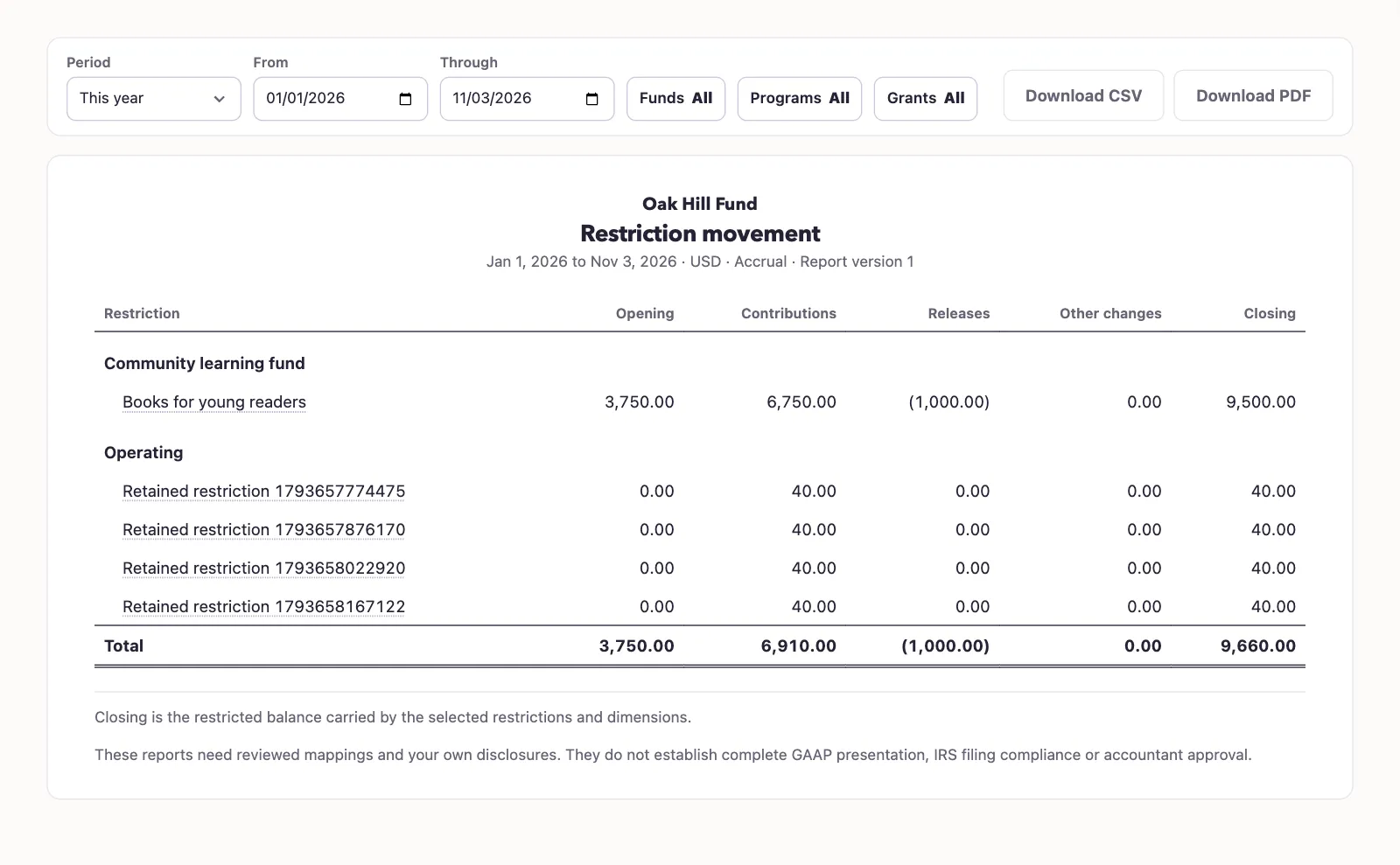
Trace a balance
The report includes restriction-coded revenue, equity, and expense activity in the class with donor restrictions. It groups amounts before the start date into opening balance. Within the period, it separates contributions, releases, and other changes, then shows the closing balance.
A posted release normally reduces the restricted class. Its posted undo appears with the opposite financial effect. Ordinary history remains included, while year-end closing entries and their reversals are excluded from this movement calculation.
This report does not post a release or certify the saved purpose terms. Its closing balance also does not replace the release form's selected-fund and later-date availability checks.
Select Download PDF or Download CSV for the filtered result.
Next, post or undo a reviewed restriction release.
Good to know
The Restriction movement report groups recorded restricted activity by restriction and fund. You need View Nonprofit reports permission, approved account mappings, an active Operating fund, and an accessible active or trial Nonprofit subscription.