
Run a fund trial balance
Review posted debit and credit balances by account, fund, and net asset class through a selected date.
- Who can do this
- Owners, or people with View Nonprofit reports
- Where
- Nonprofit, then Nonprofit reports
- You'll need
- Approved mappings, an active Operating fund and an accessible active or trial Nonprofit subscription
Run the report
- Under Nonprofit, open Reports.
- Select Fund trial balance.
- Set As of to the balance date.
- Under Funds, select one fund and select Apply, or use Clear to include all funds.
The report updates when the date or an applicable filter changes.
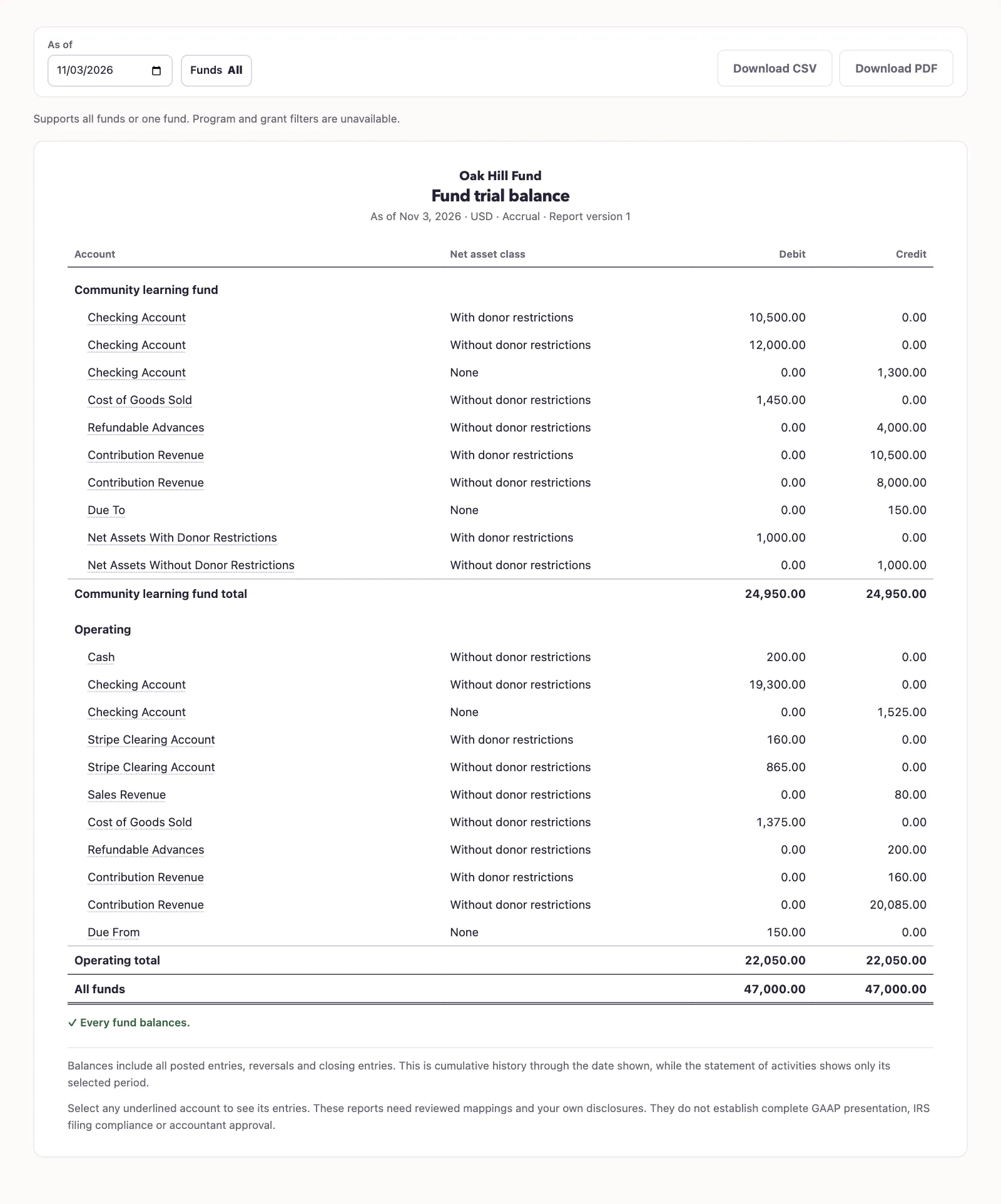
The report includes all posted Nonprofit history through the end date: original entries, actual reversals, closing entries, and their inverses. It omits rows whose net balance is zero. Archived funds remain available for historical reporting.
The detail shows the account and fund names, net asset class, and debit or credit balance. The summary totals the debit and credit columns.
Check filters and exports
This is a cumulative balance report. It uses a single As of date and shows a subtotal for each fund. Program and grant filters are unavailable, and the service rejects requests that add them or select multiple funds.
Select Download PDF or Download CSV to retain the result. Review fund trial balance on a Nonprofit year-end record opens this report for that fiscal year-end date.
Next, close or reopen a Nonprofit year.
Good to know
A trial balance lists account balances as debits or credits. Fund trial balance separates them by fund and net asset class. You need View Nonprofit reports permission, approved account mappings, an active Operating fund, and an accessible active or trial Nonprofit subscription.