
Run the statement of financial position
Review assets, liabilities, and net assets through a selected date, with optional financial coding filters.
- Who can do this
- Owners, or people with View Nonprofit reports
- Where
- Nonprofit, then Nonprofit reports
- You'll need
- Approved mappings, an active Operating fund and an accessible active or trial Nonprofit subscription
On this page
Run the statement
- Under Nonprofit, open Reports.
- Select Statement of financial position.
- Set As of to the balance date.
- Select Funds, Programs, or Grants if you need a filtered view.
The report updates when the date or an applicable filter changes.
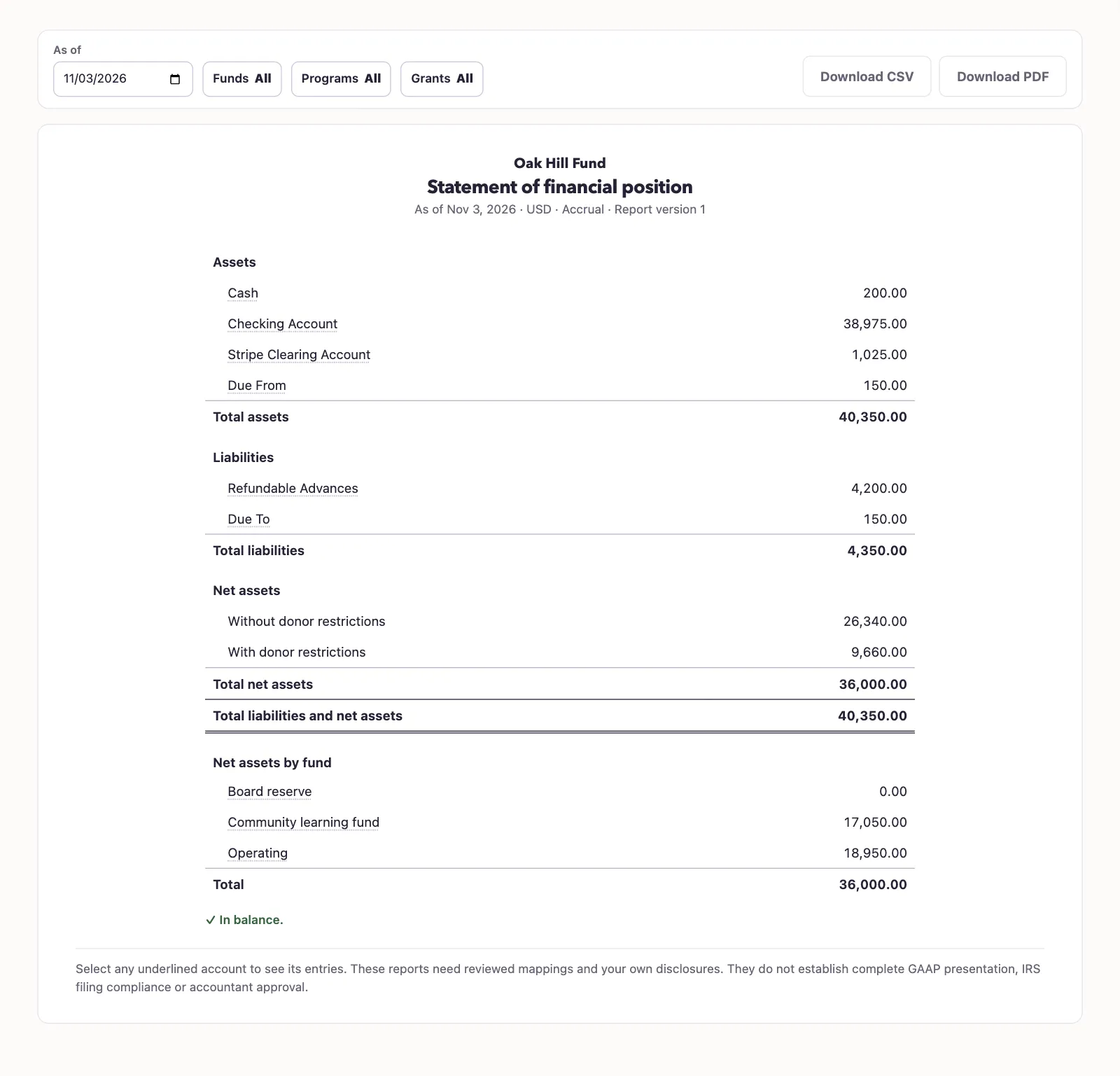
This is a balance report: the service uses all posted history through the end date, including closing entries and actual reversals. There is one As of date; balances are cumulative through that date.
Read the result
The summary shows assets, liabilities, both net asset classes, and total net assets. Assets and liabilities show one line per account; net assets show the two restriction classes. Select an underlined account to open its newest 50 entries and, with shared report permission, its General ledger link. Net assets by fund summarizes fund totals.
Filters narrow the coded lines included. A program-filtered result is therefore a view of that program's recorded coding, rather than every balance in the business. Archived funds remain reportable.
Select Download PDF or Download CSV to retain the selected result.
Next, review the statement of activities for changes during a period.
Good to know
The Statement of financial position shows QixCount's retained posted balances through an as-of date. It includes assets, liabilities, and net assets with and without donor restrictions. You need View Nonprofit reports permission, approved account mappings, an active Operating fund, and an accessible active or trial Nonprofit subscription.