
Run and download grant budget and actuals
Compare an eligible approved budget with signed grant expenses and understand partial-date results.
- Who can do this
- Owners, or people with View Nonprofit reports
- Where
- Nonprofit, then Nonprofit reports
- You'll need
- An accessible active or trial Nonprofit subscription; approved mappings and an active Operating fund; select an award to export its report
On this page
Use Grant budget and actuals to compare an approved grant budget with posted expense activity. You need View Nonprofit reports permission and a posting-ready business. The separate Budget page requires View grants permission.
Run and export
- Open Nonprofit, then Reports.
- Select Grant budget and actuals.
- Set From and Through.
- Select Grant.
- Select Download PDF or Download CSV.
The report updates when a date, period preset, or filter changes.
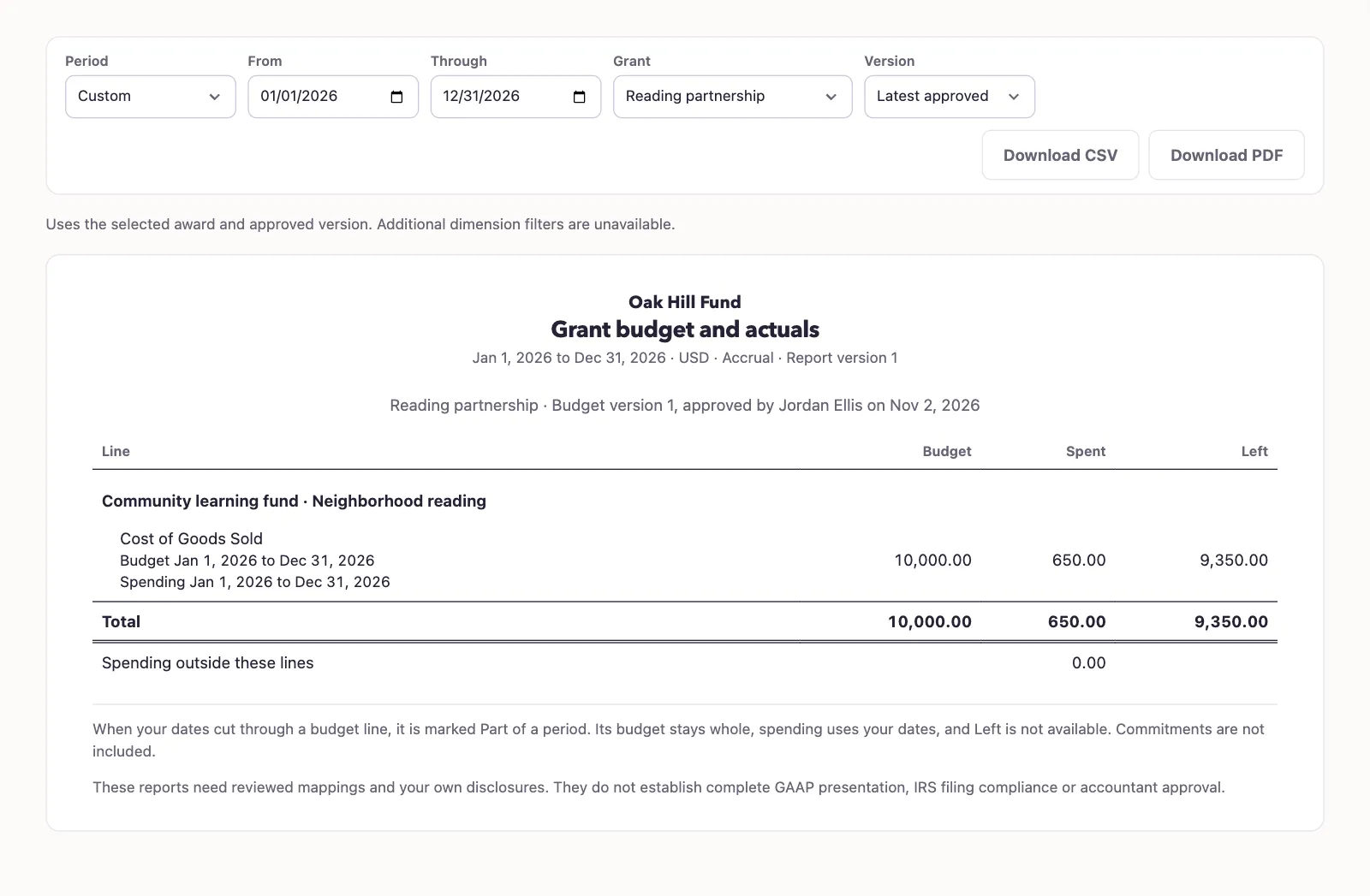
An approved version must exist by the report end. The report selects the latest eligible approved version. Use Version on the report to inspect another eligible approved version, or open the award’s Budget page.
The CSV is a two-column list of field paths and values, including nested report data. It does not use the screen's table layout.
Understand the comparison
Actuals use signed posted expense activity with the selected grant coding. Reversals reduce actuals; closing entries and their inverses are excluded. Each budget line matches its expense account, fund, optional program, and dates.
An overlapping date bucket keeps its entire budget amount. Actuals use only the intersection of the report dates and bucket dates. QixCount does not prorate the budget by days. Variance is unavailable when a bucket is partial, including the total variance when any selected bucket is partial.
Unbudgeted actuals identify signed grant expenses outside the selected buckets or coding combinations. They are included in the all-expense actual total. Commitments are not included. Additional fund, program, and grant-dimension filters are unavailable on this award-based report.