
Add and manage donor profiles
Add donor profiles, review giving history, update notes, and archive profiles while retaining their gifts.
- Who can do this
- Owners, or people with View donors and Manage donor profiles
- Where
- Nonprofit, then Donors
- You'll need
- An accessible active or trial Nonprofit subscription; an active contact without an existing donor profile
On this page
Add an existing contact as a donor
- Under Nonprofit, select Donors.
- Select Add donor to open the side panel.
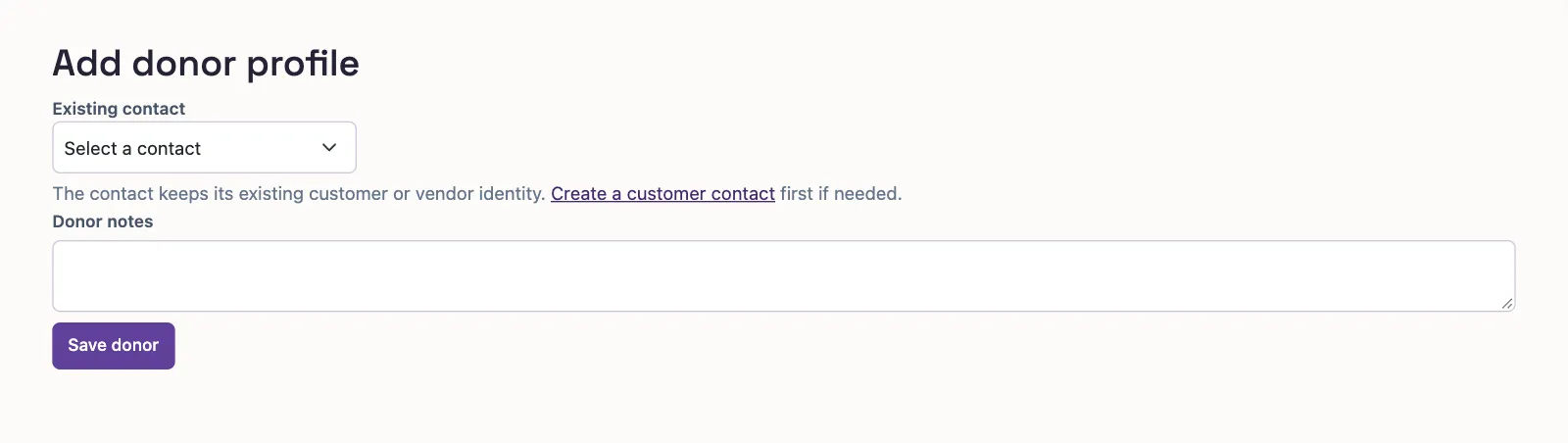
- Select Existing contact.
- Enter Notes if needed, up to 5,000 characters.
- Select Save donor to return to the list.
Who can do this and what you need
A donor profile adds gift notes to an existing customer or vendor contact. Each contact can have only one donor profile, including an archived profile.
You need View donors to open the list or record and Manage donor profiles to add, edit, archive, or reactivate profiles. Donor setup is available before mapping approval.
If you need a contact first, Create a customer contact opens customer creation and needs Create customers permission. Clear the donor search if its text is limiting the contact choices.
On cash-gift entry, Add a donor instead creates a new customer contact and donor profile together. Enter the name and optional email, mailing address, and notes, then select Add donor. Your gift entries stay in place.
The standalone form has the same existing-contact and notes fields:
Find and update a donor
Search by name or email. Status starts with Active; select Archived or All to find other profiles. Email can show Missing addresses. On a phone, select Filters for these choices. With View cash gifts, the default order is highest all-time giving first. Without it, donors are ordered by name; giving-based sorts do not apply.
Select a donor name to open contact details and notes. Counts, gift dates, giving amounts, and gift history require View cash gifts on both the list and record. Those figures exclude refunded gifts. Without that permission, Donor since uses the profile’s creation date. Grants require View grants.
Select Edit notes in the row menu, or Edit beside Notes on the record. Select Save notes after entering your changes. Contact names, addresses, and emails are changed on the contact, with the relevant contact-edit permission.
What happens next
Archive retains gift history while making the profile inactive. Select Reactivate to restore it. The record has Archive donor and Reactivate donor actions too. New gifts require an active profile and linked contact.
If a contact already has a profile, reactivate it instead of adding another.
Next, record a cash gift.