
Confirm your organization's legal identity
Review the organization details QixCount saves into each cash acknowledgment version.
- Who can do this
- People with Review legal organization identity
- Where
- Settings, then Organization profile
- You'll need
- An accessible active or trial Nonprofit subscription
Confirm the organization details saved into each cash acknowledgment. You need Review legal organization identity permission in an active Nonprofit business with an accessible active or trial Nonprofit subscription. This setup task is available before mapping approval.
Confirm from a gift record
- Open a cash gift receipt.
- Select Open Organization profile in the identity warning, or Organization profile under Related.
- Enter Legal organization name, up to 255 characters.
- Enter Address, up to 2,000 characters.
- Review Name of ID if used, up to 100 characters.
- Review Number if used, up to 100 characters.
- Select I reviewed the legal organization identity above for acknowledgment issuance.
- Select Confirm legal identity.
You return to the dedicated organization-profile form after confirmation. An older identity-page address also opens this form. Return to the gift to generate its acknowledgment.
Confirm from the owner's settings
The shared profile is owner-only and also needs Manage business settings, roles & permissions permission.
- Open Settings.
- Select Organization profile under Organization.
- Review Address under Contact.
- Review Name of ID if used.
- Review Number if used.
- Enter Legal organization name under Legal identity.
- Select I have reviewed this legal identity.
- Select Save changes.
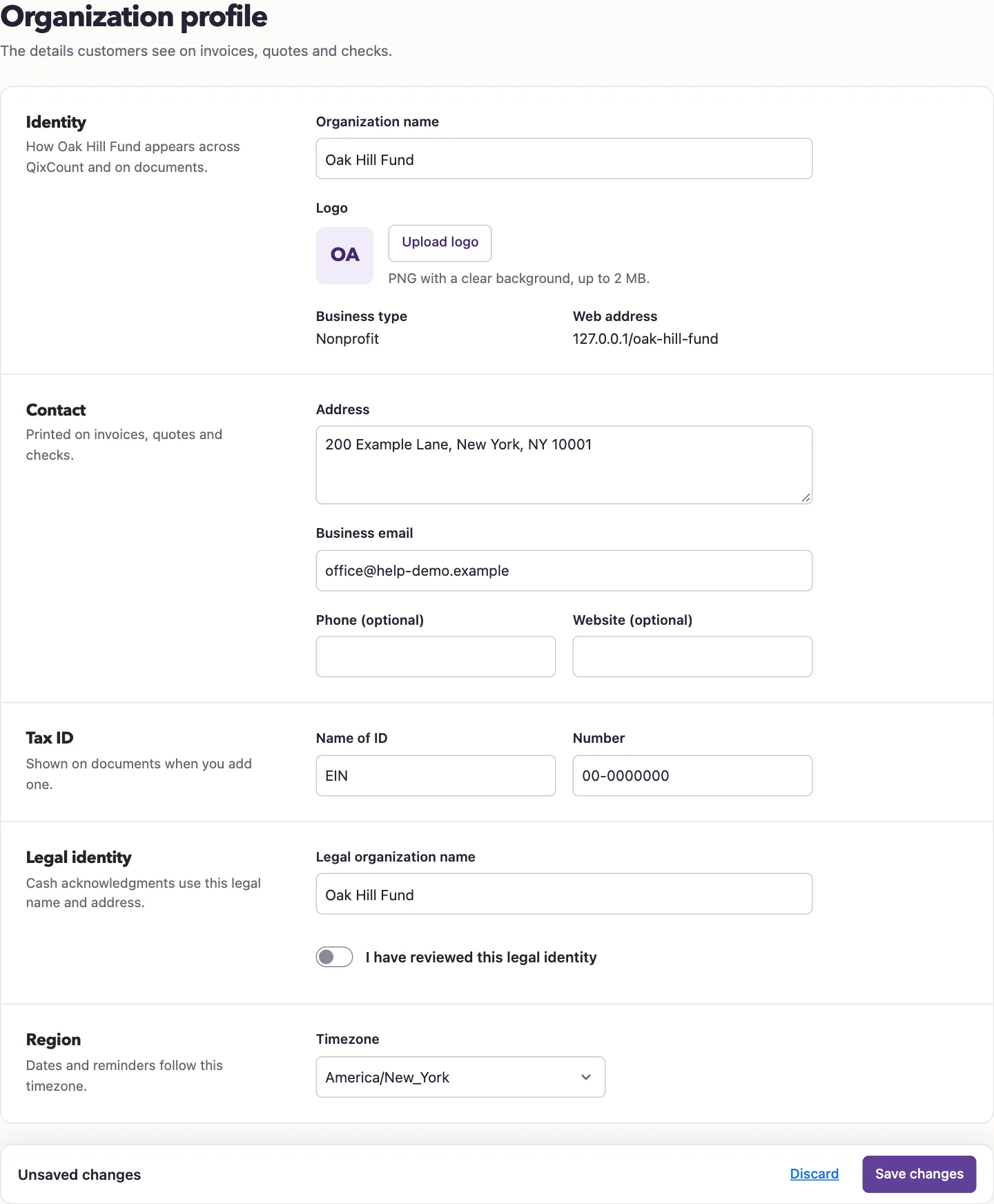
A non-owner with identity-review permission can also reach the dedicated form from Organization profile in settings.
What happens next
QixCount records who reviewed the legal name, address, and optional identification details, and when. Each acknowledgment version keeps the organization details present when generated. Changing settings does not rewrite earlier PDFs.
Changing any confirmed identity detail requires confirmation again before generating another acknowledgment. The displayed organization name alone does not satisfy this check.
Identity confirmation and mapping approval are separate. Confirming identity does not enable posting, and approving mappings does not confirm identity.
Next, approve account mappings or generate an acknowledgment.