
Open and download Nonprofit reports
Choose a Nonprofit statement, set its filters, and download a PDF or a structured CSV.
- Who can do this
- Owners, or people with View Nonprofit reports
- Where
- Nonprofit, then Nonprofit reports
- You'll need
- Approved mappings, an active Operating fund and an accessible active or trial Nonprofit subscription
Run and download
- Under Nonprofit, select Reports.
- Select a report from the grouped list.
- For a period report, choose a period preset or set From and Through. Balance reports use As of. The start cannot be after the end.
- Choose any filters supported by that report.
- Select Download PDF or Download CSV.
Who can do this and what you need
Under Nonprofit, open Reports to use USD accrual reports built from retained posted history. You need an active business user with View Nonprofit reports permission, approved account mappings, an active Operating fund, and an accessible active or trial Nonprofit subscription.
Choose a report
| Report | Use in QixCount |
|---|---|
| Statement of financial position | Balances through a selected date |
| Statement of activities | Opening, changes, and closing net assets |
| Expenses by nature and function | Expense accounts split across functions |
| Restriction movement | Opening and closing restriction balances by fund |
| Fund trial balance | Account debits and credits by fund and net asset class |
| Grant budget and actuals | Approved dated budget and signed expense actuals |
| Liquidity and availability worksheet | A saved reviewed availability version |
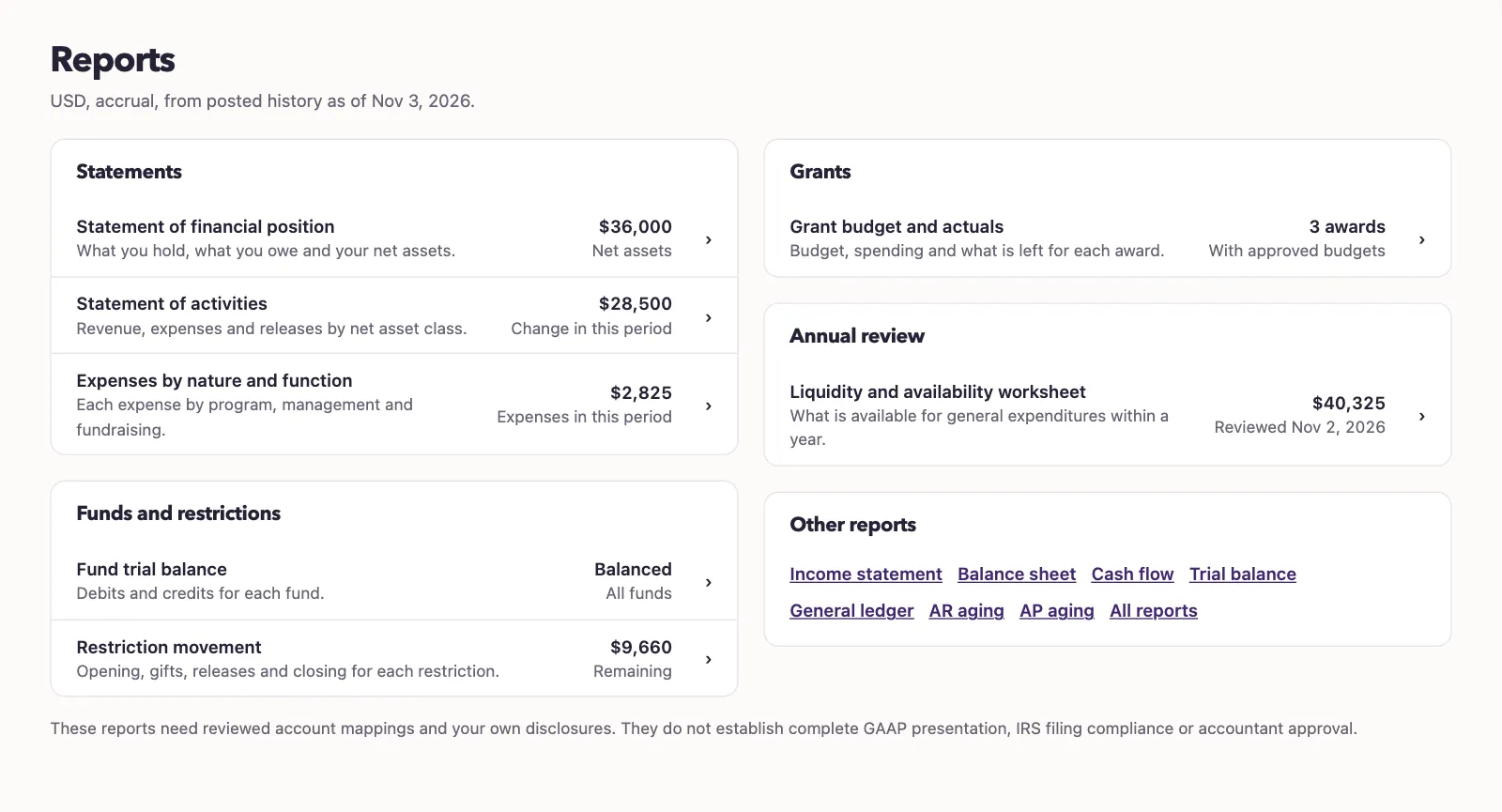
The report updates when a date, period preset, or filter changes. On a phone, select Filters to open dimension choices.
Most statements accept funds, programs, and grant dimensions. Fund trial balance accepts all funds or one fund. Grant actuals uses a selected award rather than extra dimension filters. Liquidity versions cover the whole business.
PDFs include the report, reviewed account mappings with account code and name, reviewer name and date, and retained source references. CSV downloads use field,value rows with dotted field paths, including report metadata and nested results; they are not copies of the on-screen table layout.
A grant report needs an eligible approved budget. A liquidity report needs a saved reviewed version for its date before either can be exported.
Next, open the statement of financial position.
The selected period stays in report links and the Reports breadcrumb. Other reports appear only when you have shared report permission.