
Enter tax on a bill
Record the tax amount shown on a vendor's bill and include it in the bill total.
- Who can do this
- Owners; View bills to open; Create bills for a new bill or Edit bills for a draft
- Where
- Purchases, then Bills
- You'll need
- A new bill or an editable draft; a tax amount of zero or greater
On this page
Bills have a field for the vendor's tax amount.
Add the tax amount
Open Purchases, then Bills. Select New Bill, or open a draft and select Edit. Enter the vendor, dates and line items. Opening the list and draft needs View bills.
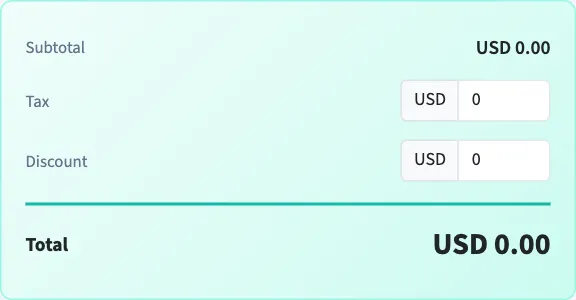
- In the totals area, enter Tax on a new bill. On the edit form, the field is Tax (from vendor).
- Review the total. QixCount adds the tax amount to the subtotal after subtracting the discount amount.
- Select Create Bill or Update Bill.
What happens next
The bill stores the amount you entered; blank tax is saved as zero. Negative amounts are rejected. Creating or updating the bill does not apply a sales tax group to its lines.
In General, when the bill is later posted through approval, QixCount records its tax amount in Sales Tax Expense. The entry step above only saves the draft; it does not make a vendor payment.
For taxes charged to customers, see Apply tax on invoice lines.
Good to know
They do not offer the invoice line tax-group selector. Enter the amount from the document you are recording.
You need Create bills for a new bill, or Edit bills to change a draft. Once the bill is no longer a draft, its editing form is unavailable.