
Record and review exemption certificates
Save a customer's exemption details and review expiry information in the certificate report.
- Who can do this
- Owners, or people with View customers and Edit customers; the report needs View financial reports
- Where
- Sales, then Customers
- You'll need
- An existing customer; Tax turned on in Features to open the exemption report
On this page
Save exemption details on a customer, then use Exemption certificates under Tax to review recorded expiry dates.
Save a customer's details
- Open Sales, then Customers, select the customer's name, and select Edit.
- Find Tax Exemption.
- Turn on This customer is tax exempt.
- Select Exemption Type if needed.
- Enter Expiry Date if the record has one.
- Enter Certificate Number/Reference, up to 500 characters.
- Select Save Changes.
QixCount records a verification date when a reference is first saved with the exemption switched on. This is a record of that save, not an independent certificate check. The field stores a reference; it is not a document upload.
Review recorded expirations
- Open Tax.
- Select Exemption certificates.
- Select Status Filter. It applies immediately.
- Review the listed exemption type, verification date and expiry date.
To change a current customer's details, open their editing form from Sales, then Customers, with View customers and Edit customers. Confirm the saved information on that customer record before using it on an invoice.
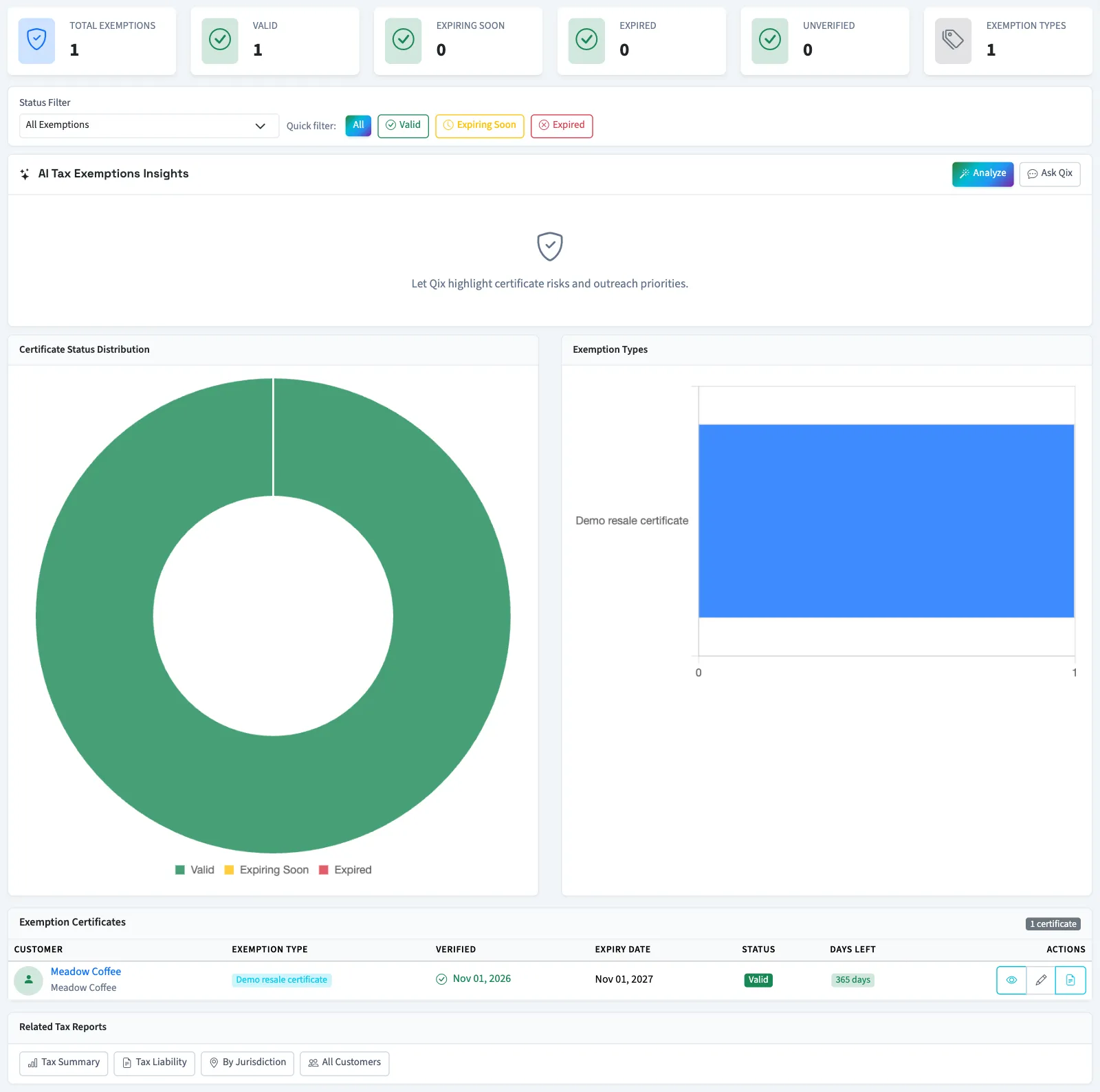
Expiring Soon (30 days) uses the saved expiry date. A missing expiry is treated as having no expiry. The report's summary cards reflect the filtered list.
What happens next
QixCount's invoice calculation skips tax for a customer whose exemption switch is on and whose expiry date is still in the future. Tax applies again from the expiry date itself. That day, the unfiltered report labels its row Expiring Soon. It does not require a certificate reference for that calculation. Turning the switch off clears the saved exemption type, dates and reference.
Next, check tax on an invoice.
Good to know
Create customers or Edit customers controls the customer form. View financial reports controls the certificate report.
If Exemption certificates isn't in the sidebar, someone with settings access can turn on Tax in Features.