
Set up a vendor for 1099 forms
Turn on vendor tracking and save the separate name, address and tax identification used by 1099 forms.
- Who can do this
- Owners, or people with View vendors and Edit vendors; the separate 1099 page needs report permissions
- Where
- Purchases, then Vendors
On this page
Vendor tracking and the information used on a 1099 form are saved in separate places.
Turn on tracking
- Open Purchases, then Vendors, select the vendor's name, and select Edit.
- Turn on Track for 1099.
- Select Tax ID Type.
- Enter Tax ID Number. The vendor form requires a number when tracking is on.
- Select Save Changes.
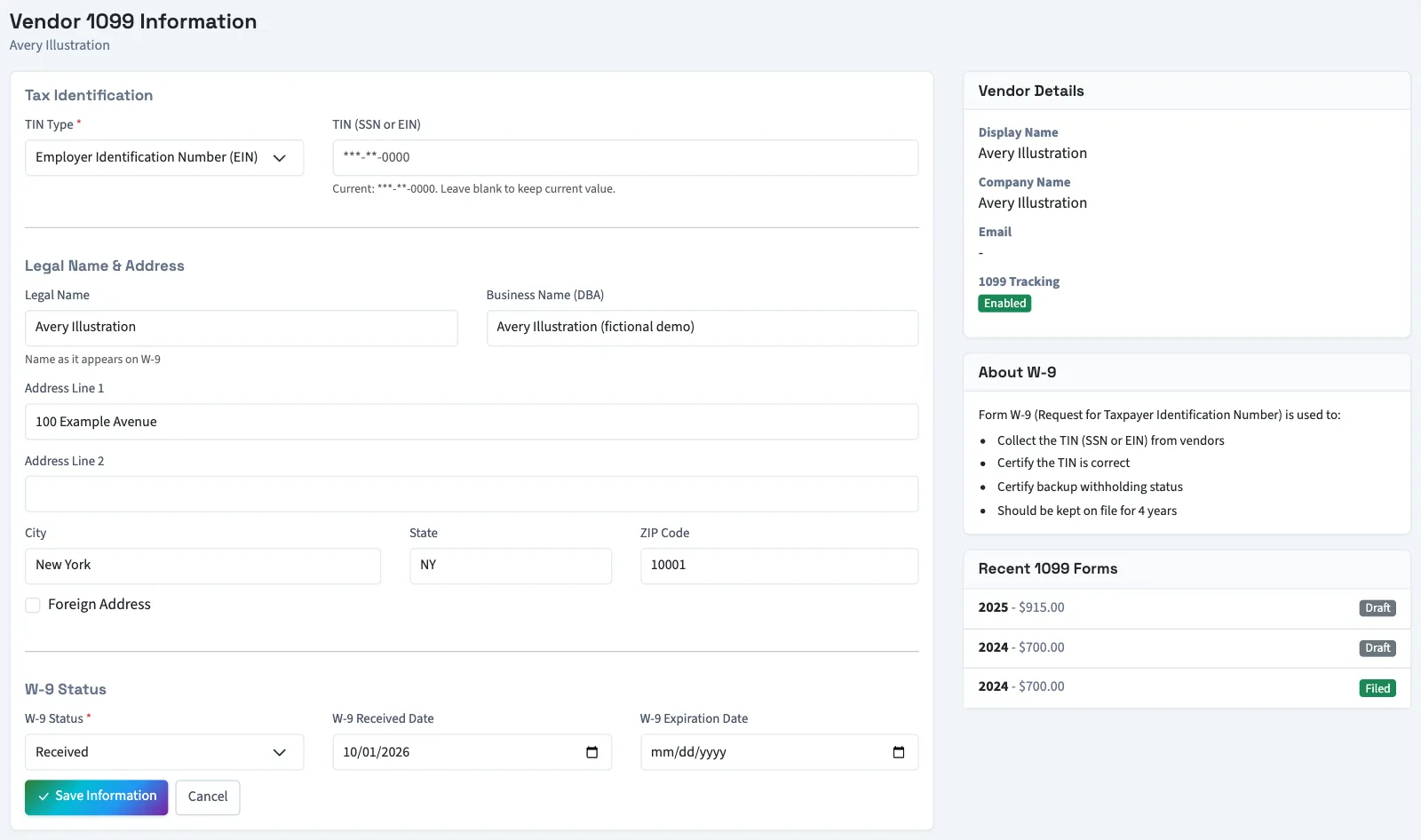
Save the form information
Open Tax, then 1099 forms, and select Create 1099. Select Add TIN when offered for the vendor. You can also open a saved form and select the pencil icon beside Vendor Info.
- Select TIN Type.
- Enter TIN (SSN or EIN). TIN means tax identification number. Leave it blank when editing if you want to keep the existing number.
- Enter Legal Name.
- Enter Business Name (DBA) if needed.
- Enter the address used on the form.
- Select W-9 Status.
- Enter W-9 Received Date if needed.
- Enter W-9 Expiration Date if needed. It must follow the received date when both are supplied.
- Select Save Information.
What happens next
Saving this page also turns on the vendor's 1099 tracking. QixCount keeps the full number encrypted and displays a masked version. A saved number is needed to generate a form, but saving it does not verify it with an outside service.
Next, create 1099 forms.
Good to know
A Tax ID on the vendor's ordinary editing form does not fill the separate 1099 information record.
You need View vendors and Edit vendors for the first task. Viewing the 1099 information page needs View financial reports; saving it needs Export reports and 1099s.
If 1099 forms isn't in the sidebar, someone with settings access can turn on Tax in Features.