
Work with 1099 forms
Find your 1099 records, understand their statuses and follow the preparation workflow.
- Who can do this
- Owners, or people with View financial reports; creating, generating and filing need Export reports and 1099s
- Where
- Tax, then 1099 forms
- You'll need
- Tax turned on in Features
On this page
QixCount keeps 1099 form records for your vendors. You can prepare drafts, review amounts, download a PDF and record filing or recipient-delivery dates. Marking a form filed or sent only updates the record; it does not submit a form or email a recipient.
If 1099 forms isn't in the sidebar, someone with settings access can turn on Tax in Features.
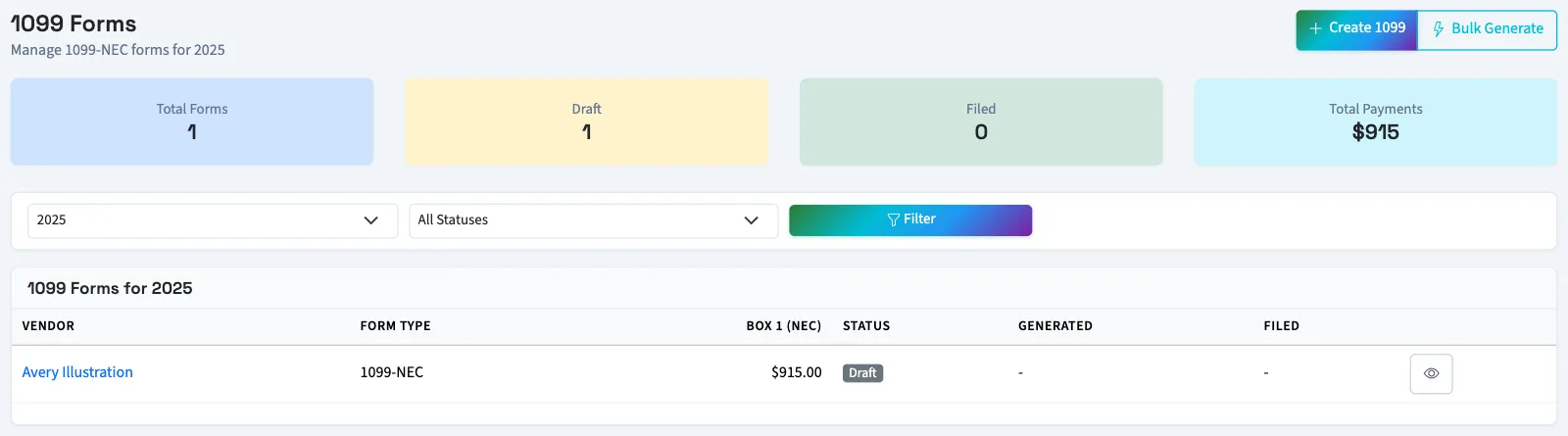
Open Tax, then 1099 forms. Choose the year and status, then select Filter. The page initially uses the previous year. Summary cards cover the selected year even when you filter the list by status.
Understand the workflow
| Status | Meaning in QixCount |
|---|---|
| Draft | A saved form awaiting generation. It can be edited. |
| Generated | Someone selected Generate Form. It can still be edited and has a PDF download control. |
| Filed | Someone recorded the filing. Ordinary editing and deletion are blocked. |
| Voided | A separate void record linked to an original form. The original remains. |
A correction starts as a new Draft and carries a correction badge. The status filter also offers Corrected, but creating a correction does not assign that status.
Prepare forms
Start with vendor 1099 information, then create forms individually or in bulk. Follow review, printing and filing. For an already filed original, see correct or void a form.
You need View financial reports to see forms and download PDFs. Creating, editing, generating, filing and updating vendor 1099 information require Export reports and 1099s. Owners and accountants assigned through approved firm access have both. Firm access does not include Manage business settings, roles & permissions, needed for sales tax setup. Some controls remain visible even without the permission needed to complete the action.