
Read annual tax totals
Review a calendar year's recorded taxable amounts and tax totals.
- Who can do this
- Owners, or people with View financial reports
- Where
- Tax, then Tax summary
- You'll need
- Tax turned on in Features
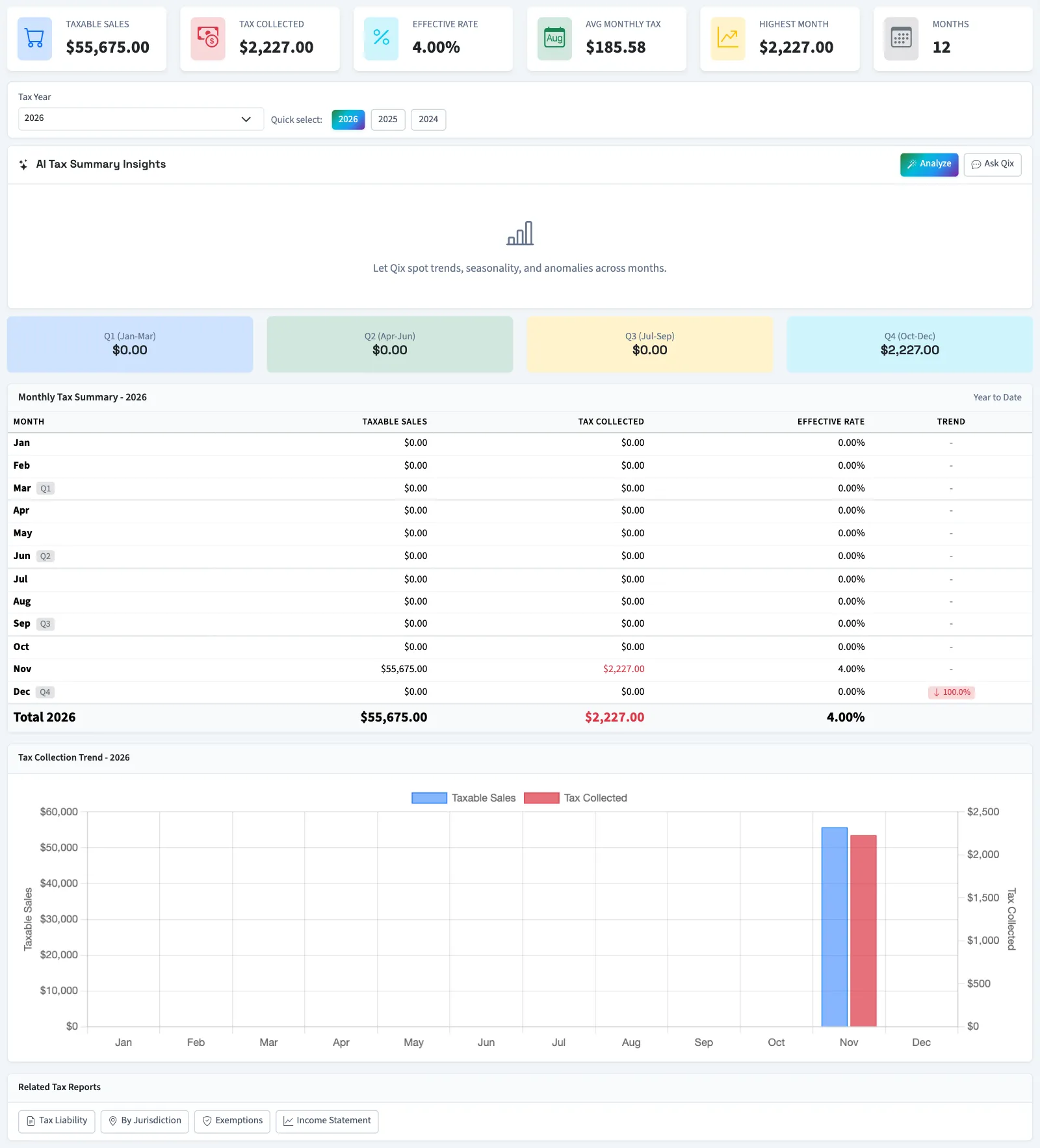
The tax summary shows recorded taxable amounts and tax amounts for a selected calendar year. Use the year-total cards to check the year's amounts. You need View financial reports; owners have it.
Select the year
- Open Tax.
- Select Tax summary.
- Select Tax Year. The page updates immediately. The selector offers the current year and five preceding years.
- Review the year-total cards above the year selector.
- Select the printer icon if you want a printed copy or your browser's save-to-PDF option.
Understand the totals
| Label | Meaning on this report |
|---|---|
| Taxable Sales | Total taxable amounts from recorded tax entries. A line with several tax rates can appear in several entries. |
| Tax Collected | Total of the recorded tax amounts. This does not confirm receipt of customer payments. |
| Effective Rate | Tax collected divided by taxable sales, expressed as a percentage. |
| Avg Monthly Tax | The year's total tax divided by 12, including months with no recorded tax. |
What happens next
The year-total cards use when the activity was recorded in QixCount. They do not use the filing period's manually entered totals. They cover the selected calendar year, even when the current-year heading says Year to Date.
Before using monthly or quarterly figures, check their dates against your invoice records. Near month end, the breakdown can repeat one month and omit another. Use the year-total cards for the annual amount.
Next, inspect tax liability by rate or compare jurisdictions.
Good to know
If Tax summary isn't in the sidebar, someone with settings access can turn on Tax in Features.