
Create 1099 forms individually or in bulk
Save a draft for one vendor or create draft 1099-NEC records for multiple tracked vendors.
- Who can do this
- Owners, or people with Export reports and 1099s and View financial reports
- Where
- Tax, then 1099 forms
- You'll need
- Tax turned on in Features; a vendor with Track for 1099 enabled; no original for the same vendor, year and form type
On this page
Both creation methods save Draft records. Despite its name, Bulk Generate does not change them to Generated. You need Export reports and 1099s to create forms, and View financial reports to use the list.
Create one draft
- Open Tax.
- Select 1099 forms.
- Select the year.
- Select Filter.
- Select Create 1099.
- Select Vendor. Only vendors with 1099 tracking appear.
- Select 1099-NEC (Nonemployee Compensation) in Form Type. This guide covers the 1099-NEC PDF layout.
- Review Box 1: Nonemployee Compensation. Selecting a vendor fills an amount from recorded payments; you can change it.
- Enter Box 4: Federal Income Tax Withheld if needed.
- Enter Notes if needed.
- Select Create 1099 Form. The saved form opens.
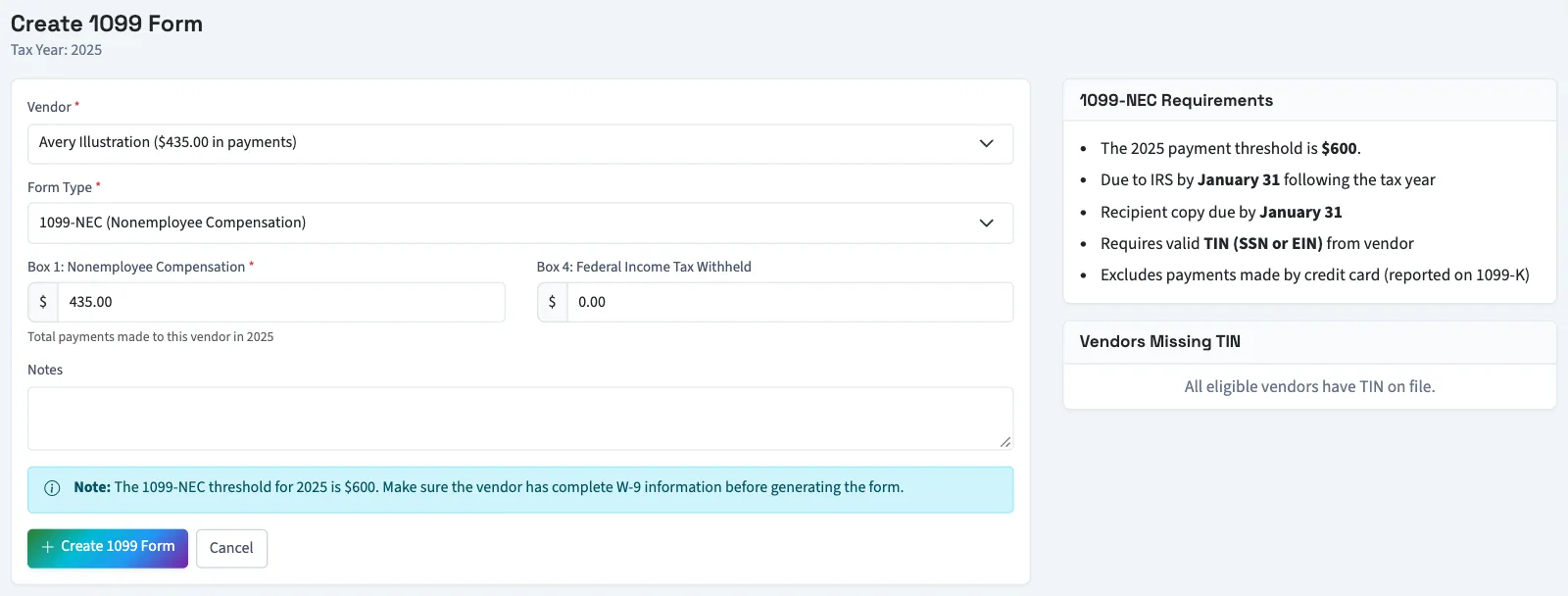
Amounts must be zero or positive. QixCount rejects a second original of the same form type for the vendor and year.
Create several drafts
- On the forms list, select Bulk Generate.
- Review Tax Year in the dialog.
- Review Minimum Payment Threshold, which is pre-filled for that year. This field controls which vendors this action includes.
- Select Generate Forms.
QixCount checks tracked vendors, skips vendors with an existing original form for that year, and skips those below the entered amount. Vendors missing a number in their separate 1099 information are reported as errors. The result message tells you how many forms were created or vendors skipped.
What happens next
Bulk creation makes 1099-NEC drafts. The automatic amount and the form's payment list use the same rule: bill payments and checks dated in the selected year whose posted journal still stands. Voided or reversed payments are excluded. A check counts only with Track for 1099 selected and a vendor chosen. Bill payments are not filtered by payment method or their own 1099 switch. Check each draft's amount before generating it.
Next, review and generate each form.
Good to know
If 1099 forms isn't in the sidebar, someone with settings access can turn on Tax in Features.