
Reopen a period
Reopen a closed month with a reason and see the history recorded when it opens and closes again.
- Who can do this
- Owners, or people with View fiscal periods and Manage fiscal periods (close/reopen/lock)
- Where
- Books, then Fiscal periods
- You'll need
- Period close turned on in Features; a closed monthly period
Reopening changes a closed month back to Open so ordinary posting can pass its period check. It records who reopened it, when and why. It does not remove the existing checklist marks or reverse transactions.
Reopen the month
- Open Books, then Fiscal periods, and select the month.
- Select Reopen Period under Actions.
- Enter Reason for Reopening, between 10 and 1,000 characters.
- Select Reopen Period in the dialog.
What happens next
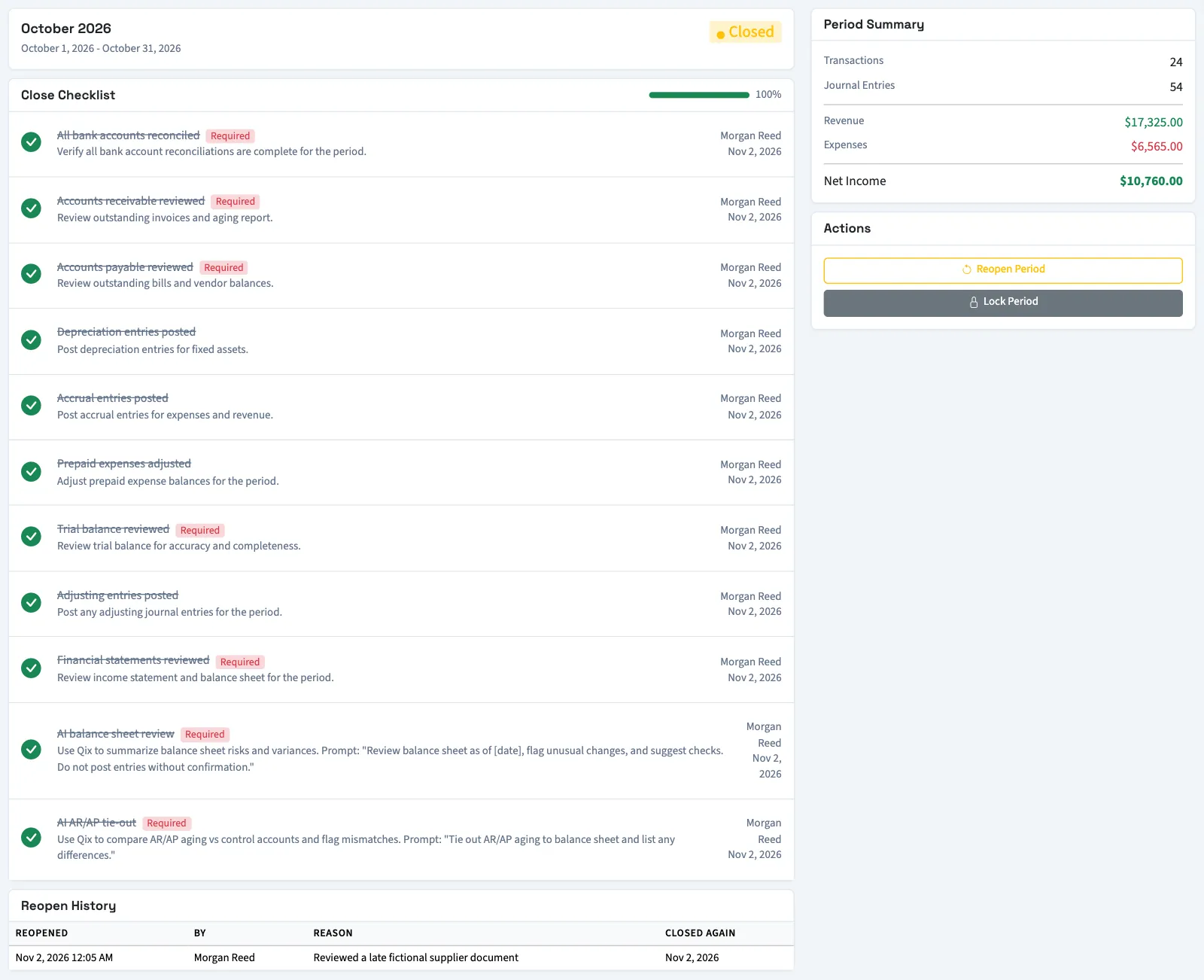
The month returns to Open and its closing timestamp is cleared. Reopen History shows the reopening time, person and reason. A reason longer than the table's display space is shortened in the row.
The history shows Still Open until you close the month again. Closing adds the date under Closed Again. This workflow does not ask a second person to approve reopening.
Reopening does not bypass other posting checks. A transaction still needs balanced entries, and the business's backdating limit can still prevent an older posting. If overlapping monthly periods cover a date, another closed or locked month can still block it.
Reopening a month and reopening a year-end closing are separate actions. A closed year-end record, or any other closed or locked period covering the date, still blocks ordinary posting. For a General year-end correction, read reopen and re-close a year. For Nonprofit, use Close or reopen a Nonprofit fiscal year.
After the correction, close the month again.
Who can do this and what you need
You need View fiscal periods and Manage fiscal periods (close/reopen/lock) permissions. Only a Closed period offers this action. A Locked period cannot be reopened through this workflow.
If Fiscal periods isn't in the sidebar, someone with settings access can turn on Period close in Features.