
Review the audit trail
Find recorded activity, compare saved values, and mark flagged entries as reviewed.
- Who can do this
- Owners, or people with View audit trail; marking entries reviewed needs Mark entries as reviewed
- Where
- Books, then Audit trail
- You'll need
- Audit & compliance turned on in Features
On this page
The audit trail lists recorded events with a timestamp, record, user, and any saved financial impact. Use it to inspect the activity QixCount captured for a document.
Find an event
- Open Books, then select Audit trail.
- Select Filter.
- Choose a Model Type or Event Type, enter From Date and To Date, or use Search. Search checks the record label, event description, and user name.
- Select Apply Filters.
- Select a record label or the eye icon to open Audit Log Details.
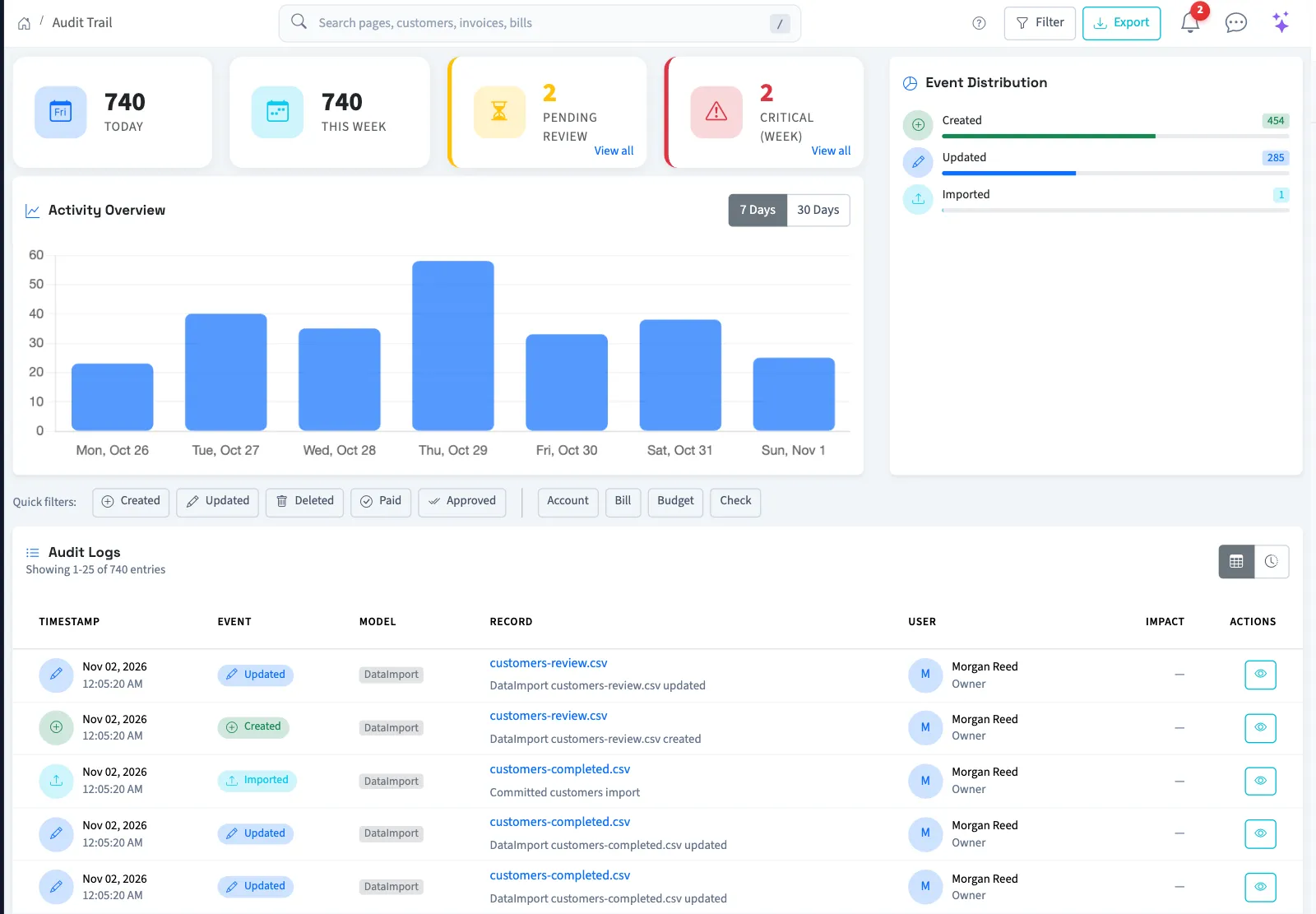
The list shows 25 entries per page, newest first. Its summary cards are business-wide totals; they do not follow your filters. Clear All removes the filters.
Read changes and record history
On an entry's details page, Changes Made compares saved old and new values for an update. Creation and deletion entries can instead show their saved values. User details, reasons, and other information appear when captured.
For an invoice, bill, incoming or outgoing payment, journal transaction, account, customer or vendor, select View Full Record History for a timeline of that record. Expand Show Changes on an update to compare values. The details page's Other Changes to This Record shows up to 20 other entries; the history page has pagination. For other record types, use the related entries on the details page.
Mark an entry as reviewed
For automatically tracked events, deletions, voids, reversals, and financial impacts greater than $10,000 in either direction are flagged for review. The critical-events filter also includes these categories; a large impact can have warning severity on the individual entry.
For a flagged entry you have permission to manage, select Mark as Reviewed. QixCount saves your name and the review time. This does not change or approve the underlying document. Entries still appear in the trail after review.
Troubleshooting
If no rows match, select Clear All. Use the event rows and totals to inspect recorded activity.
For file downloads, see Export the audit trail. For hash checks, see Check audit integrity.
Who can do this and what you need
You need View audit trail permission. Marking an entry as reviewed needs Mark entries as reviewed permission. Owners have both. Assigned accountants from an approved firm have view access, but their standard access does not include marking entries as reviewed.
If the menu is hidden, someone with settings access can turn on Audit & compliance under Settings, then Features.