
Read the separation of duties report
Review the permission-pair matches and active overrides shown in the segregation of duties report.
- Who can do this
- Owners, or people with View audit trail
- Where
- Books, then Compliance
- You'll need
- Audit & compliance turned on in Features
On this page
The Segregation of Duties Report compares active users' permissions with active rules in QixCount. Each rule names a pair of permissions.
Open the report
- Open Books, then Compliance.
- Select SoD Report. SoD stands for segregation of duties.
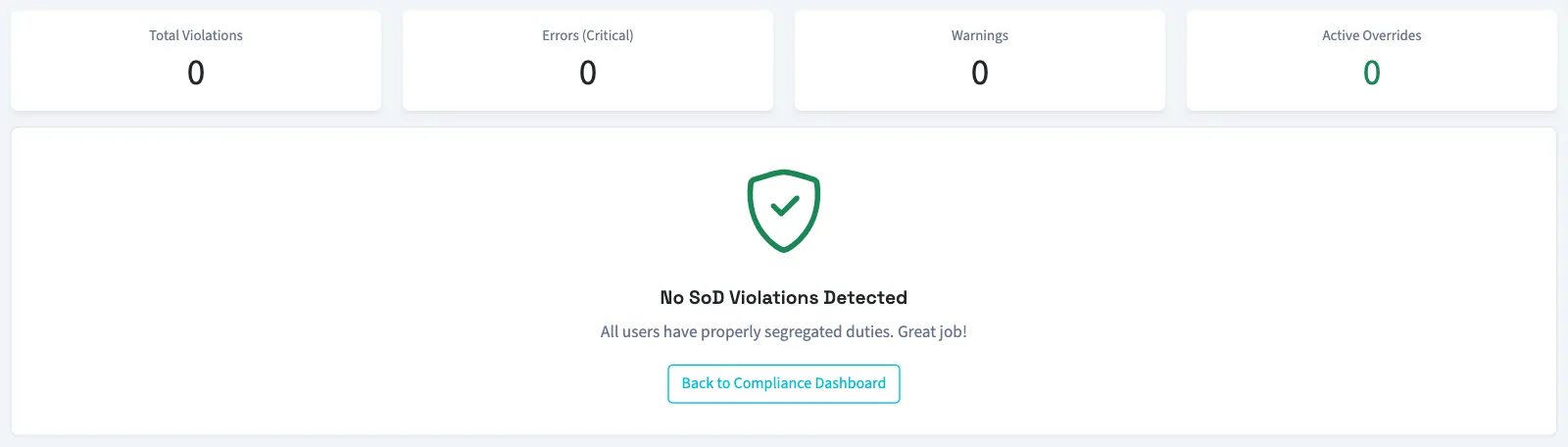
- Read Total Violations, Errors (Critical), Warnings, and Active Overrides.
- Read SoD Violations by User for the rule and the two conflicting permissions behind each match.
You need View audit trail permission. Owners have this permission.
Understand the results
| Label | Meaning on this screen |
|---|---|
| Error | The matching rule has error severity. |
| Warning | The matching rule has warning severity. |
| Override Active | The user has an override for that rule with no expiry or an expiry in the future. |
| Not Mitigated | The match has no currently valid override. |
| No SoD Violations Detected | The check found no matching active rules for the users it includes. |
The check excludes owners and inactive users. An empty report therefore does not mean every person's permissions were checked. Counts include permission matches with active overrides; an override changes the match's status rather than removing the row.
When present, Active SoD Overrides lists the user, rule, saved justification, approver, approval date, and expiry. Active Overrides counts currently valid override records, which can differ from the number of matched report rows with overrides.
Opening the report does not change permissions, add an override, or approve any document. The Grant Override link opens the roles page, which is owner-only and also requires Manage business settings, roles & permissions permission.
To see how matches affect QixCount's score, continue to Read the audit readiness score.
Good to know
A user with both permissions creates a report match.
The screen calls these matches violations.
If Compliance isn't in the sidebar, someone with settings access can turn on Audit & compliance in Features.
This is a report of configured permission combinations. It does not determine what controls your organization needs or whether a person's work meets an external requirement.