
Check audit integrity
Read recent audit hash checks and missing-hash results, and understand what those checks do and do not establish.
- Who can do this
- Owners, or people with View audit trail
- Where
- Books, then Compliance
- You'll need
- Audit & compliance turned on in Features
On this page
The integrity screen compares selected saved audit values with stored hashes. A hash is a calculated fingerprint. QixCount combines selected values from an entry with the previous entry's hash to link entries in a chain.
Open and read the check
- Open Books, then Compliance.
- Select Verify Integrity.
- Read Chain Status, Total Records, Chain Sequence, and Last Hash.
- Look for Integrity Violations and Audit Logs Missing Hashes below the summary.
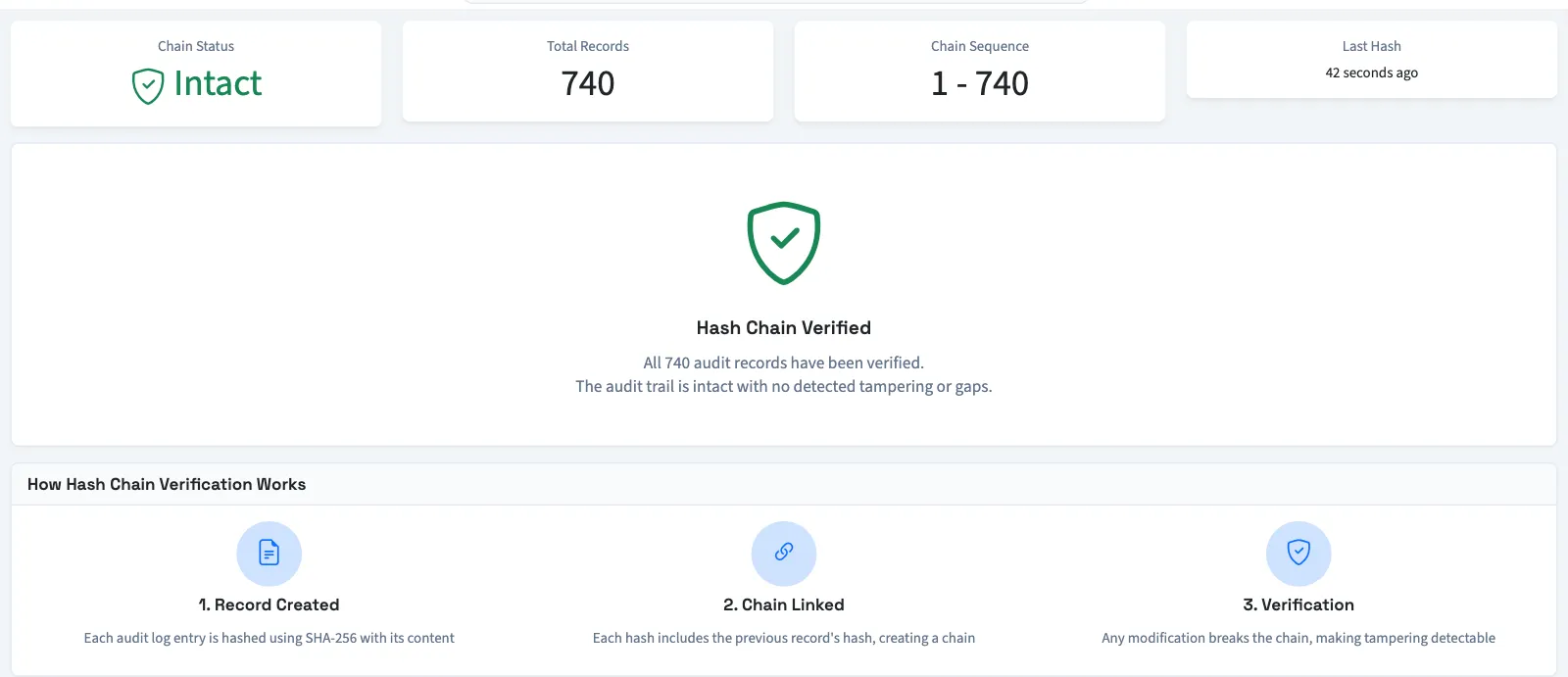
Opening this page runs the checks again; there is no separate repair or full-history verification button.
| Result | What it means |
|---|---|
| Intact | The quick check found no mismatch in the most recent 100 hash entries. An empty chain also receives this status. |
| Issues | The quick check found at least one problem. |
| Chain Break | An entry's stored previous hash does not match the preceding hash. |
| Hash Mismatch | Recalculating the selected entry values produces a different hash. |
| Audit Logs Missing Hashes | Saved audit entries have no hash entry. The page lists the first 20 and gives the total. |
The detailed violations list checks up to the most recent 500 hash entries. Total Records counts stored hash entries; it is not the number checked by the current page. The Hash Chain Verified message can appear even when older records are outside the check or entries are listed as missing hashes.
Understand the limits
The hash calculation has no secret key. Someone able to replace both saved entries and their hashes could recalculate a matching chain. The check covers selected fields, including saved old and new values, user details, time, and record identifiers. It does not cover every displayed field, such as the description, reason, financial impact, or review details.
A matching result does not establish that every action was captured, that every saved value is correct, or that records have never changed. Contact support about unexpected issues or missing hashes; this screen provides no repair action.
To inspect individual saved events, see Review the audit trail.
Good to know
If Compliance isn't in the sidebar, someone with settings access can turn on Audit & compliance in Features.
You need View audit trail permission. Owners have this permission.