
Use the compliance dashboard
Open the compliance dashboard and follow its links to audit events, approval requests, and detailed checks.
- Who can do this
- Owners, or people with View audit trail
- Where
- Books, then Compliance
- You'll need
- Audit & compliance turned on in Features
On this page
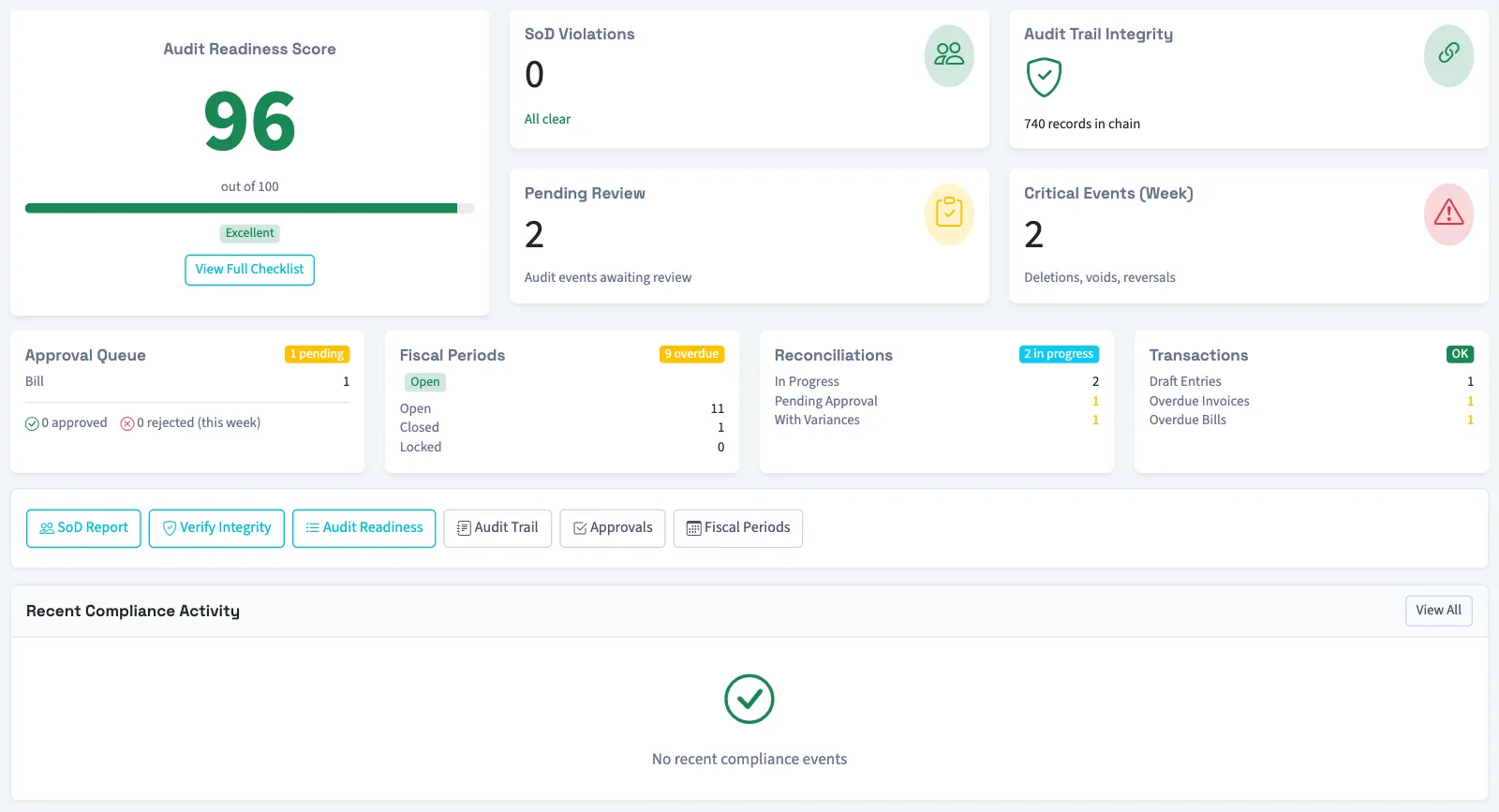
The Compliance dashboard brings together selected activity counts and QixCount's own checks. Its score and labels describe those checks.
Open the dashboard
- Open Books, then select Compliance.
- Read the summary cards.
- Select a card or one of the links below the cards to open its details.
You need View audit trail permission to open this dashboard. Owners have this permission. If the menu is hidden, someone with settings access can turn on Audit & compliance under Settings, then Features. Opening a linked page may require additional permission.
Choose a detailed view
| Card or link | What it opens |
|---|---|
| Audit Readiness Score | Select View Full Checklist for the score calculation and checklist. |
| SoD Violations | Permission-pair matches found by active segregation of duties (SoD) rules. Owners are excluded from this check. |
| Audit Trail Integrity | Recent hash-chain checks and missing-hash information. |
| Pending Review | Audit entries flagged for review that have no saved review time. |
| Approval Queue | Approval requests, grouped by their document type. |
| Fiscal Periods | The fiscal period list. |
| Reconciliations | The bank reconciliation list. |
| Transactions | The journal entry list. |
Recent Compliance Activity shows up to 10 recent recorded approvals, postings, voids, reconciliations, status changes, deletions, or reversals. Select View All to open the audit trail.
The dashboard is a snapshot when you open it. Some cards count different records: an approval request count is separate from document approval statuses. Use the linked page to inspect the individual records behind a card.
Continue with Read the audit readiness score, Check audit integrity, or Read the separation of duties report. For the linked period list, see Understand fiscal periods.
Good to know
They do not establish that your books meet an external requirement or that an audit will have a particular result.