
Close a month
Check close readiness, complete required checklist items and close a monthly fiscal period.
- Who can do this
- Owners, or people with View fiscal periods and Manage fiscal periods (close/reopen/lock)
- Where
- Books, then Fiscal periods
- You'll need
- Period close turned on in Features; an open period with all required checklist items complete
On this page
Close a monthly period when you want QixCount to block ordinary posting to its dates. This changes the period status; it does not create the entries used by General year-end close.
Review and close the period
- Open Books, then Fiscal periods, and select the month.
- Check the dates at the top of the page.
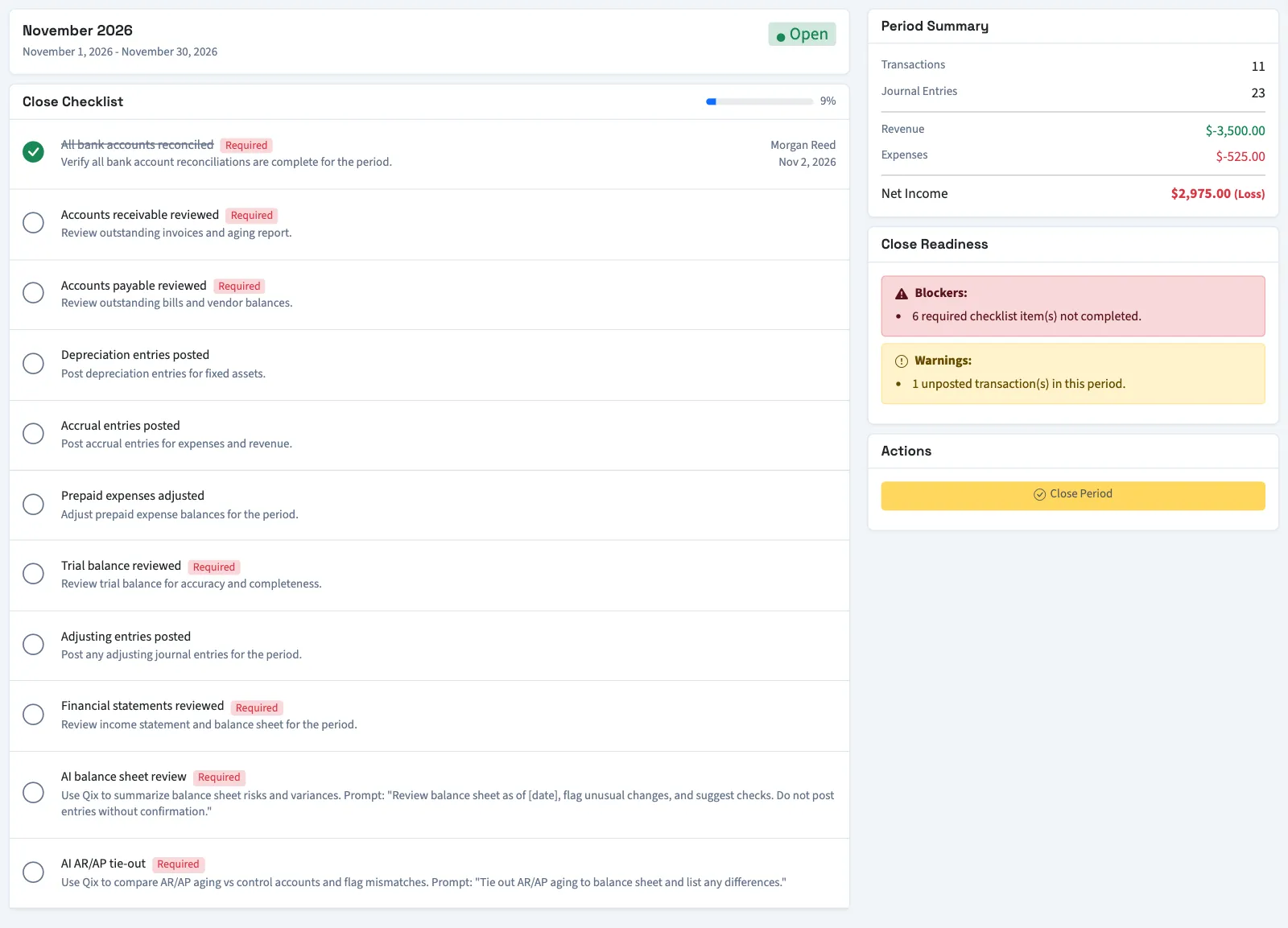
- Review Period Summary.
- Complete the required items in Close Checklist.
- Read Close Readiness for blockers and warnings.
- Select Close Period under Actions.
- Enter Closing Notes (optional), up to 1,000 characters, if needed.
- Select Close Period in the dialog.
What happens next
The period becomes Closed. QixCount saves the closing time, person and notes. If you previously reopened the month, its active reopen history receives a closed-again date.
Required incomplete items block closing. Unposted transactions and transactions whose debits and credits differ generate warnings, but those warnings do not prevent closing. Completing checklist items records your confirmation; it does not automatically perform the work named in each item.
The summary counts transactions and journal lines in the date range. Its revenue and expense totals exclude year-end closing entries but do not filter out unposted transactions. They can therefore differ from posted financial reports.
For a correction, reopen the period. For the separate irreversible screen action, read lock a period. For Nonprofit year-end posting, use Close or reopen a Nonprofit fiscal year.
Who can do this and what you need
You need View fiscal periods and Manage fiscal periods (close/reopen/lock) permissions. The period must be open, and all required checklist items must be complete.
If Fiscal periods isn't in the sidebar, someone with settings access can turn on Period close in Features.