
Review outstanding project work
Use Unbilled projects to review existing unpaid invoice and bill balances by project.
- Who can do this
- Owners, or people with View project profitability and View financial reports
- Where
- Reports, then All reports
- You'll need
- Project tracking enabled
On this page
The Unbilled projects report shows outstanding balances on existing invoices and bills. It does not calculate work that has not yet been entered on an invoice.
Review the balances
- Open Reports, then All reports.
- Select Unbilled projects in Projects.
- Select Customer if you want to narrow the results.
- Select Only show projects with outstanding items to hide projects with no positive unpaid invoice or bill balance.
- Select Apply.
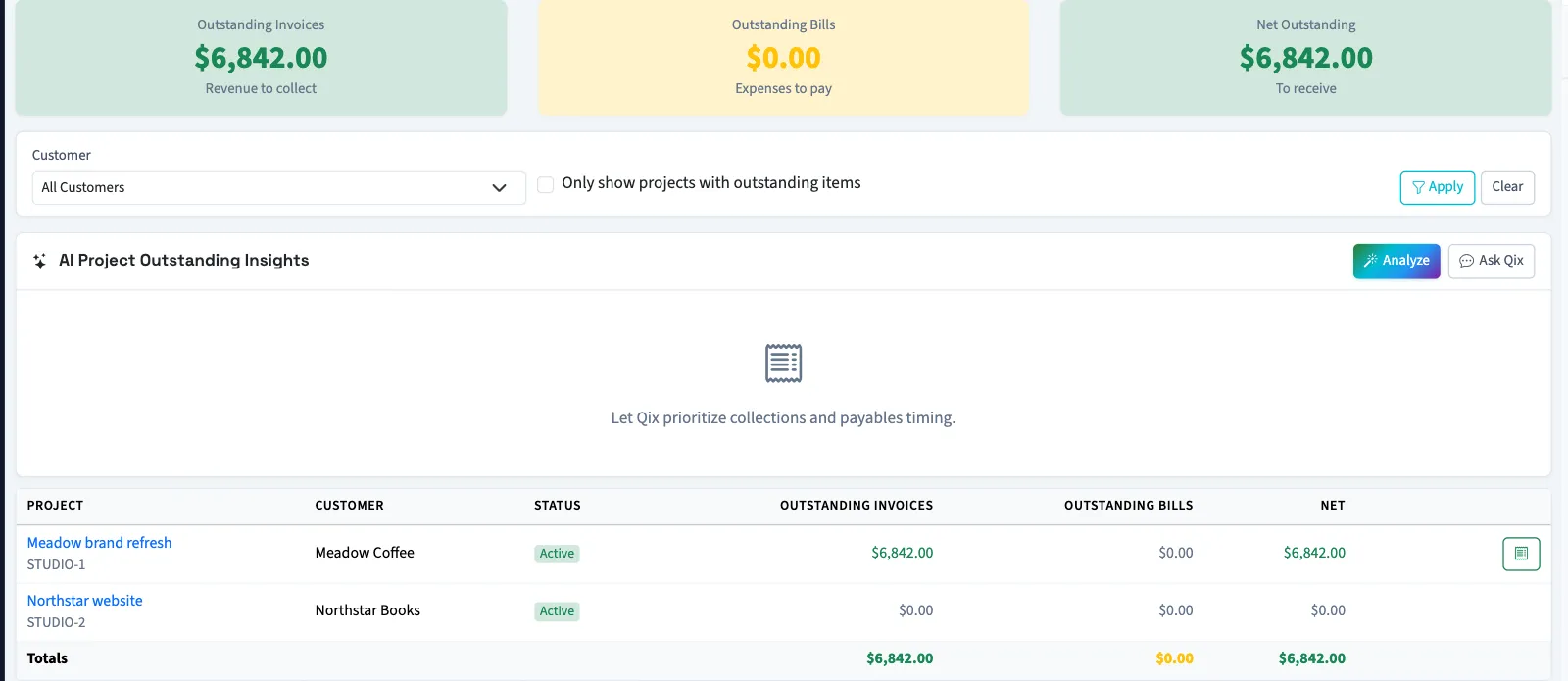
Archived projects are excluded. Without the outstanding-items filter, projects with zero balances can appear.
| Figure | How QixCount calculates it |
|---|---|
| Outstanding Invoices | Balance due on linked invoices marked Sent, Viewed, Partial, or Overdue. Draft, Paid, and Void invoices are excluded. |
| Outstanding Bills | Balance due on linked bills whose status is neither void nor paid. Draft bills can be included. |
| Net Outstanding | Outstanding invoice balances minus outstanding bill balances. |
Find the underlying documents
With View projects permission, select a project name, then open Invoices or Bills to review its documents and balances. Opening an individual document also requires its normal viewing permission. Use these tabs to find the documents behind a balance.
Request analysis
Select Analyze to request Qix analysis of the applied customer and outstanding-items filters. Analysis is unavailable when no projects match or no outstanding balances are found. Ask Qix opens the chat when Qix chat is available for the business.
What happens next
Viewing or analyzing the report does not create invoices or record payments. To add a missing project document, see Assign invoices and bills to a project.
Good to know
You need View project profitability permission, and project tracking must be enabled. Opening All reports also needs View financial reports permission.
If Unbilled projects isn't in the sidebar, someone with settings access can turn on Project tracking in Features.