
Understand project tracking
Organize invoices and bills by project and understand project statuses, access and financial totals.
- Who can do this
- Owners, or people with View projects
- Where
- Projects, then All projects
- You'll need
- Project tracking turned on in Features
On this page
Project tracking groups invoices and bills around a job. A project can have a customer, dates, a revenue target and a cost budget. Project budgets are separate from the monthly account budgets under Budgets.
If All projects isn't in the sidebar, someone with settings access can turn on Project tracking in Features.
Find your projects
Open Projects, then select All projects. Project tracking must be enabled for the business. You need View projects permission; creating, editing and archiving use separate permissions. Owners have all permissions. Other team members need the permissions for the tasks they perform.
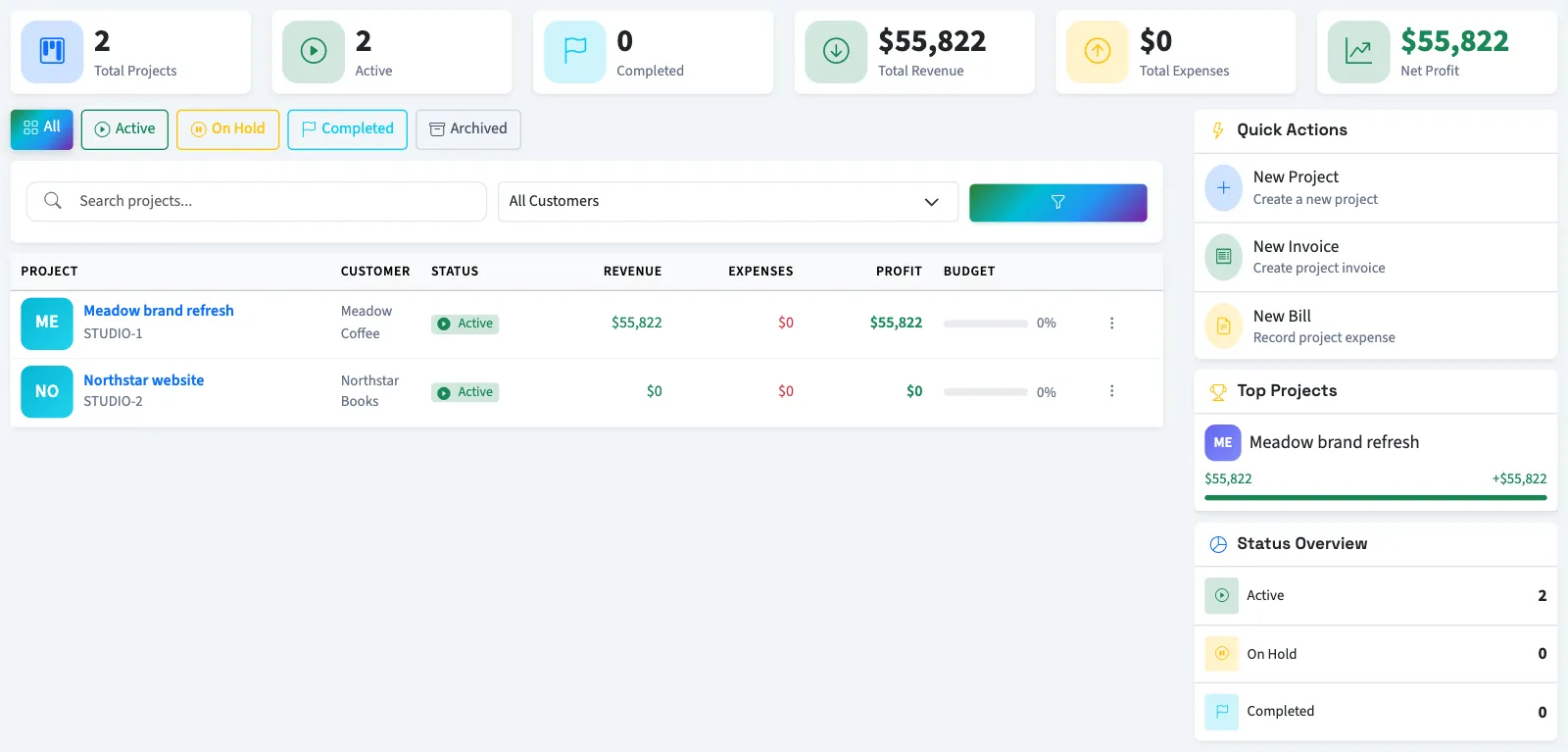
Search by project name or code, or narrow the list by customer and status. Select a project name to open its details. A new business can select Create First Project when no projects are listed.
With report permission, the summary cards and Top Projects remain business-wide when you filter the table.
Understand project statuses
| Status | How to use it in QixCount |
|---|---|
| Active | The default status for a new project. |
| On Hold | Marks a project as paused. It remains available for document assignment. |
| Completed | Marks finished work. It remains available for document assignment. |
| Archived | Removes the project from new invoice and bill choices and from the default overview and reports. |
Choosing archived status while editing keeps the record in the project list's archived filter. Using the archive action removes it from the list instead. See Edit or archive a project.
Understand the financial totals
Permission to view project reports adds financial summaries to the list and project pages. These totals use linked invoice and bill totals, excluding void documents. They include drafts and are not limited to posted accounting entries. Profit is invoice totals minus bill totals.
Start with Turn on project tracking, then Create a project. For a comparison across jobs, see Use the project overview dashboard.