
Create a budget
Start a monthly budget from zero, previous-year actuals or another budget.
- Who can do this
- Owners, or people with View budgets and Create budgets and Edit budgets
- Where
- Books, then Budgets
- You'll need
- Budgets turned on in Features; monthly fiscal periods, and active revenue or expense accounts
Create a budget for a fiscal year, then enter or adjust its monthly amounts. You can start from zero, copy previous-year activity or copy another budget.
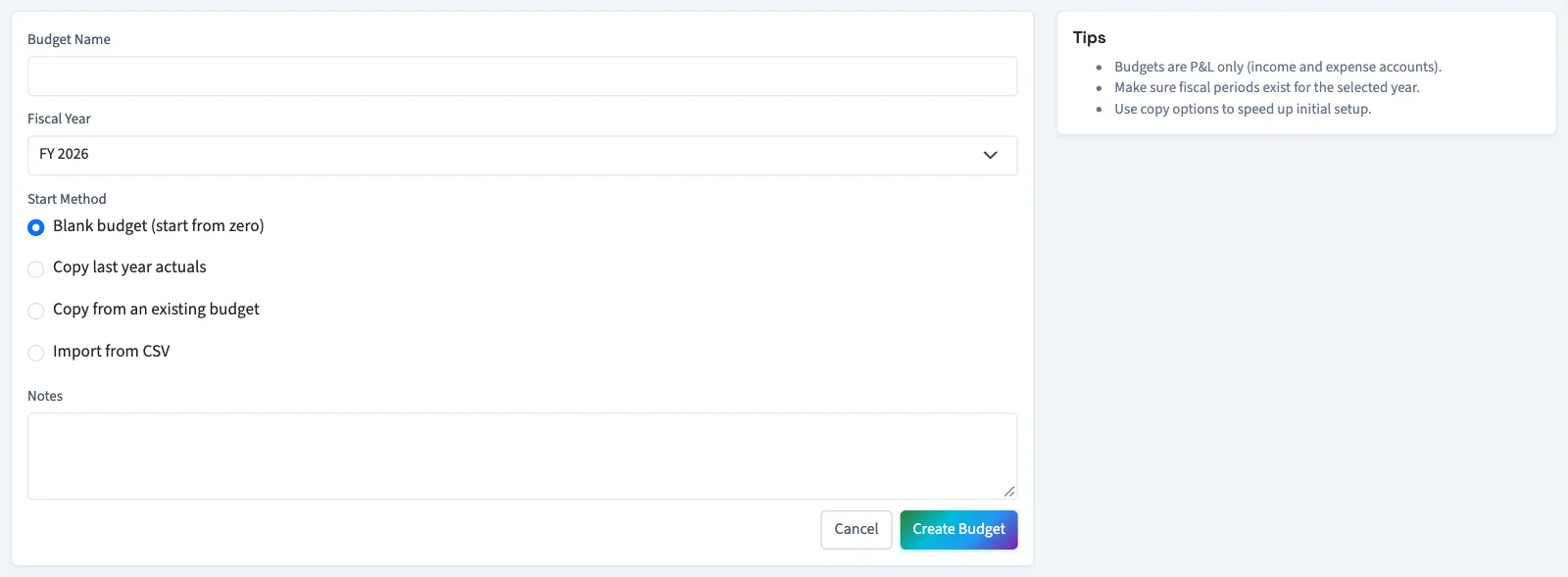
Start the budget
- Open Books, then Budgets.
- Select New Budget.
- Enter Budget Name, up to 255 characters.
- Select Fiscal Year.
- Choose a Start Method from the table below.
- Enter optional Notes, up to 2,000 characters.
- Select Create Budget.
| Start method | Starting amounts |
|---|---|
| Blank budget (start from zero) | Zero for each account and month. |
| Copy last year actuals | Posted revenue and expense activity from the preceding fiscal year, matched by fiscal period number. |
| Copy from an existing budget | Amounts from your selected source budget, matched by account and fiscal period number. |
| Import from CSV | Amounts from a file; see Import a budget. |
For Copy from an existing budget, select Source Budget (optional). Leaving it at Use latest prior-year budget copies the most recently created budget from the preceding fiscal year.
What happens next
The budget starts as a draft and opens on its edit page. Review every month and select Save Changes after changing amounts. Missing source amounts start at zero. Creating the budget does not post accounting activity.
If QixCount reports missing monthly periods, have someone with the appropriate access set up the fiscal year before trying again. Copying actuals also requires monthly periods for the previous year. Copying a budget requires an existing source.
Continue with Edit, approve or lock a budget.
Who can do this and what you need
Budgeting must be enabled. You need View budgets permission to open the list, Create budgets to create the budget, and Edit budgets to complete the amounts on the next screen. The year must have monthly fiscal periods, and the business must have active revenue or expense accounts.
If Budgets isn't in the sidebar, someone with settings access can turn on Budgets in Features.