
Assign invoices and bills to a project
Select a project when creating documents or change the assignment on an editable draft.
- Who can do this
- Owners, or people with Create invoices and View invoices; bills need Create bills and View bills
- Where
- Projects, then All projects
- You'll need
- Project tracking turned on in Features; an existing project
On this page
Assign the whole invoice or bill to a project to include it in that project's document lists and financial totals. Each document has one project choice.
Create a project invoice
- Open Projects, then All projects, and select the project.
- Select Invoices.
- Select New Invoice.
- Check the preselected Project on the invoice form.
- Select the invoice's Customer.
- Complete the invoice's dates and line items.
- Select Save as Draft to save it for review.
The project's customer is not automatically selected on this invoice form. Choose the correct customer before saving.

Create a project bill
- Open Projects, then All projects, select the project, and open its Bills tab.
- Select New Bill.
- Check the preselected Project on the bill form.
- Complete the vendor, dates and line items.
- Select Create Bill.
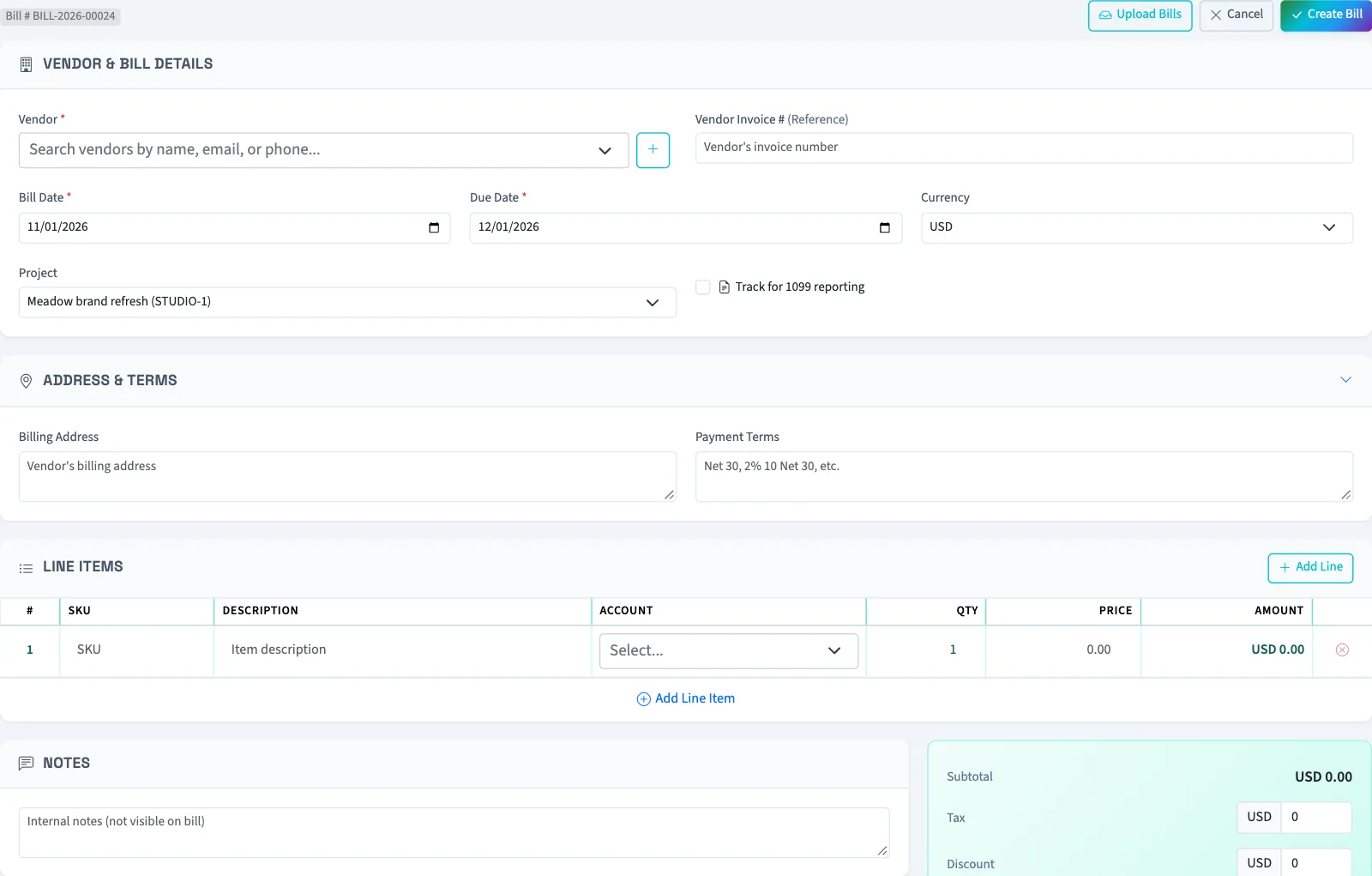
You can also select Project directly when creating an invoice or bill from its normal menu.
Change an existing assignment
Open Sales, then Invoices, or Purchases, then Bills. Select the draft and select Edit. Change Project, then select Save Changes for an invoice or Update Bill for a bill. The full document editor only accepts drafts. If project assignment is optional, choose No project to remove it.
An existing archived project can be retained on its draft document. It cannot be selected as a new assignment for a different document.
What happens next
Saving an invoice draft opens the invoice. Creating a bill returns to the bill list. The document appears on the project after saving. Project totals include non-void drafts, so totals can change before a document is posted. If a project is required in settings, leaving it empty prevents saving.
Continue with Review a project's details.
Who can do this and what you need
Project tracking must be on. You need View projects to open the project. Adding an invoice needs Create invoices and View invoices; adding a bill needs Create bills and View bills. Changing a draft also needs Edit invoices or Edit bills. Project viewing permission alone does not grant those document permissions.
Create the project first. New assignments can use active, on-hold or completed projects. Archived projects are excluded from new choices.
If All projects isn't in the sidebar, someone with settings access can turn on Project tracking in Features.