
Read project profitability reports
Group project results, filter project dates, export figures and request Qix analysis.
- Who can do this
- Owners, or people with View project profitability
- Where
- Projects, then Project reports
- You'll need
- Project tracking turned on in Features
On this page
The profitability report compares each project's revenue and expenses with its targets.
Set the report's scope
- Open Projects.
- Select Project reports.
- Select Status if needed.
- Select Customer if needed.
- Enter Start Date From if you want a lower limit for project start dates.
- Enter End Date To if you want an upper limit for project end dates.
- Select Group By: No Grouping, Customer or Status.
- Select Apply.
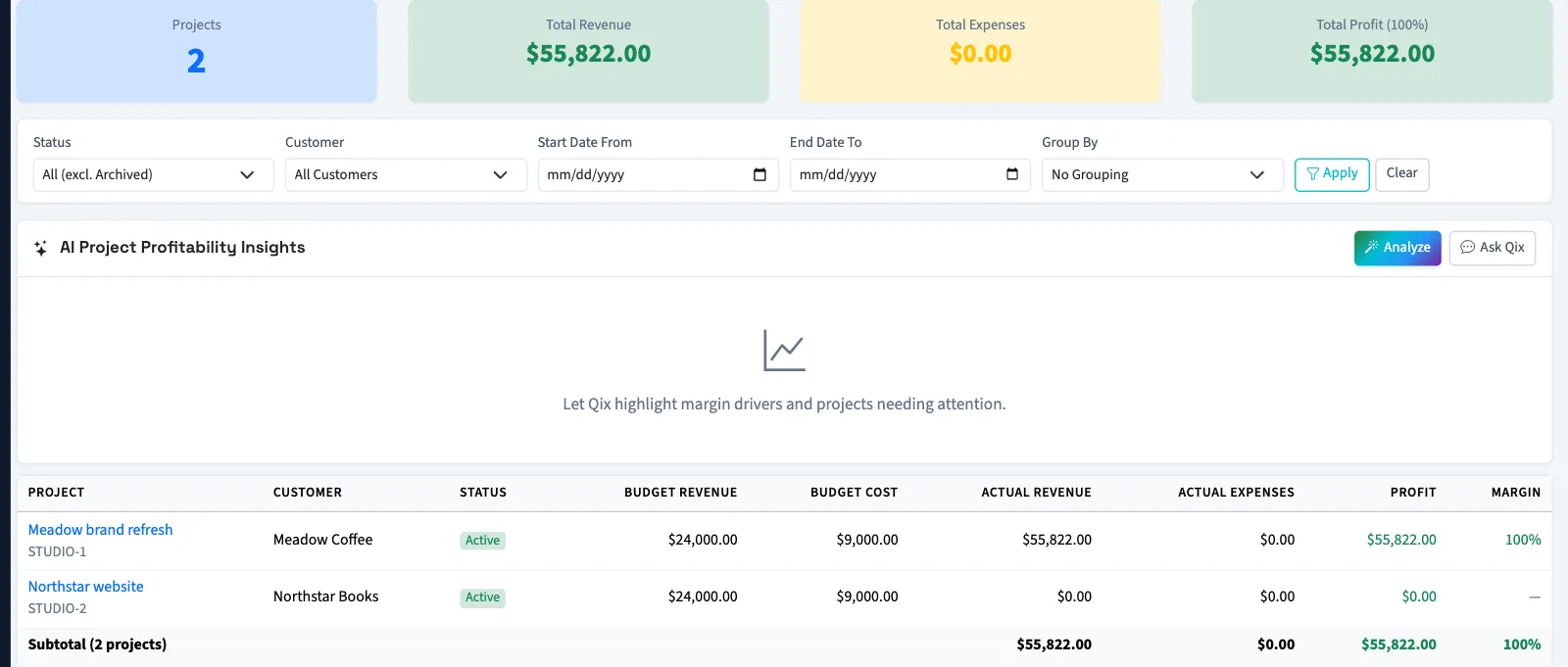
The default status choice excludes archived projects. The date fields filter project dates, not invoice or bill dates. Start Date From includes projects starting on or after that date. End Date To includes projects ending on or before it and projects with no end date. When both dates are entered, the end filter must not be earlier than the start filter.
Read the results
| Column | Meaning |
|---|---|
| Budget Revenue | The project's revenue target. |
| Budget Cost | The project's cost budget. |
| Actual Revenue | Linked non-void invoice totals, including drafts. |
| Actual Expenses | Linked non-void bill totals, including drafts. |
| Profit | Invoice totals minus bill totals. |
| Margin | Profit divided by revenue, when revenue is positive. |
Grouped reports include subtotals. With View projects permission, select a project name to open its details. These figures use whole documents, not posted account balances or only collected payments.
Export or analyze
For a CSV of a status and customer selection, clear the date filters, choose No Grouping, select Apply, then select Export CSV. The file includes dates, targets, actual amounts, profit, margin, revenue variance and cost variance. Revenue variance is revenue minus its target; cost variance is cost budget minus expenses. A variance is blank when its target is zero or missing.
Use the on-screen report for comparisons narrowed by project dates or grouping. Check that the downloaded file contains the projects you intend to share.
Select Analyze to request Qix analysis using the applied report filters. If no projects match, QixCount displays an error. Ask Qix opens the Qix chat when Qix chat is available for the business.
What happens next
Reports and exports do not update project targets. For unpaid document balances, see Review outstanding project work.
Good to know
You need View project profitability permission, and project tracking must be enabled.
If Project reports isn't in the sidebar, someone with settings access can turn on Project tracking in Features.