
Choose year-end accounts
Set the retained earnings and income summary accounts used by year-end closing.
- Who can do this
- Owners, or people with Manage business settings, roles & permissions
- Where
- Settings, then Accounting setup
- You'll need
- Selecting new year-end accounts needs equity accounts; leaving the choices blank uses defaults
On this page
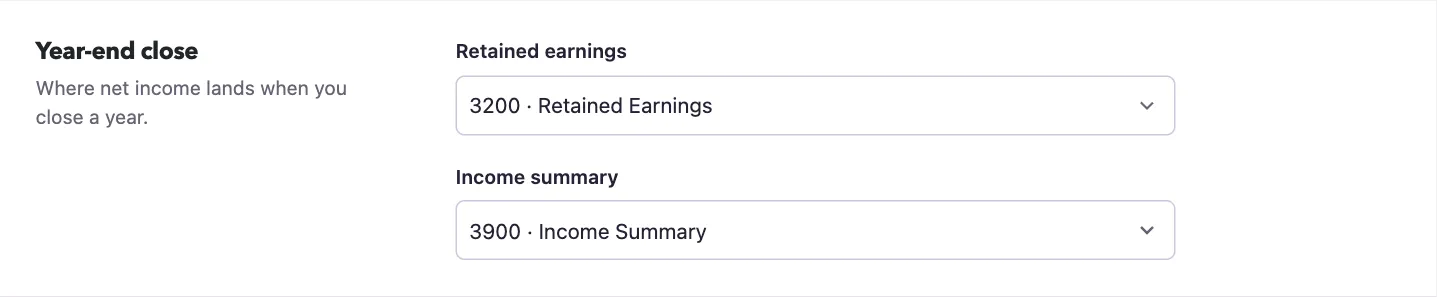
The Year-end close section of Accounting setup holds two account selections. You need the Manage business settings, roles & permissions permission.
Set the accounts
- Open Settings.
- Select Accounting setup.
- Select an account for Retained earnings.
- Select an account for Income summary.
- Select Save changes.
The list includes active equity accounts and keeps already-selected accounts visible. If the intended account is missing, have someone with View chart of accounts permission review the chart of accounts. Do not substitute an account solely because it is available in the list.
Saving these selections does not close the year or create a closing entry. If either is left blank, General closing can find or create its default account: Retained Earnings (3200) or Income Summary (3900). The selections are used when a closing workflow needs them. Nonprofit closing follows its separate account mappings, so these two fields are not a substitute for reviewing Nonprofit mapping.
What happens next
Review Set document number prefixes for new document references, or return to Check your accounting setup to review the fiscal year. Keep the fiscal-year choice and the account choices separate: changing an account here does not change report dates.
Good to know
Ask your accountant to identify the intended accounts before changing them.
| Field | Purpose in QixCount |
|---|---|
| Retained earnings | The account selected for accumulated earnings during year-end closing. |
| Income summary | The account selected to gather income and expense closing amounts. |