
Check your accounting setup
Review accrual accounting, choose the base currency and change the fiscal year start.
- Who can do this
- Owners, or people with Manage business settings, roles & permissions
- Where
- Settings, then Accounting setup
Accounting setup controls the currency and year used by your books. You need access to Accounting and the Manage business settings, roles & permissions permission.
Review your books
- Open Settings.
- Select Accounting setup.
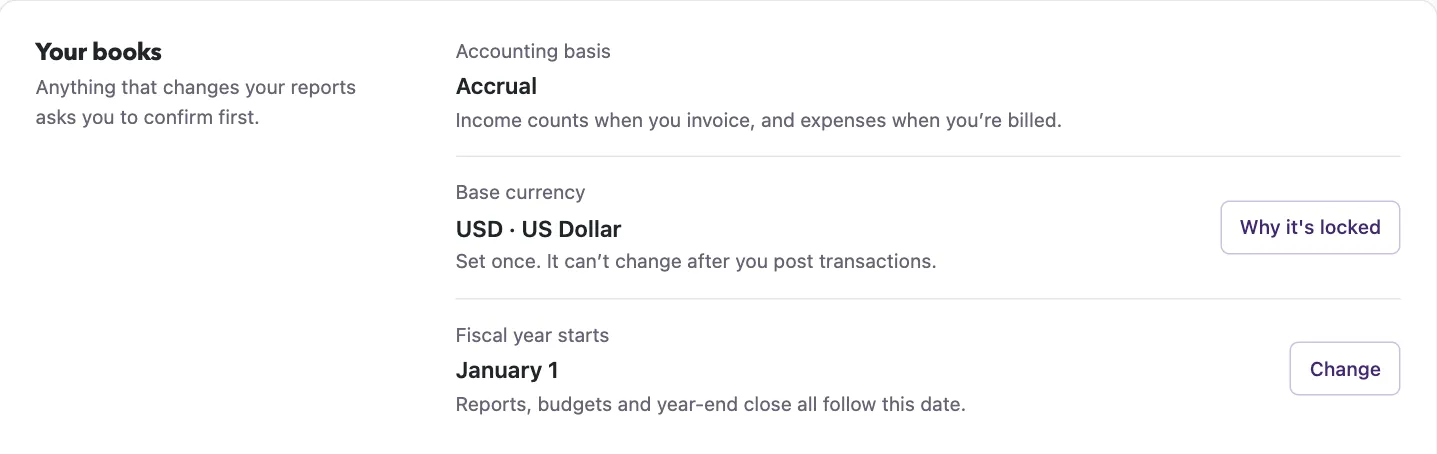
- Review Accounting basis, Base currency and Fiscal year starts.
The basis is displayed as Accrual. This screen does not offer a cash-basis switch. Nonprofit uses USD.
Change the base currency
For General, select Change beside the currency before any transaction has been posted. Select the currency in the panel, then select Change currency.
The currency locks after the first posted transaction, including one later removed from the normal transaction list. Select Why it's locked to read the explanation. Contact support if the business was created with the wrong currency. Selecting a base currency does not add foreign-currency accounting.
Change the fiscal year start
WarningThis changes report grouping. Posted transactions keep their dates. A year with closed months, an existing budget or a completed year-end close may block the change. Review the error with your accountant rather than removing completed accounting work to force a change.
- Select Change beside the fiscal year start.
- Select Month.
- Select Day, from 1 through 28.
- Review the displayed date range and effects.
- Select I understand this changes how my reports are grouped.
- Select Change fiscal year.
Continue with Choose year-end accounts and Set document number prefixes.
Good to know
Owners have this permission; other members need it assigned.