
Complete a period close checklist
Mark monthly checklist items complete, add notes and understand what the progress indicator measures.
- Who can do this
- Owners, or people with View fiscal periods and Manage fiscal periods (close/reopen/lock)
- Where
- Books, then Fiscal periods
- You'll need
- Period close turned on in Features; an open monthly period
On this page
Each monthly period has its own Close Checklist. It records which items someone has confirmed, who completed them and when.
Complete an item
- Open Books, then Fiscal periods, and select the month.
- Find the item in Close Checklist.
- Select the empty circle beside it.
- Enter Notes (optional), up to 1,000 characters, if needed.
- Select Mark Complete.
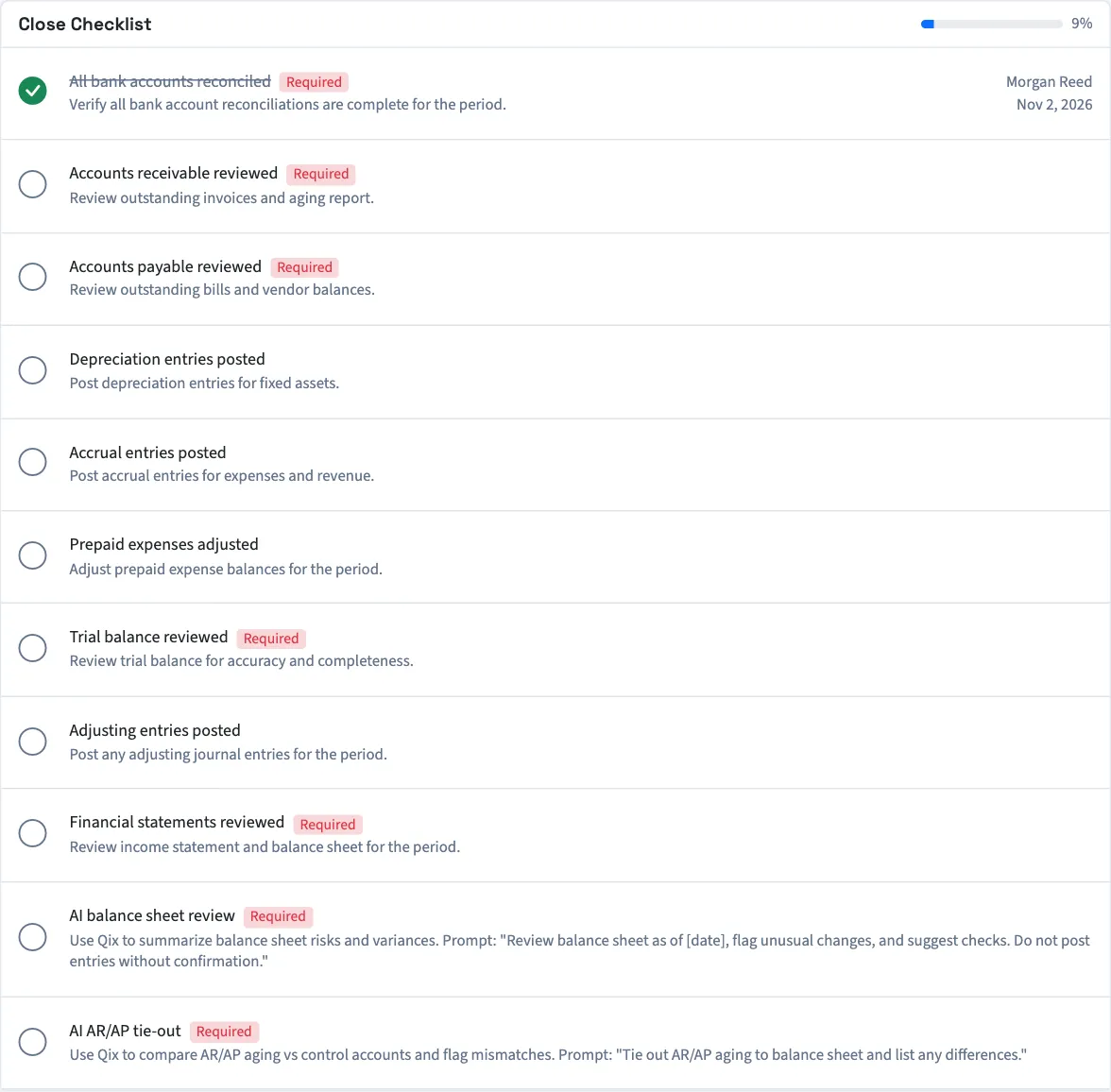
The row shows the completing person's name and date. To undo completion while the period is open, select its green checked circle. This clears its completion status, person and time.
Understand progress and required items
An item marked Required must be complete before the month can close. Optional items count toward the percentage and completed-item count but do not block closing. The percentage is rounded down, so the completed-item count is useful when you are nearly finished.
Period checklists copy the item names, descriptions and required settings from the templates when first initialized. Changing a template does not rewrite a checklist that already has items. Reopening a month keeps its existing completion marks.
Read the item descriptions as screen prompts for your review. QixCount does not verify the named task when you mark it complete.
Next, close the month. To change the items used for new checklists, customize the period close checklist.
Good to know
Marking an item complete does not reconcile an account, post an entry or run Qix.
Who can do this and what you need
You need View fiscal periods and Manage fiscal periods (close/reopen/lock) permissions. Checklist controls appear while the period is Open.
If Fiscal periods isn't in the sidebar, someone with settings access can turn on Period close in Features.