
Send an invoice and understand the email
Post a draft, then email the customer a link and an optional PDF copy.
- Who can do this
- Owners, or people with Send invoices and View invoices
- Where
- Sales, then Invoices
- You'll need
- Customer email, invoice emails enabled, and a draft with at least one item and a positive total
On this page
Marking an invoice sent and emailing it are separate actions. Owners can do both; staff need Send invoices. Opening the invoice also needs View invoices.
Post the invoice
- Open Invoices and select the draft's invoice number.
- Review its dates, items and total.
- Select Mark Sent.
This posts the invoice to the general ledger using the invoice date. It does not send an email. Posting can fail for a closed or locked period or a backdating restriction; resolve the displayed error before continuing.
Email the customer
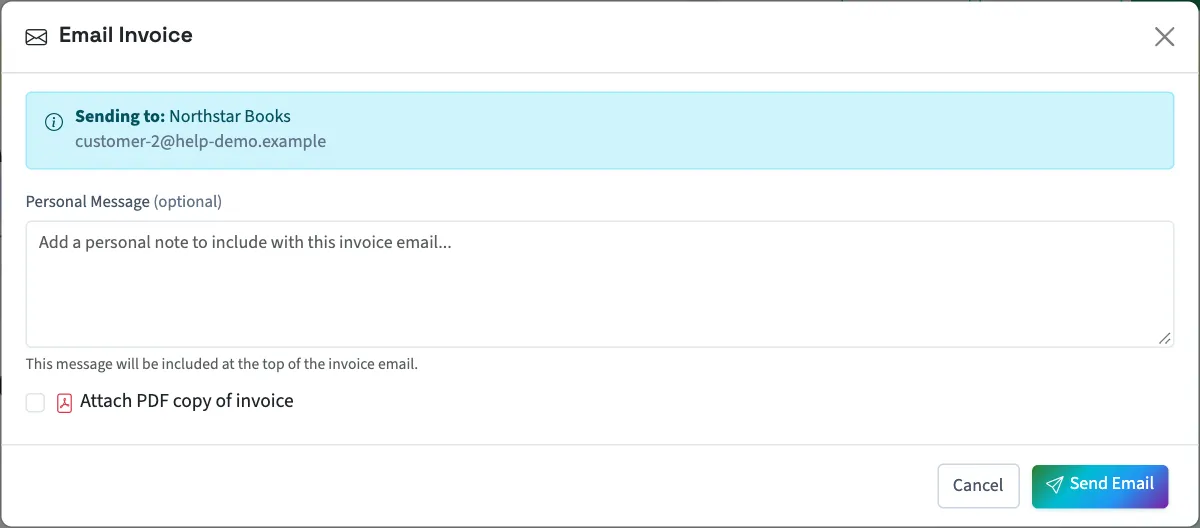
- Select Email Invoice on the posted invoice.
- Check Sending to:.
- Enter Personal Message (optional) if needed, up to 2,000 characters.
- Select Attach PDF copy of invoice if you want a PDF attached.
- Select Send Email.
The saved invoice email attachment setting can also cause a PDF to be attached even when this checkbox is clear.
What the customer receives
The email contains the invoice number, dates, customer, balance and the first five line items, with a count of any remaining items. Your personal message replaces the default introductory message. The email includes View Invoice, which normally opens a signed link valid for 30 days without a business login.
Pay Now appears when an eligible Stripe payment link is available. Sending the email can create that payment link when online payments are enabled. A success message does not confirm delivery. If the customer does not receive the message, contact support before repeatedly sending it.
Next, review the public invoice page or download the invoice PDF.
See the invoice email from your customer's side.
Who can do this and what you need
The customer needs an email address. Invoice emails must be enabled in the business's invoice email settings. A draft needs at least one item and a positive total before it can be marked sent.