
Review a customer’s page and history
Review contact details, recent invoices, payments and recorded activity.
- Who can do this
- Owners, or people with View customers
- Where
- Sales, then Customers
On this page
Open a customer profile to review their sales records before contacting them or recording money received. Owners have access; other users need View customers. Links to invoices, payments and reports need the permission for that destination too.
Review the profile
- Open Customers.
- Select the customer's name.
- Select Overview to check contact details, addresses, payment terms and notes.
- Select Invoices to open a recent invoice.
- Select Payments to open a recent payment.
- Select Activity to review recorded changes.
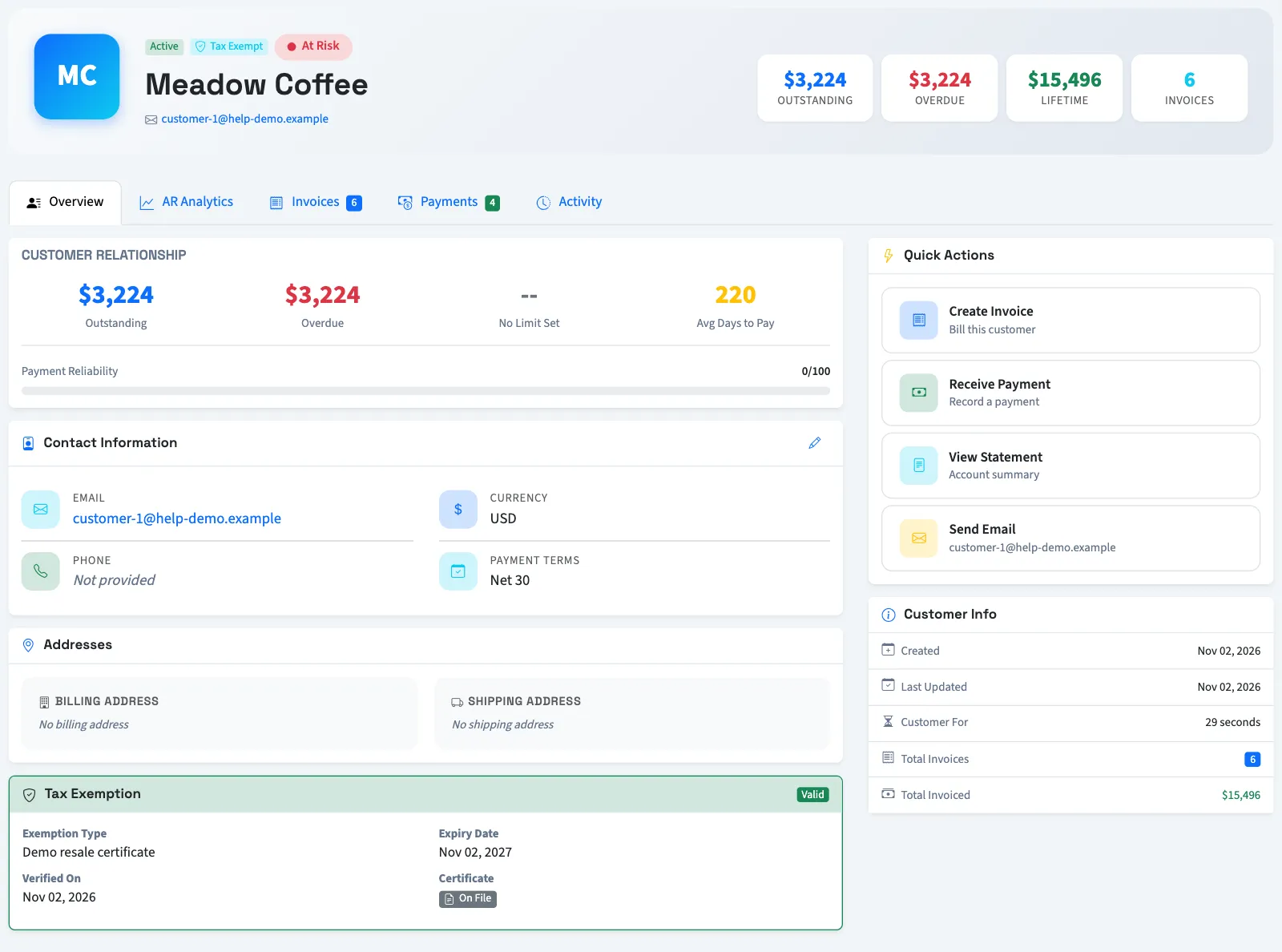
The profile loads the latest 10 invoices by invoice date and 10 payments by payment date. Use View All Invoices or View All Payments for the corresponding filtered list. If there is no history, the tabs offer actions to create the first invoice or record the first payment.
Review unpaid amounts
AR Analytics groups outstanding invoice balances by due date. Accounts receivable means money customers owe your business. The page also shows payment patterns and credit utilization when a credit limit is recorded. Analytics can take up to 15 minutes to refresh.
The customer page's payment summary covers the loaded recent payments and can include voided records. Check the individual payment before treating it as money still received. The activity timeline displays up to 20 entries from the latest 50 loaded records; it is not a complete history or a fixed 30-day window.
Next, review outstanding balances or record a payment.