
Read reconciliation reports
Check account reconciliation status, age outstanding transactions and inspect the history of changes.
- Who can do this
- Owners, or people with View reconciliations and View financial reports
- Where
- Reports, then All reports
On this page
These reports show statement progress, outstanding bank transactions and recorded reconciliation actions. Owners and people with View reconciliations can open them.
Age outstanding items
- Select Reconciliation aging.
- Choose a Bank Account, or leave All Accounts selected.
- Select Update Report.
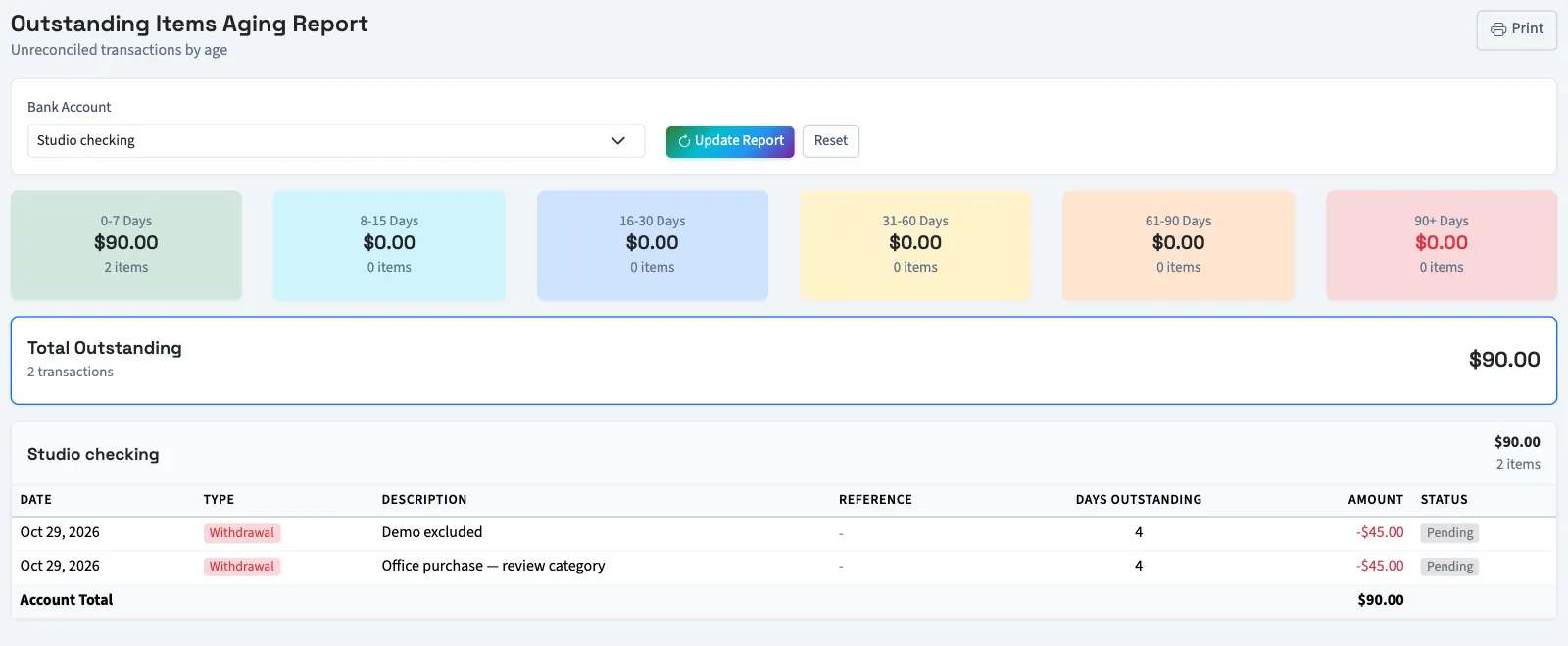
Outstanding Items Aging Report includes bank transactions with pending or cleared status. Age is measured from the transaction date to today. The groups are 0–7, 8–15, 16–30, 31–60, 61–90 and more than 90 days; the last card is labeled 90+ Days.
Group totals, account totals and Total Outstanding add absolute amounts. Deposits and withdrawals do not offset each other. Detail rows show date, type, description, reference, days outstanding, amount and status.
Inspect recorded changes
- Select Reconciliation history.
- Choose a Bank Account, or leave All Accounts selected.
- Enter From Date and To Date.
- Choose an Action Type if needed.
- Select Search.
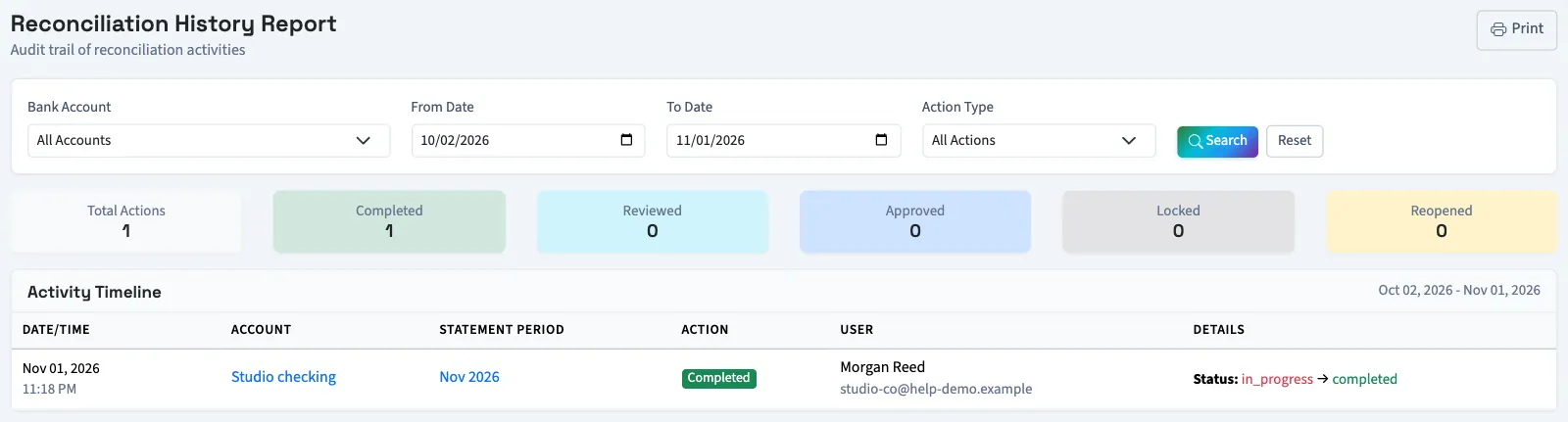
The default date range starts 30 days ago and ends today. Dates filter when an action occurred, not the statement period. Activity Timeline shows the time, account, statement period, action, user and details, newest first. Select a statement period to open its reconciliation.
All Actions also includes updates and deadline extensions when recorded; those two types have no individual filter option. Select Reset to restore the default filters. Select Print on any of these reports to use your browser's print dialog.
Continue with Find a reconciliation difference or Approve a reconciliation.
Good to know
Opening All reports also requires View financial reports. Report links depend on the Reports switch in Settings, under Features. An owner or someone with Manage business settings, roles & permissions can change that switch.
Open Reports, then All reports. The Reconciliation group contains Reconciliation status, Reconciliation aging and Reconciliation history.
Check account status
Select Reconciliation status to open Reconciliation Status Report.
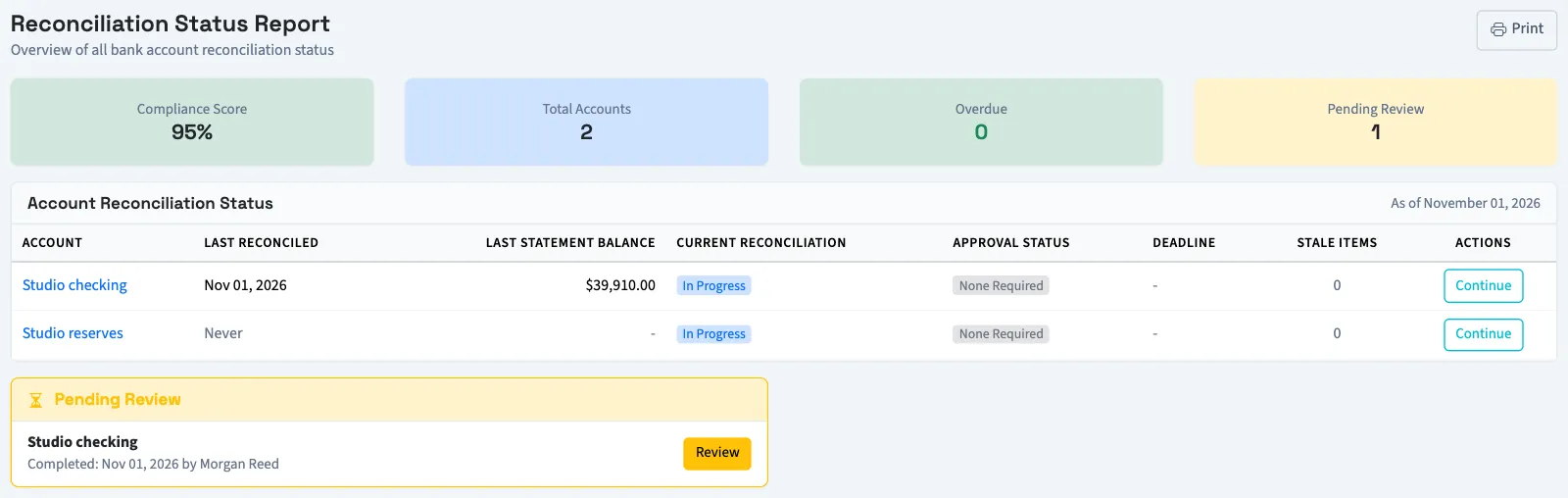
The account table includes active accounts and shows the latest completed statement date and balance, latest reconciliation, approval status, deadline and stale-item count. A stale item is an outstanding transaction older than the configured number of days; the default is 30.
Continue opens unfinished work. Review opens a statement awaiting review. Start New opens the start form. These actions still require their own permissions.
Compliance Score is a QixCount progress indicator. It starts at 100 and subtracts:
- 15 per overdue reconciliation, up to 45.
- 5 per pending review, up to 20.
- 1 per 10 stale transactions, up to 20.
These deductions total at most 85, so the lowest possible score is 15. With no active accounts, the score is 100. The report also lists overdue reconciliations and items awaiting review.