
Exclude, restore, or undo a bank transaction
Move feed records out of review and understand what Undo changes in each edition.
- Who can do this
- Owners, or people with Edit bank transactions and View reconciliations
- Where
- Banking, then Bank feed
Excluding removes a record from the review list by marking it skipped. It does not delete the bank record or reverse an existing journal. These actions need Edit bank transactions; opening the feed needs View reconciliations.
Exclude a record
- Open Banking, then Bank feed, and select For Review.
- Find the record.
- Select Skip on an uncategorized row, or the X control labeled Exclude on a categorized row.
The record moves to Excluded. Exclusion changes review status only. In particular, it does not remove the amount from the bank account's balance calculation.
A record can also arrive here on its own: if the bank removes a record nothing depends on, a sync excludes it. An excluded pending record returns to For Review if the bank then posts it.
Restore a skipped record
- Open Excluded.
- Find the skipped record.
- Select Restore.
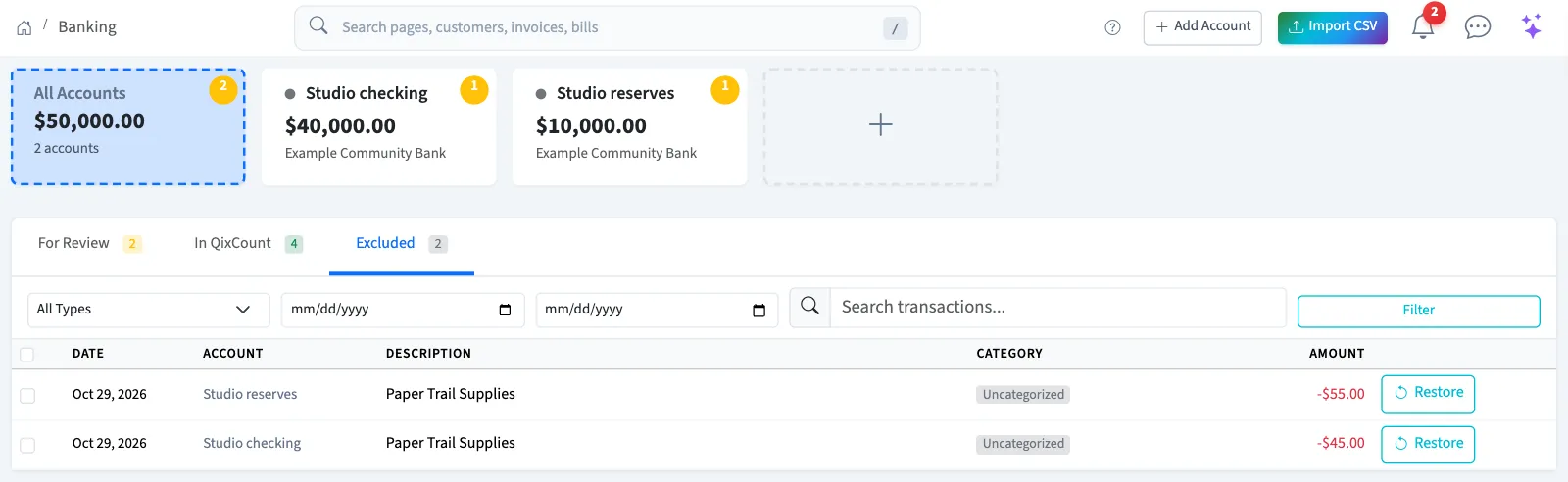
The record returns to For Review. Its category is kept. Retained reversal history cannot be restored or imported again.
Undo a record
WarningA record with retained history can't be added again, because each bank record can post only one journal. If you still need the entry, create a journal entry.
- Open In QixCount.
- Find the record and check its journal before proceeding.
- Select Undo.
- Review the confirmation and confirm only if the correction is intended.
What Undo does depends on the record:
| Record | Result |
|---|---|
| Added to the books from this bank record | The journal is reversed, and both the journal and its reversal stay in the ledger. The row moves to retained history under Excluded, where Journal corrections opens the original journal. |
| Matched to a posted journal from another document | Undo is refused with a message. Correct the original document through its journal. Reversing that journal releases the match; Undo then treats the bank record as unlinked. |
| Categorized but not added, in General | The record returns to For Review. If it was linked to an unposted journal, that journal stays and only the link is removed. |
| Categorized but not added, in Nonprofit | Undo is refused with a message. |
What happens next
Review restored records before adding them. For a retained correction, use the journal correction workflow with your bookkeeper. Restoring, excluding, or undoing does not complete a statement reconciliation.
Good to know
Owners have Edit bank transactions and View reconciliations.