
Approve a reconciliation
Review a completed reconciliation, record final approval and lock it when available.
- Who can do this
- Owners, or people with View reconciliations and Review/approve reconciliations & lock/unlock
- Where
- Banking, then Reconciliation
- You'll need
- A completed reconciliation; non-owners must not review their own completion or approve their own completion or review
On this page
Review and approval are separate steps after completion when this reconciliation requires them. Completion alone already marks the selected bank transactions reconciled.
Record the review
- Open Banking.
- Select Reconciliation.
- Select Pending Review in the Approval filter.
- Select Filter.
- Open the row's three-dot menu.
- Select View.
- Check Reconciliation Summary, the cleared transactions and any variance explanation.
- Enter optional review notes in Approval Actions, up to 1,000 characters.
- Select Review Reconciliation.
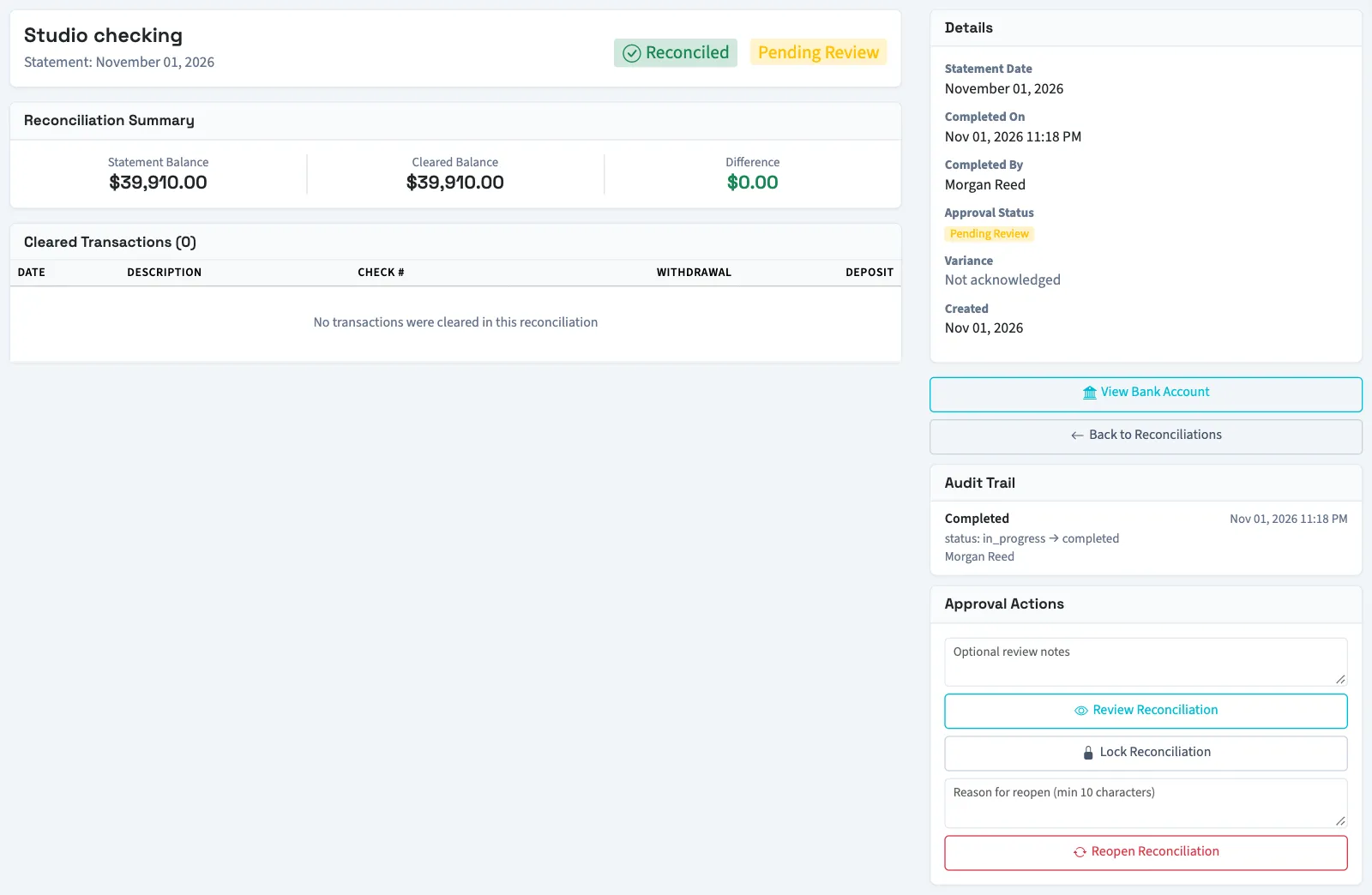
The approval status changes to Reviewed. Review notes are added to the reconciliation's notes and recorded in its history.
Record final approval
- Open the reviewed reconciliation's details.
- Check the review and any notes.
- Select Approve Reconciliation.
The status changes to Approved. If automatic locking is enabled, approval also locks it. If it remains unlocked, an authorized person can select Lock Reconciliation. Manual locking is available on any completed, unlocked reconciliation; it does not itself record approval or prevent a later review or approval.
What happens next
The details show Approval Status, review information, lock information when applicable, and Audit Trail entries. Review, approval and manual locking record the acting person and time in history.
Continue with Reconciliation reports, or Unlock or reopen a reconciliation if a correction is needed.
Troubleshooting
An action may be absent because the record is in a different state or you lack permission. A non-owner may see Approve Reconciliation but be blocked if they completed or reviewed it. Ask another authorized person or an owner to approve.
Who can do this and what you need
Owners can review, approve and lock. Other users need View reconciliations to open the details and Review/approve reconciliations & lock/unlock to take these actions. An accountant assigned through an approved firm has these permissions and follows the non-owner restrictions below.
Review is required only when enabled for the business and, if a threshold applies, the absolute statement ending balance meets that threshold. Otherwise completion sets the reconciliation directly to Approved.
| Action | Required state | Who can perform it |
|---|---|---|
| Review | Completed and Pending Review | An owner, or an authorized person other than the person who completed it. |
| Final approval | Reviewed | An owner, or an authorized person who neither completed nor reviewed it. |
| Manual lock | Completed and unlocked | An owner or someone with the approval permission. |
An owner can complete, review and approve the same reconciliation. For other users, these steps require different people.