
Add or edit a manual bank transaction
Record a bank item, review its details, and understand editing and deletion limits.
- Who can do this
- Owners, or people with Create bank accounts/transactions and View reconciliations
- Where
- Banking, then Bank accounts
- You'll need
- An active bank account
On this page
Enter a bank record manually when it is not arriving through a statement import or connection.
Add the transaction
- Open Banking, then Bank accounts.
- Select the account.
- Select Add Transaction.
- Review the preselected Bank Account.
- Enter Date.
- Select Type.
- Enter Amount, at least 0.01.
- Enter optional Payee, Check #, Reference, and Description.
- Select an optional Category.
- In Nonprofit, review Financial coding.
- Select Save Transaction.
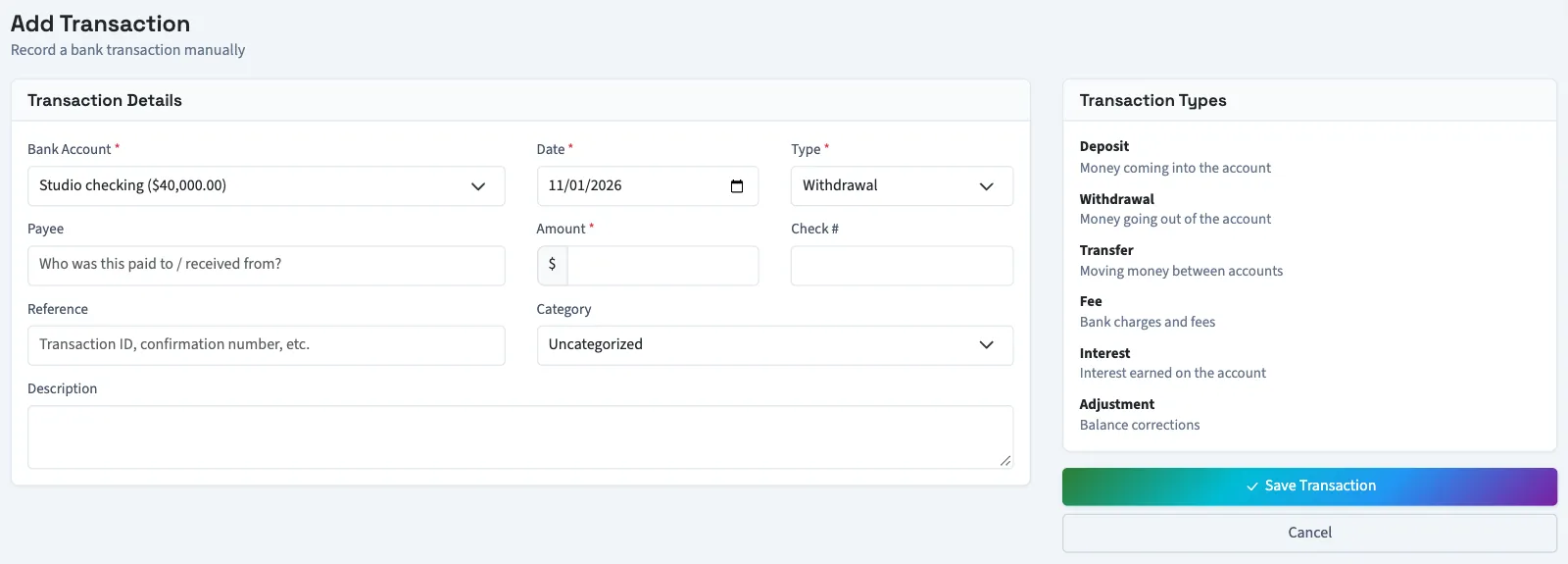
The type choices include Deposit, Withdrawal, Fee, and Interest. For a transfer or adjustment, contact support before entering or posting it: those choices do not consistently handle the direction across the banking balance and ledger posting. A transfer also does not create a corresponding record in another bank account.
The payee limit is 200 characters, reference limit 100, and check-number limit 50. New records have pending bank status.
Edit or delete a record
Open Banking, then Bank accounts, select the account, and select View All under Recent Transactions. Select the record's description in Bank Transactions. If it has no linked journal and is not reconciled, select Edit Transaction, change the details, choose Pending or Cleared under Status, then select Save Changes. The bank account itself is read-only on the edit form. Saving an edit opens the transaction details.
WarningEditing a bank record does not update its linked journal. If Matched Journal Entry appears, have your bookkeeper check the original accounting record before changing or deleting the bank record. Nonprofit also blocks changes to posted bank source amounts and coding.
Delete Transaction removes the bank record and recalculates the banking balance. QixCount refuses while the record is linked to a journal or a match. Reverse the journal or remove the match first. In General, you can then delete the record, and the journal and its reversal stay in the ledger. In Nonprofit, a record with a reversed journal that it created is kept as history and can't be deleted. If it was matched to a journal from another source, reversing that journal releases the link and the unlinked, unreconciled bank record can be deleted. Reconciled transactions cannot be edited or deleted through these controls.
What happens next
You return to the transaction list. Categorize and add the record if it needs a ledger posting, or match it to activity already recorded.
Good to know
Saving this form updates the banking balance; it does not create a journal entry in the books.
Who can do this and what you need
You need Create bank accounts/transactions and an active bank account. Viewing records needs View reconciliations; editing needs Edit bank transactions and deletion needs Delete bank transactions. Owners have these permissions.