
Find and save settings in one workspace
Search settings, review current values and use the shared save controls.
November 1, 2026. Settings now brings business or organization details, accounting choices, documents, access and billing into a shared settings workspace. The overview shows saved values beside the settings you can open and can highlight items needing attention.
Use Find a setting to search the available pages. On forms with the shared save bar, editing reveals Unsaved changes. Select Save changes to keep the edits or Discard to restore the saved values. Other forms retain their own action buttons.
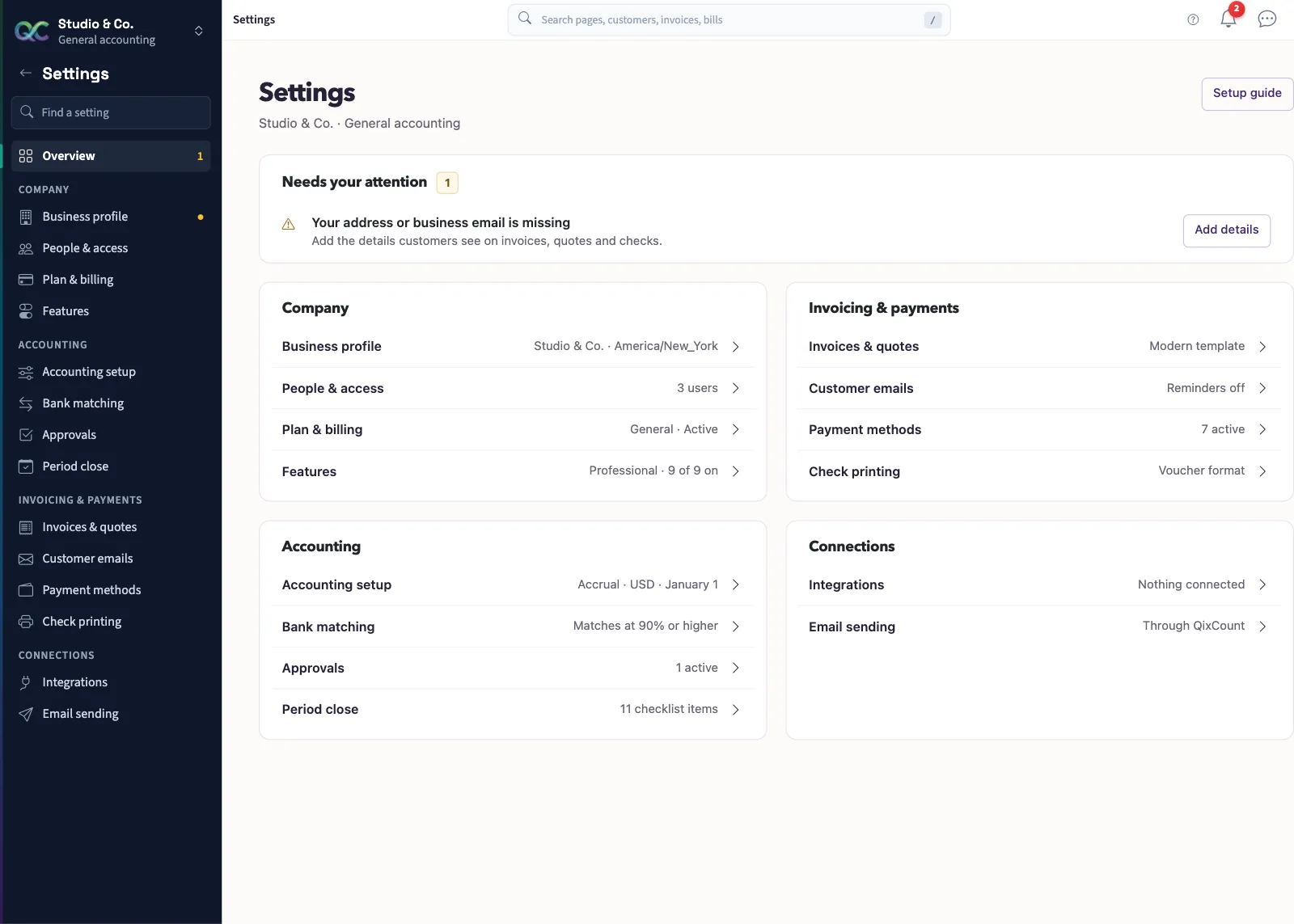
Accounting setup holds fiscal-year choices, document prefixes and posting rules. Document appearance and customer email wording have separate pages. Nonprofit also has organization identity and mapping settings.
Access still depends on the page: people, business billing, business profile and email sending require an owner. Accounting settings require Manage business settings, roles & permissions permission. Read Find and save a setting, then Check accounting setup before changing choices that affect reports.