
Create an invoice
Bill a customer and save a draft before posting or emailing the invoice.
- Who can do this
- Owners, or people with Create invoices and View invoices
- Where
- Sales, then Invoices
- You'll need
- An active customer and a described line with a positive rate; a project if project assignment is required
On this page
Create an invoice to bill a customer. Save a draft while you check the details, then mark it sent when it is ready to post.
Fill in the invoice
- Open Invoices.
- Select New Invoice.
- Choose Customer. Use Quick add customer if needed and permitted.
- Enter Invoice Date.
- Enter Due Date, on or after the invoice date.
- Choose Project if shown and required by the business's project settings.
- Enter a line Description.
- Enter Qty, at least 0.01.
- Enter Rate, which cannot be negative.
- Select Account for the line if you need a specific revenue account.
- In Nonprofit, review the line's Financial coding.
- Select Add Line for each additional line.
- Review the addresses, discounts, tax selections, Customer Notes, Terms & Conditions and Footer.
- Select Preview Invoice to check the customer document.
- Close the preview.
- Select Save as Draft.
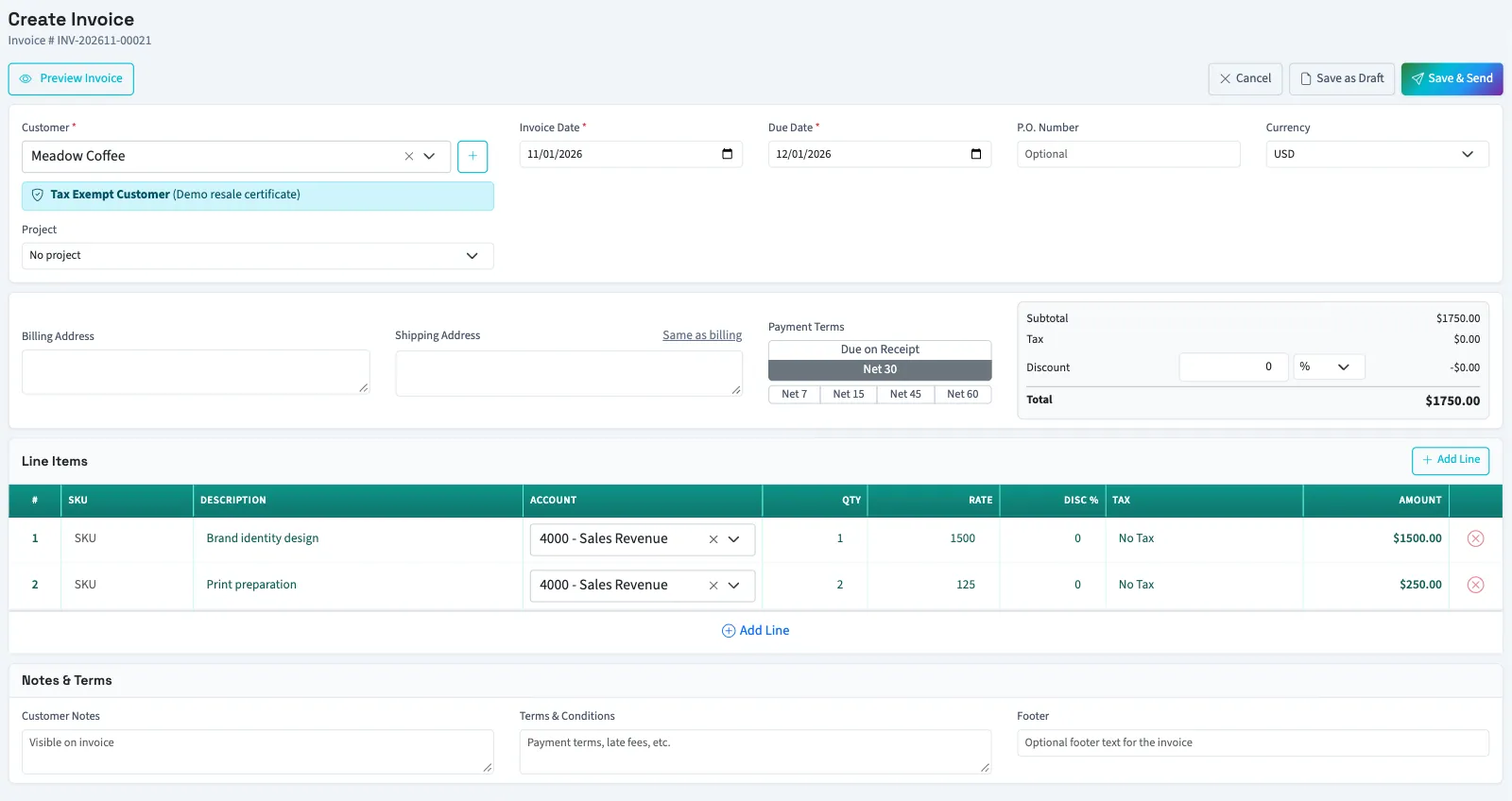
You need at least one line. The form also requires at least one described line with a positive rate. The invoice number displayed before saving is a preview; QixCount assigns the final number when it saves.
What happens next
The draft opens on its detail page. Saving a draft does not post its amounts. Save & Send marks a sendable invoice sent and posts it using the invoice date; it does not email the customer. The invoice must have a positive total to be marked sent.
A closed or locked period, or the business's backdating limit, can block posting. If posting fails after creation, review the saved draft before trying again to avoid creating another invoice.
Next, send the invoice email or edit the draft.
Who can do this and what you need
Owners can create invoices. Staff need Create invoices and View invoices to follow this task from the list to the saved draft. Searching for a customer also needs View customers. Quick add needs Create customers. Accounting must be enabled for the business.